Hotel Self Check-In: How It Works, Types, Benefits And Setup
Hotel self check-in lets guests skip the front desk and get into their room on their own, using a phone, a lobby kiosk or a digital key. Here is how it works, the main formats and how to set it up at your property.
Hotel self check-in lets guests confirm their booking, verify ID, pay and get a room key without waiting at the front desk.
There are three main formats: online or mobile check-in on the guest's phone, a self-service kiosk in the lobby, and self check-in with digital keys and smart locks.
Guests get speed, privacy and flexible arrival times. Hotels get shorter queues, lower labor pressure, reliable ID capture and more upsell opportunities.
The right setup depends on your guest mix, arrival patterns, staffing and property size. Many hotels combine mobile check-in with a kiosk or an express desk.
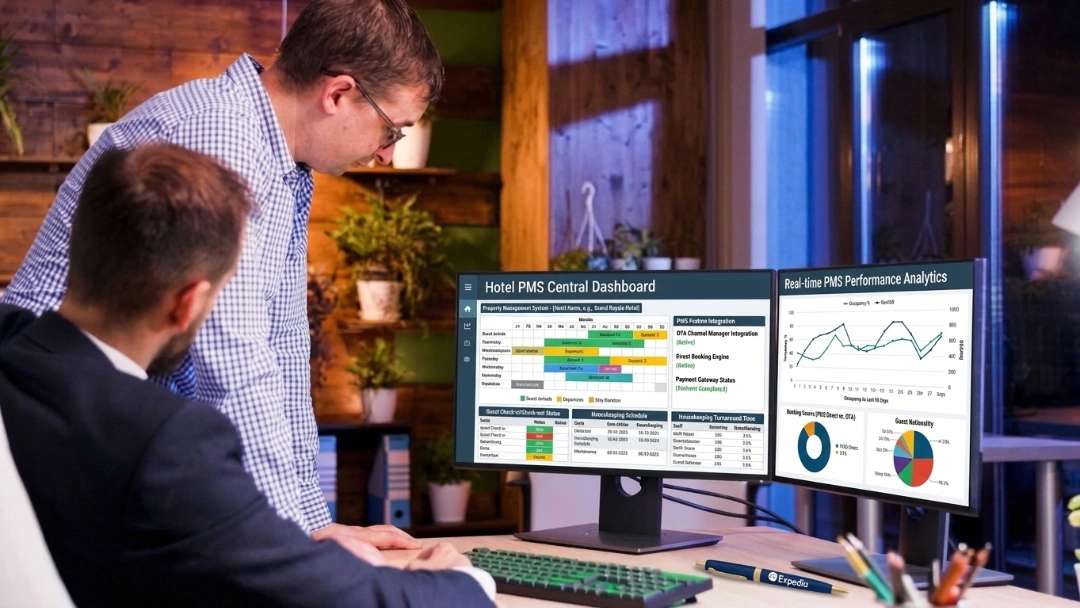
The system only works well if it syncs with your PMS in real time and gives guests an easy way to reach staff when something goes wrong.
Hotel self check-in is a contactless way for guests to check in without the front desk. Guests confirm their booking, verify their ID, pay, and get a room key or digital key on their own, using a phone, a web link, or a lobby kiosk. For hotels, it creates a faster, more predictable arrival flow and frees front desk staff for guests who need help. For guests, it offers speed, privacy, and control from the very first interaction.
Your front desk sets the tone for the entire stay. Long lines, late arrivals and short-staffed shifts make that harder than it should be.
Hotel self check-in changes that experience. Guests check in on their own terms, without waiting in line or explaining their booking after a long journey. It gives them speed, privacy and control from the start, while hotel check-in software takes pressure off your staff during peak hours and late at night.
In this guide, we cover what hotel self check-in is, the main formats, how each one works, the features to look for and how to set it up at your property.
What Is a Hotel Self Check-In?
Hotel self check-in is a contactless way for guests to check in without the front desk. Guests confirm their booking, verify their ID, pay and get a room key or digital key on their own, using a phone, a web link or a lobby kiosk.
Receive a digital key, PIN code or encoded key card
For hotels, it creates a faster, more predictable arrival flow and frees front desk staff for guests who need help. For guests, it offers control and convenience that enhance the guest experience from the very first interaction.
{{channel-manager-one}}
Three Hotel Self Check-In Formats That Cover Most Setups
Most hotel self check-in setups use one of three formats, or a mix of them.
Format
Where it happens
Best for
Online or mobile check-in
Guest's phone or browser, before arrival
Reducing front desk queues and flexible arrivals
Self-service kiosk
A touchscreen terminal in the lobby
Walk-up arrivals, guests without the app and high-traffic hotels
Self check-in with digital keys and smart locks
Guest's phone plus a connected door lock
Properties without 24-hour reception
A. Online Or Mobile Check-In
Guests complete check-in through the hotel's app, a mobile website or a pre-arrival link sent by email or text. They confirm details, verify ID and pay before they arrive, then pick up a key or receive a digital key.
B. Self-Service Kiosk
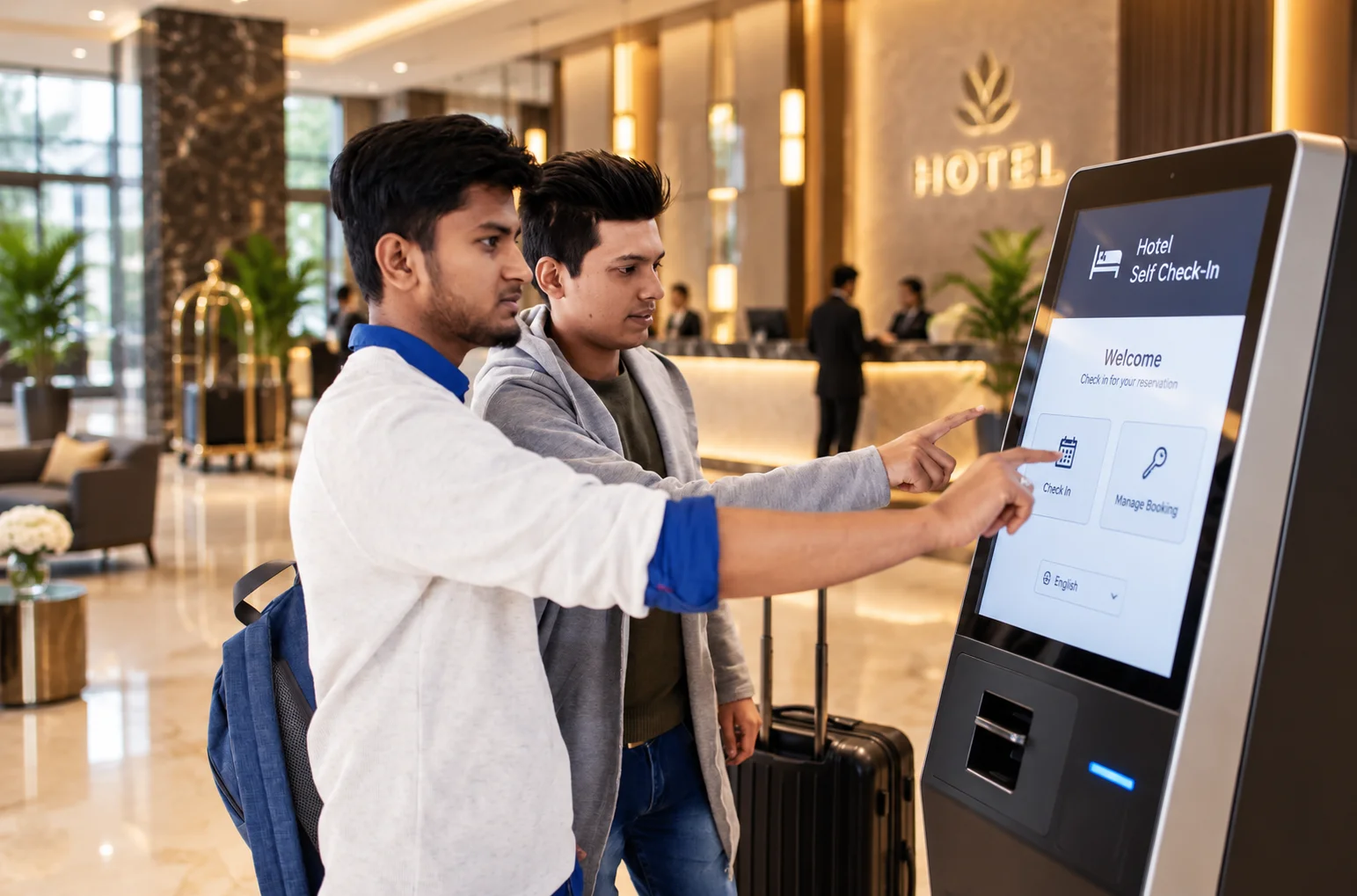
A touchscreen terminal in the lobby works like a virtual receptionist. Guests look up their reservation, scan their ID, pay and collect an encoded key card. See how a hotel self check-in kiosk works for a step-by-step breakdown.
C. Self Check-In With Digital Keys And Smart Locks
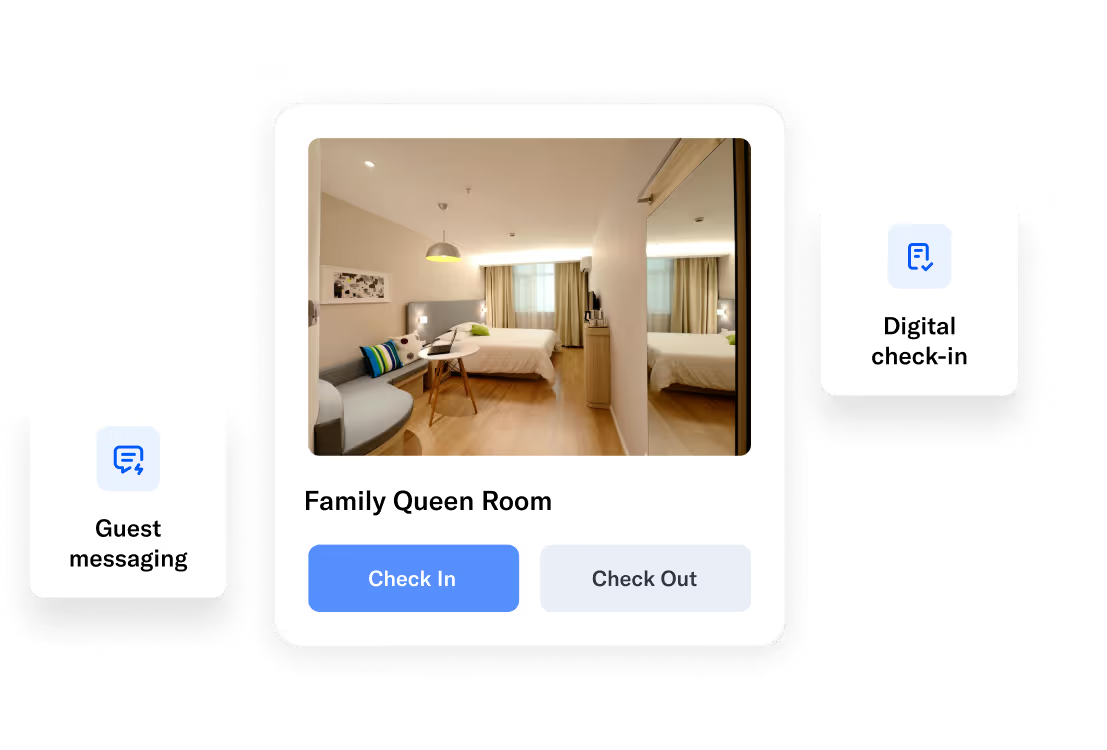
After checking in online, guests receive a digital key on their phone that opens a connected smart lock, so they can go straight to their room without stopping in the lobby.
Hybrid setups are common too. Many hotels let guests register online before arrival, then hand over a pre-printed key card at an express desk with minimal face-to-face time.
How Hotel Self Check-In Works
The exact steps depend on the format, but every self check-in flow covers the same core tasks: identify the guest, confirm the booking, take payment and give access to the room.
A. How Mobile And Web Check-In Works
Pre-arrival link: the guest receives a check-in link by email or text, usually 24 to 48 hours before arrival.
Guest details: they confirm personal details, arrival time and any special requests.
ID verification: they upload or scan their ID, and some systems add a selfie match.
Digital registration: they sign the registration card and accept hotel policies on screen.
Payment: they pay any balance and authorize a deposit hold for incidentals.
Room access: once the room is ready, the system sends a digital key, PIN code or pickup instructions.
B. How Kiosk Check-In Works
Find the booking: the guest enters a confirmation number or name, or scans a QR code.
Scan ID: the kiosk reads a passport, driver's licence or ID card.
Pay: the guest pays by card or mobile wallet at the built-in terminal.
Get the key: the kiosk encodes and dispenses a key card, or sends a digital key.
PMS update: the room is marked occupied and the folio updated in real time.
Most self check-in transactions take about one to two minutes once the guest has their ID and payment ready. Read our full guide to hotel self check-in kiosks to see what happens behind each step.
{{channel-manager-two}}
Key Features Of A Hotel Self Check-In System
A complete self check-in system covers the whole arrival flow, from the first message to the room door.
Pre-arrival check-in links: automated emails or texts that send guests to a branded check-in page.
ID scanning and verification: capture of passports and driver's licences, with optional photo matching.
Digital registration cards and e-signatures: paperless registration with policy acceptance stored on the reservation.
Integrated payments: secure card and mobile wallet payments, deposit holds and tokenization for PCI compliance.
Digital keys and key encoding: mobile keys for smart locks, or key cards encoded at a kiosk or desk.
Room readiness alerts: automatic notifications when housekeeping marks the room clean.
Upsells: offers for upgrades, early check-in, late check-out and extras during the flow.
Multilingual screens: step-by-step guidance in the guest's own language.
Real-time PMS sync: every check-in updates reservations, room status and folios instantly.
Staff escalation: an easy way for guests to reach a person if ID, payment or the booking doesn't match.
Reporting: check-in completion rates, exceptions and guest data for compliance records.
Guest Preferences: What The Data Shows
Guests increasingly prefer to skip the front desk, and the market is growing fast.
You may be wondering, "Our reception works fine. Why should we invest in a self check-in system?" The answer is simple: guests like the convenience. Here are some data points:
70% of travelers would prefer self check-in over the front desk, using a mobile app or kiosk.
The global hotel self-service kiosk market reached $1.42 billion in 2024 and is projected to grow at a 13.5% CAGR.
Benefits Of Hotel Self Check-In
Self check-in benefits both sides of the front desk: guests get a faster arrival, and hotels get smoother operations.
Benefits For Hotels
Faster arrivals: guests head straight to their room without waiting at the front desk.
Lower labor pressure: less reliance on the front desk during peak hours and late nights.
Automated information delivery:check-in and check-out times, directions and local recommendations sent automatically.
Reliable ID verification: digital ID capture avoids manual errors at the counter.
More upsell revenue: room upgrades and extras offered at the moment guests are ready to decide.
Consistent service: improves guest satisfaction with the same smooth arrival across shifts, properties and busy seasons.
Benefits For Guests
Self check-in removes small points of friction, like long queues and manual mix-ups, that shape a guest's first impression. This improves the guest experience from the moment they arrive.
Faster check-in: skip front desk lines and finish in minutes.
Clear reservation details: review and confirm booking details directly.
Instant room access: receive a digital key along with smart room features and amenity information right after check-in.
Flexible arrival times: arrive late at night without depending on reception hours.
Privacy and less contact: check in without sharing details at a busy counter.
Consistent stays: the same arrival flow across different properties and visits.
{{guest-app}}
Hotel Self Check-In Vs Traditional Check-In
Self check-in changes when guests can arrive, how long they wait and how much work falls on your front desk.
Factor
Self check-in
Traditional check-in
Arrival time
Any hour
Reception hours only
Front desk wait
Little or none
Varies, worse at peak times
Reception staffing
Optional for routine arrivals
Required
Keys
Digital or auto-expiring
Physical, issued manually
Guest data capture
Digital and structured
Manual and error-prone
Upsell offers
Automatic in every check-in
Depends on staff remembering
Compliance records
Can be automated
Manual
Personal welcome
Available on request
Standard
Most hotels don't replace the front desk entirely. They use self check-in for routine arrivals and keep staff available for guests who want a personal welcome or need help.
Self Check-In Technology Options Compared
Each self check-in technology suits a different property size, guest mix and staffing model.
The right setup depends on arrival volume, staffing and how much control you want guests to have during check-in. Here is what each option involves.
1. Mobile App Check-In
Best for: branded hotel chains and repeat guests
Mobile check-in lets guests complete the entire check-in process on their smartphones before arrival or on property. They can confirm details, verify ID, pay and often receive a digital room key through the hotel app.
Pros
Strong branding across the guest journey
Push notifications, offers and upsells
Stores hotel guest profiles for faster repeat stays
Supports loyalty programs well
Cons
Lower adoption among one-time guests
Higher development and maintenance costs
Some guests resist installing another app they won't use regularly
2. Web-Based Check-In
Best for: independent hotels and OTA-heavy properties
Web-based check-in lets guests complete check-in through a browser link sent by the hotel, with no app to download. Guests enter details, verify identity and confirm payment before arrival or on site, on any device. It works well for one-time and infrequent guests and speeds up arrivals during peak hours.
Pros
Works instantly through a link, with no app needed
Higher completion rates than apps
Easy to connect with your hotel PMS, email and messaging
Best for: high-traffic hotels with 24/7 operations
Self-service kiosk check-in lets guests check in at an on-property touchscreen kiosk. They confirm their booking, verify their ID, pay and collect their room key in minutes. Kiosks are built for peak periods, late-night arrivals and lean staffing, which makes them popular in business hotels, airport hotels and large properties. Learn more in our guide to hotel self check-in kiosks.
Pros
Reduces front desk queues
Operates 24/7 without staff for routine arrivals
Handles ID scanning, payment and key cards
Works for guests who don't want to use their own phone
Cons
Hardware cost and lobby space required
Less suited to guests who aren't comfortable with technology
Needs regular maintenance and updates
4. Digital Keys And Smart Lock Integration
Best for: properties with lean overnight staffing and smart locks
Digital key and smart lock integration lets guests unlock their room with a smartphone instead of a key card. After check-in, they receive secure access credentials that work through Bluetooth or NFC.
Pros
Room access without a stop at the front desk
No lost or demagnetized key cards
Ideal for late-night arrivals
Cons
Requires compatible smart lock hardware
Depends on the guest's phone battery and Bluetooth connection
{{pms-one}}
Self Check-In Options At A Glance
Self check-in option
Setup cost
Guest effort
Speed
Best for
Mobile app
Medium to high
Low
Fast
Branded hotel chains and repeat guests
Web-based
Low
Low
Medium
Independent hotels and OTA-heavy properties
Self-service kiosk
High
Very low
Very fast
High-traffic hotels with 24/7 operations
Digital key and smart lock
Medium
Very low
Very fast
Properties with lean overnight staffing
Which Self Check-In Technology Should Your Hotel Choose?
There is no single best option. The right choice depends on how your hotel operates, who your guests are and when most arrivals happen.
Mobile app check-in: works best for hotel chains with repeat guests, loyalty programs and personalized offers.
Web-based check-in: suits independent hotels and OTA-heavy properties that want fast adoption at low cost, with no app for guests to install.
Self-service kiosk check-in: fits high-traffic hotels with constant arrivals and regular front desk queues that need a reliable on-site option 24/7.
Digital keys and smart locks: ideal for properties with minimal overnight staff and frequent late arrivals.
Many properties combine two formats, such as web check-in with digital keys, or a kiosk backed by an express desk.
What To Look For In A Self Check-In System
The best self check-in system is the one that fits your PMS, locks and guests without adding work for your team.
Real-time PMS integration: check-ins, payments and room status should update your PMS instantly, not in delayed batches.
Lock and key compatibility: confirm the system works with your door locks or key encoders.
Secure payments: look for PCI-compliant payments with tokenization and deposit holds.
Reliable ID verification: check which documents it reads and how it handles a failed scan.
Branding and languages: guests should see your brand and their own language at every step.
Easy access to staff: guests must be able to reach a person quickly when something doesn't match.
Upsell tools: built-in offers for upgrades, early check-in and late check-out.
Reporting: completion rates, exceptions and guest data you can act on.
Total cost: compare setup, hardware, subscription and integration fees, not just the monthly price.
How To Implement Self Check-In At Your Property
Getting the right setup isn't enough. The goal is to remove bottlenecks, not add a new problem your team has to manage on busy days.
System integration: confirm that check-in, payments, ID verification and room access update your PMS in real time.
Guest communication: send pre-arrival messages with check-in steps, links and expectations. If you use an app, make sure it sends reminders before arrival.
Staff workflow: define when staff step in and when they don't.
Exception handling: set clear rules for failed ID scans, payment issues, early arrivals and special requests.
Security controls: configure identity checks, access rules and audit logs to match your property's standards.
On-site testing: run live tests during busy shifts and watch where guests pause, abandon the flow or ask for help.
Common Self Check-In Mistakes To Avoid
Most self check-in problems come from setup and communication, not the technology itself.
Removing all human support: guests who hit a problem and can't reach anyone leave bad reviews.
Poor PMS sync: delayed updates lead to wrong room keys, double bookings and incorrect charges.
No pre-arrival communication: guests who don't know self check-in exists still queue at the desk.
Too many steps: long forms and confusing screens push guests back to reception.
Ignoring early and late arrivals: decide how self check-in handles rooms that aren't ready and arrivals after midnight.
2026 Self Check-In Trends
Self check-in is moving earlier in the guest journey and becoming more automated.
Guests now expect check-in to be done before they reach the hotel, so pre-arrival links, mobile-first flows and faster identity checks are becoming standard. Kiosks are getting smarter too, handling ID checks, payments and room access in one flow. More hotels are pairing self check-in with digital keys so guests can go straight to their rooms, and using it to manage early and late arrivals without adding staff. The focus is simple: faster arrivals, fewer interruptions and a check-in guests barely have to think about.
How roommaster Automates Hotel Self Check-In
roommaster brings self check-in, digital keys and guest communication together with your PMS, so every arrival updates in real time.
Generic self check-in tools often work as stand-alone systems with limited PMS connection and little control when something goes wrong. roommaster's hotel check-in software and Hotel Guest App take a broader approach. Guests complete check-in on their phone and activate secure digital room keys in the app, with no queue at reception and no physical card needed.
Connected to your PMS: the roommaster PMS updates reservations, room status and folios in real time.
Works with major lock systems: roommaster integrates with leading lock providers such as Dormakaba and Assa Abloy. Keys activate instantly and can be deactivated remotely.
Guest communication and upsells: guests receive booking updates, stay details, directions and local recommendations, and you can showcase offers and amenities to upsell services.
In-stay requests: guests can request room service, housekeeping, spa treatments and maintenance with real-time updates.
Automatic check-out: room access is revoked when the stay ends, followed by a personalized stay summary and thank-you message.
Reviews and loyalty: the app asks hotel guests for feedback, connects with your loyalty program and offers incentives for repeat bookings.
"Guests absolutely love the convenience of checking in through their phone and skipping the front desk. And with digital keys, they walk right in. It's made first impressions so much better." Jessica Henrickson, Front Desk Clerk
Behind the technology is a team with decades of hands-on hotel management experience, helping independent hotels, groups and resorts deliver a smart, easy self check-in experience.
{{cta-strip}}
Frequently Asked Questions
1. What is hotel self check-in?
Hotel self check-in lets guests check in without the front desk. They confirm their booking, verify ID, pay and get a room key or digital key on their own, using a phone, a web link or a lobby kiosk.
2. Do any hotels have self check-in?
Yes. Many hotel chains, independent hotels, motels and resorts now offer self check-in through mobile apps, web check-in links, lobby kiosks or digital keys. Check the hotel's website or booking confirmation to see which options it offers.
3. Do guests prefer self check-in or the traditional front desk?
Most guests prefer self check-in for speed, privacy and late arrivals, while some still like a personal welcome or need help with special requests. Hotels get the best results by offering both.
4. What is the difference between mobile check-in and kiosk check-in?
Mobile check-in happens on the guest's own phone, often before they arrive. Kiosk check-in happens on site, on a hotel-owned touchscreen terminal in the lobby.
5. How does self check-in increase hotel revenue?
Self check-in reduces front desk workload, speeds up arrivals during peak hours and adds automatic upsell offers to every check-in. Hotels can serve more guests and sell more extras without increasing staffing costs.
6. Is self check-in safe and secure?
Yes, when set up properly. Modern self check-in systems use encrypted data, ID verification, secure payments and real-time PMS integration, and digital keys can be deactivated remotely if needed.
7. Can small hotels benefit from self check-in?
Yes. Small hotels and motels often benefit most, because self check-in handles late arrivals and busy periods without a fully staffed front desk. Web check-in with digital keys is usually the lowest-cost option for small properties.
8. What equipment do hotels need for self check-in kiosks?
A self check-in kiosk needs a touchscreen, an ID scanner, a payment terminal, a key encoder or digital key setup, and direct integration with the property management system.
9. How do digital keys work with mobile check-in?
After the guest completes mobile check-in and verification, the system issues a secure digital key in the hotel app. The guest unlocks their room by holding their phone near the smart lock, which communicates through Bluetooth or NFC.
10. Can I leave a hotel without checking out at the front desk?
Often, yes. Many hotels offer express or mobile check-out, where you leave your key card in a drop box or check out in the app, and the final bill is sent by email. Check the hotel's policy first, since some properties still ask guests to stop at the desk.
guest-app
Put Your Front Desk in Guests’ Pockets with roommaster App
Mayela Lozano is a content strategist with a passion for hospitality and technology. She collaborates with roommaster on content creation, highlighting how technology can streamline hotel operations and enhance guest satisfaction. When she’s not creating content, Mayela loves to travel and spend time with her two little ones, discovering new adventures and making memories along the way.
Join Thousands of Hotels Thriving with roommaster
The transition to roommaster is straightforward and efficient. Our implementation team handles data migration including reservations, guest profiles, and historical information.
The transition to roommaster is straightforward and efficient. Our implementation team handles data migration including reservations, guest profiles, and historical information.
How Hotels Can Use AI Assistants In Daily Operations
October 19, 2026
Hotel Management
Connect Your Hotel PMS To AI platforms: ChatGPT, Claude, Copilot & Google Gemini
October 19, 2026
Hospitality Technology
Mark Bloomquist & Steven Burman on Hotel Technology | roommaster
October 16, 2026
Hotel Management
Best Hotel Management Software in 2027: 10 Top-Rated Tools Compared
October 15, 2026
Hospitality Technology
Hospitality Technology 2027
October 14, 2026
Hotel Management
Hospitality Trends
Hotel Check-In Kiosk: Enhance the Guest Experience
October 5, 2026
Hotel Management
Hospitality Trends
Hotel Check-In & Check-Out Times Explained
October 1, 2026
Hospitality Trends
Hotel Management
Cloud-Based Property Management System: Hotel PMS
October 1, 2026
Hotel Management
Cloud PMS
Hotel Management System (HMS): A Complete Guide
September 23, 2026
Hospitality Trends
Hotel PMS
Cloud PMS
Hotel PMS Integration: How It Works for Hotels
September 23, 2026
Join Thousands of Hotels Thriving with roommaster
See how roommaster's unified platform can work for your property. Our team will walk you through features tailored to your specific needs and operations.



.png)
.png)
.png)