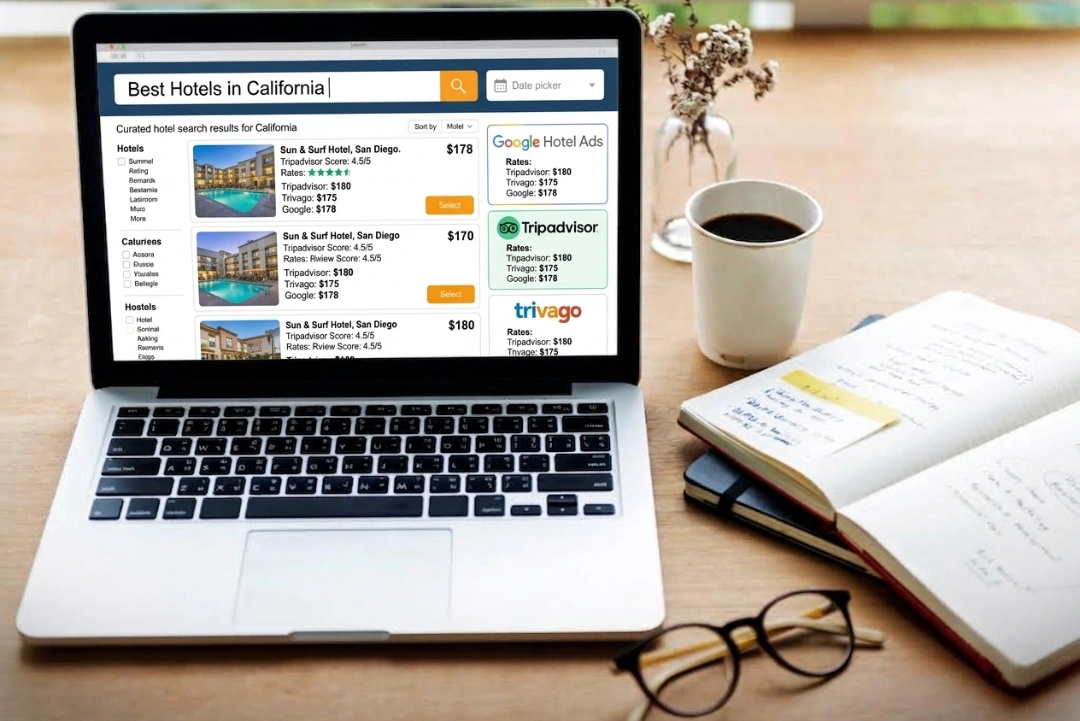
Setting up Google free booking links comes down to three things working in sync: a verified Google Business Profile, a connected booking engine or channel manager, and a live rate feed. For most hotels, the real question is whether that connection already exists.
What You'll Need
Setting up Google free booking links means covering three things: a verified profile, a connected provider, and a live rate feed.
Gather these before checking anything else, so setup moves in one pass.
- Access to the hotel's Google Business Profile
- Login access to the current booking engine, channel manager, or PMS
- Confirmation of who manages that connection, in case it's a third-party provider
- Current room rates and availability ready to sync
- A decision on whether this is new setup or a settings check
Most of this is information gathering. The actual configuration comes later in this guide.
Is Your Hotel Already Connected to Google Free Booking Links?
Most hotels don't need to build anything new since their current PMS, booking engine, or channel manager often already connects to Google.
Check with whoever runs the hotel's booking engine or channel manager first. Many providers maintain a standing Google connection for every property on their platform, roommaster included.
If that connection exists, enabling free booking links is a setting inside the provider's dashboard. Nothing needs to be built from scratch.
If it doesn't exist yet, the provider adds a new integration instead. Adding one still doesn't require the hotel to write code or manage a technical project.
Either way, the rest of this guide covers exactly what to check and configure, starting with the Business Profile.
Step 1: Verify Your Google Business Profile
Verifying the Google Business Profile means confirming the property's core details are accurate before anything else can go live.
Google checks specific fields before allowing a hotel to appear in free booking links. Missing or mismatched details are one of the most common reasons a setup stalls.
- Hotel name matches the legal or trading name used elsewhere
- Address and city are complete and accurate
- Phone number is current and reachable
- Website URL points to the hotel's own domain
Once these fields are confirmed, the profile is verified. This step doesn't need a developer or a technical background, just accurate information. Most hotels can complete this step without any outside help.
Step 2: Connect Your Booking Engine or Channel Manager
Connecting to Google happens through the hotel's booking engine or channel manager, since Google requires an approved connectivity partner rather than a direct feed.
If Your Provider Already Supports It, It's a Settings Change
Many booking engines and channel managers maintain a standing connection to Google. In that case, enabling free booking links means flipping a switch in the provider's own settings.
The provider handles the connection between the hotel's system and Google. Hotel staff typically just confirm the setting and check that rates display correctly. roommaster Booking Engine maintains this kind of standing connection for connected properties. Activation is usually the only step needed.
If Not, You'll Need to Add a Connectivity Partner
If the current provider has no Google connection, the hotel needs to add one. This usually means switching to a connected booking engine or channel manager. It can also mean asking the current provider to build the integration.
Adding a connectivity partner builds on the existing setup. The roommaster Channel Manager syncs rates and availability across Google alongside hundreds of OTA connections. It doesn't replace the hotel's existing booking engine.
Step 3: Confirm Your Listing Is Ready to Go Live
A short readiness check catches most problems before a listing goes live, since Google needs specific data before it displays a rate.
Run through this list right before requesting activation.
| Requirement |
Why It Matters |
| Verified Google Business Profile |
Confirms the hotel is who it claims to be |
| Active connectivity partner |
Supplies the live rate and availability feed |
| Mapped room types |
Prevents rate mismatches between systems |
| Working landing page |
Sends the guest somewhere that matches the listing |
| Live, current rates |
Keeps the listing eligible to display at all |
Skipping any one of these delays the listing or keeps it from displaying at all. A quick way to confirm the landing page works is a simple click-through test. Follow the link exactly as a guest would, from search result to booking page. Check that the room type and rate match at every step.
Hotels running paid campaigns alongside free listings should check one more thing. Google Hotel Ads run on separate rules from free booking links.
Step 4: Monitor and Improve Performance After Launch
Monitoring performance means checking Hotel Center regularly for traffic, clicks, and rate feed health after the listing goes live.
Google Hotel Center reports traffic, click data, and engagement for every listing. Checking it regularly catches problems before they cost bookings.
- Review click and traffic data on a regular schedule
- Confirm the rate feed is still updating automatically
- Watch for the official site badge, a signal the listing is in good standing
A listing that stops updating rates can lose its eligibility to display. Set a recurring reminder tied to an existing task, like a weekly rate review. The reminder keeps monitoring from turning into a separate chore.
How Does roommaster Help Hotels Manage Google Free Booking Links?
roommaster Hotel Metasearch keeps Google's rate and availability feed synced automatically, so free booking links stay live without manual upkeep.
Once a property connects through roommaster, rate changes push through to Google automatically. That happens no matter where in the system the change is made. There's no separate feed to maintain by hand.
The same connection extends to OTA rate parity through roommaster Hotel Metasearch. Metasearch listings on other sites get the same feed. Rates stay consistent everywhere a guest searches.
Properties using the roommaster Booking Engine have seen 40% more direct bookings. The lift comes from shifting guests off OTAs and onto owned channels. A synced Google listing feeds directly into that same path.
What Mistakes Do Hotels Make With Google Free Booking Links?
The most common mistakes happen after launch, when a hotel assumes the listing runs itself without any further attention.
Letting the Rate Feed Go Stale
A rate feed that stops updating is the top reason a listing loses visibility. Google prioritizes accuracy, and a stale feed signals the listing can't be trusted.
Provider or system changes are the most common trigger. A hotel switches booking engines or channel managers without re-checking the Google connection. Seasonal rate changes cause the same problem if new rates never reach the feed. Hotels that recently switched providers should treat this as a priority check. The connection often breaks during the transition.
The fix is simple. Confirm the feed after any system change or major rate update. A quick way to catch this early is a weekly check. Compare the live Google rate against the property's own booking page.
Assuming Setup Is a One-Time Task
Google free booking links only keep working while the rate feed and profile stay current. Treating setup as finished the day it launches is a common misstep. A profile edit, a new room type, or a provider switch can break the connection. Left unchecked, any of these quietly costs the listing visibility.
A quarterly check catches most problems early: profile, rate feed, and landing page. That small habit stops a listing from quietly losing visibility over time.
Set a recurring reminder tied to the hotel's regular reporting cycle. Reviewing OTA rates or channel manager performance is a natural place to pair it in.
Bottom Line
Setting up Google free booking links is rarely a from-scratch project. Most hotels already have a provider capable of the connection. The real work is verifying, connecting where needed, and monitoring afterward.
A verified profile, an active connectivity partner, and a current rate feed cover most requirements. Google needs little else to display a listing.
The mistakes that break a listing after launch are all preventable. A stale feed, a mismatched landing page, or treating setup as finished are common causes. A short recurring check catches all three.
For hotels already running a connected system, this mostly comes down to checking settings. The technical work is usually already done.
{{cta-strip}}
Frequently Asked Questions
1. What do Google free booking links refer to?
Refers to no-cost listings showing a hotel's live rate directly in Google Hotel Search results.
2. How long does it take to set up Google free booking links?
Takes minutes if the current provider already connects to Google, longer if a new connectivity partner needs to be added.
3. Do Google free booking links cost anything per click?
Costs nothing per click, unlike paid Google Hotel Ads campaigns running alongside the same search results.
4. What happens if the rate feed stops updating?
Stops the listing from displaying accurately and can reduce or remove its visibility in search.
5. Can a hotel use Google free booking links without a PMS or booking engine?
Requires an approved connectivity partner, so a standalone rate feed without one isn't accepted.
.png)
.png)
.png)