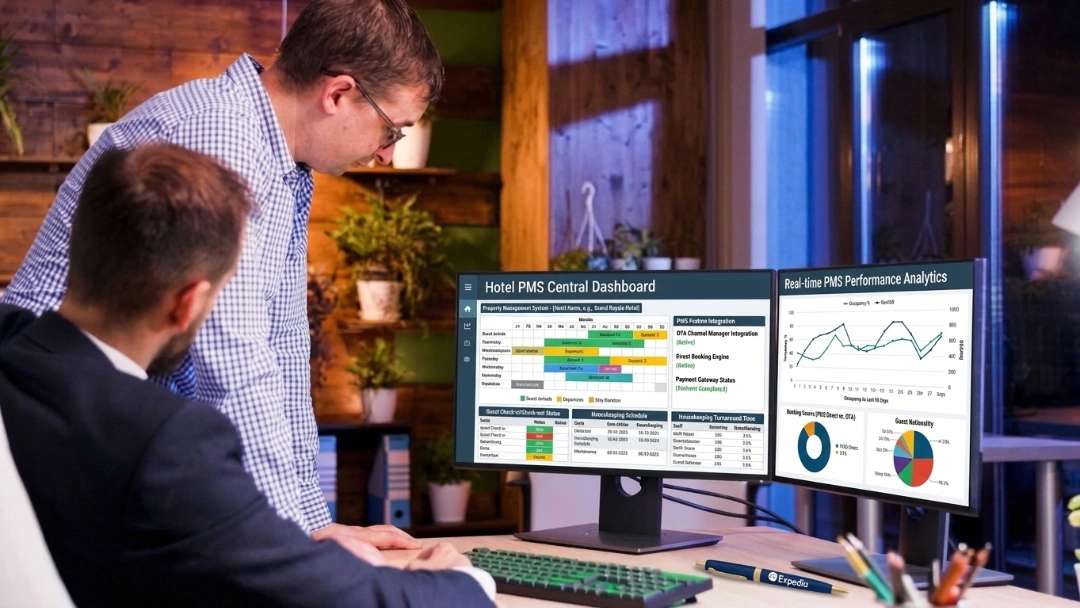
A cloud-based PMS is property management software hosted by the vendor and used through a browser or app. Run reservations, check-in, housekeeping, billing and reports from any device, with automatic updates and backups.
A cloud PMS is a hotel PMS that runs on the vendor's servers instead of a computer in your back office. Staff log in online from any device.
Compared with an on-premise PMS, you swap a large upfront license and server cost for a predictable subscription, and the vendor takes over updates, backups and most of the security work.
The main benefits are remote access, real-time sync with OTAs and your booking engine, easier integrations, automation that saves staff time, simple multi-property scaling and a more digital guest experience.
The real limits are internet dependency, recurring cost, less room for customization and vendor lock-in. Each one can be managed with the right questions before you sign.
Choose a cloud PMS by matching it to your property type, must-have integrations, uptime and support terms, security certifications, data export rights and five-year total cost.
Plan the switch for a low-occupancy window, clean your data first, run a parallel test and train staff by role before go-live.
What Is A Cloud-Based Property Management System (Cloud-Based PMS)?
A cloud-based PMS is a property management system hosted by the software vendor and accessed online. Front desk, housekeeping and management teams log in from a computer, tablet or phone to handle reservations, rooms, billing and reports, with no PMS server installed at the property.
It does the same core job as any hotel property management system. The difference is where the software runs and who looks after it. The vendor runs the application and database in secure data centers, keeps the software current and backs up your data. Your hotel only needs devices and a reliable internet connection.
Most PMS products launched in the last decade are cloud-based, and many long-standing on-premise systems now offer a cloud version. For independent hotels, motels, resorts and small groups, the cloud has become the default way to run a property.
How A Cloud-Based Property Management System (PMS) Works
A cloud-based PMS is property management software hosted by the vendor and accessed online through a browser or app, with no server installed at the property. Staff log in from any device to run reservations, front desk, housekeeping, billing, and reports, while the vendor handles updates, security, and backups. For most independent hotels, motels, resorts, and small groups, it is now the default way to run a property.
A. Hosting In Secure Data Centers
The PMS application and your property data live in the vendor's data centers, usually on a major cloud provider's infrastructure. Nothing critical sits on a server in your back office. Data centers have redundant power, cooling and network links, so they stay online through the local outages that would take down a single hotel server.
B. Access Through A Browser Or App
Staff sign in through a web browser or a mobile app with their own username and password. Role-based permissions decide what each person can see and do. A housekeeper sees room status and tasks, a front desk agent sees arrivals and folios, and the general manager sees reports and revenue.
C. Real-Time Updates For Every User
Every booking, room move, payment or status change is saved on the platform immediately. Everyone logged in sees the same information at the same moment. There is no end-of-day upload and no second copy of the data going out of date.
D. Connections Through APIs
The PMS exchanges data with your channel manager, booking engine, payment gateway, POS, door locks and other tools through APIs (application programming interfaces). An API is a standard, secure way for two software systems to talk. That is why cloud platforms usually connect to other tools faster and more cheaply than older on-premise systems.
E. Maintenance Handled By The Vendor
The vendor ships updates, fixes bugs, patches security issues and backs up data on its side. Most updates arrive in the background without your team having to install anything or stop working.
F. Subscription Billing
You pay a recurring subscription, usually monthly or annually, priced by room count, property tier or feature package. Hardware, hosting and maintenance are built into that fee rather than billed as separate projects.
Cloud PMS Vs On-Premise PMS
The main difference is who owns and runs the system: the vendor in the cloud, or your hotel on site.
An on-premise PMS is installed on servers at the hotel and maintained by your own staff or IT contractor. A cloud PMS moves that work to the vendor. Here is how they compare:
Factor
Cloud-based PMS
On-premise PMS
Deployment
Hosted by the vendor in secure data centers and accessed online
Installed on physical servers at the property
Cost structure
Operating expense (OPEX): a predictable subscription
Capital expense (CAPEX): a large upfront purchase plus ongoing upkeep
Upfront cost
Low: setup and onboarding fees
High: software license, server hardware and installation
Ongoing cost
Monthly or annual subscription
Maintenance contract, hardware refreshes and IT support
Implementation time
Typically weeks
Often months
Remote access
Any device with a browser or app, on or off property
Limited to on-site terminals, or needs a VPN or remote desktop setup
IT requirement
Minimal: the vendor manages servers, security and backups
Dedicated in-house or contracted IT staff
Maintenance
Automatic background updates and off-site backups by the vendor
Manual patches, upgrades and backups handled by the hotel
Support
Remote support, often 24/7; the vendor can fix most issues directly
Often needs an on-site technician or local IT contractor
Uptime and reliability
Redundant data centers, with uptime committed in a service level agreement (SLA)
Depends on one on-site server; a hardware failure can stop operations
Disaster recovery
Data backed up off site and restorable quickly after a fire, flood or theft
Backups are the hotel's job; data can be lost if they aren't kept off site
Internet need
Needs a stable, reliable connection, ideally with a backup line
Runs on the local network and keeps working during internet outages
Data control
Data hosted by the vendor, protected by vendor security, with ownership and export set by contract
Full physical control of the servers and data on site
Security work
Shared: the vendor secures the platform, the hotel manages users and devices
Mostly the hotel's responsibility
PCI compliance scope
Smaller when card data is tokenized through integrated payments
Larger, because card data may be stored or processed on local systems
Integrations
API connections, often through a partner marketplace
Custom interfaces, often slower and more expensive
Customization
Settings, custom fields and reports on a shared platform, with no code changes
Can be customized deeply, but changes are expensive and make upgrades harder
Scaling
Add rooms, users or properties in the same account
New licenses and sometimes new hardware
Multi-property management
Every property in one login, with consolidated reports and shared guest profiles
Usually a separate system per property, which is hard to link
Guest-facing features
Built for online check-in, mobile keys, messaging and upsells
Hard or costly to add modern digital guest features
Staff training
Modern visual screens that new staff learn quickly
Older interfaces that often rely on codes and commands, so training takes longer
Switching and lock-in
Depends on the contract's data export and exit terms
Hotel keeps its data, but it's tied to aging hardware and software licenses
On-premise systems still suit a small number of properties, such as remote resorts with unreliable internet or groups with strict in-house data policies. For most hotels, the cloud removes cost and IT work they don't need to carry. For a deeper look at the trade-offs, read our full comparison of cloud-based vs on-premise PMS.
{{pms-one}}
Benefits Of A Cloud-Based Property Management System (PMS) For Hotels
A cloud PMS saves money, frees up staff time and gives guests a smoother stay. Here is what changes day to day.
1. Access Your Property From Any Device
Managers can check arrivals, occupancy and the day's revenue from a phone at home or on the road. Front desk agents can check guests in from a tablet in the lobby during a rush. Housekeepers can update room status from the floor instead of calling down to the desk. Owners with several properties can move between them in one login. The PMS goes wherever the work is, instead of keeping the team tied to one terminal.
2. Lower Upfront Cost With No Server Hardware
With an on-premise PMS, you pay for servers, network equipment, backup drives, software licenses and installation before the system goes live. A cloud PMS removes almost all of that. You need devices your team already uses, such as computers, tablets and phones, plus a reliable internet connection. You also stop paying for server replacements every few years, climate-controlled server space and the electricity to run it.
3. Predictable Operating Costs Instead Of Large Capital Spend
A cloud PMS shifts spending from capital expense (CAPEX) to operating expense (OPEX). Instead of a large one-time purchase that needs budget approval and depreciates over time, you pay a regular subscription that's easy to forecast. The cost scales with your room count, so a growing property pays for what it uses. That makes cash flow easier to manage, especially for independent owners and seasonal properties.
4. Faster, Simpler Implementation
There is nothing to install on site, so a cloud PMS can be configured and launched remotely. The vendor's onboarding team sets up room types, rate plans, taxes and users with you over video calls, and training can happen online. Many independent hotels go live within a few weeks, instead of the months an on-premise rollout can take with hardware delivery and on-site installers.
5. Automatic Updates And New Features
In the cloud, every customer runs the latest version. New features, report improvements and bug fixes appear without anyone on your team installing an update or paying for a version upgrade. Your PMS keeps improving over time instead of slowly going out of date, and you never get stuck on an unsupported version.
6. Less Downtime For Maintenance
Cloud vendors plan maintenance to avoid disrupting operations, often releasing updates in small steps in the background. You don't need to schedule a maintenance night, shut down the front desk or ask staff to work from paper while a server is patched. When maintenance windows do happen, they're usually short, announced in advance and set for low-activity hours.
7. Stronger Security And Automatic Backups
Established cloud vendors invest in security at a level few individual hotels can match: encrypted data, round-the-clock monitoring, regular security testing and fast patching. Your data is backed up automatically to separate locations. If a front desk computer fails, a laptop is stolen or the property floods, your reservation history, folios and guest profiles stay safe and available. The security section below explains what the vendor handles and what your hotel still owns.
8. Real-Time Sync With OTAs And Your Booking Engine
When the PMS connects to a channel manager and booking engine, every reservation, cancellation and rate change updates availability across every major OTA, your website and other channels within moments. That is the most reliable fix for overbookings caused by manual inventory updates. Accurate, current rates and availability also help your listings perform better on OTAs.
"We've been able to increase our page ranking with OTAs and boost our online presence overall." Jesse Pilgrim, Pelican Bay Resort
9. One Accurate Source Of Data
Every department works from the same live database. Occupancy, ADR, RevPAR, revenue by channel and guest data are always current, without exporting spreadsheets or merging reports from different systems. Managers can make pricing and staffing decisions from today's numbers rather than yesterday's printout, and owners get the same figures the front desk sees.
10. Easier Integrations With The Rest Of Your Tech Stack
Cloud platforms are built to connect. Payment gateways, POS systems, door locks, revenue management tools, guest messaging, CRM, accounting software and smart-room technology plug in through ready-made integrations or open APIs instead of expensive custom interfaces. Adding a new tool becomes a matter of days, not a months-long IT project. Our guide to hotel PMS integration explains how these connections work and which ones matter most.
11. Automation That Saves Staff Time
A cloud PMS can take over repetitive work that eats into every shift. Night audit can run automatically. Confirmation, pre-arrival and post-stay emails go out on schedule. Room status updates the moment housekeeping marks a room clean. Rates can adjust through connected revenue tools. Staff spend less time on data entry and more time with guests, which matters when many hotels run with lean teams.
12. Easier Training For New Staff
Modern cloud PMS platforms use clean, visual screens, such as drag-and-drop tape charts and color-coded room status, instead of the codes and keyboard commands of older systems. New hires learn faster, make fewer mistakes and need less shadowing. In an industry with high staff turnover, shorter training time saves real money every year.
13. Remote Support And Faster Fixes
Because the system runs on the vendor's platform, support teams can look into problems directly, with your permission, without sending a technician or asking you to reinstall software. Many issues are resolved during the same call or chat. You aren't depending on a local IT contractor who may not know your PMS well.
14. Simple Scaling For Growing Hotels And Groups
Adding rooms, users or another property usually means updating your plan, not buying more hardware. Multi-property owners can view each location or the whole portfolio from one account, compare performance, share guest profiles and manage rates centrally. That kind of setup is hard and expensive to achieve by linking separate on-premise systems.
15. A Better, More Personal Guest Experience
Because guest profiles, preferences and stay history sit in one system, staff can recognize returning guests, remember special requests and personalize each stay. Cloud PMS platforms also make it easier to offer online check-in, digital registration cards, mobile keys and two-way messaging. Guests spend less time in line at the desk, and staff have more time for real conversations.
16. More Revenue From Direct Bookings And Upsells
A connected booking engine lets guests book directly on your website, which cuts OTA commissions. Automated pre-arrival emails can offer room upgrades, early check-in, late checkout, parking or packages, with the charges posted straight to the guest's folio. Connected revenue management tools can adjust prices to demand. Together, these turn the PMS from a record-keeping tool into a revenue tool.
{{pms-two}}
Core Features Of A Cloud-Based Property Management System (Hotel PMS)
A complete cloud PMS covers every part of daily operations in one platform. These are the features to expect.
1. Reservations And Front Desk Calendar
A visual tape chart shows every room and booking at a glance. Staff can create, modify, move and cancel reservations, manage group blocks, assign rooms and handle waitlists. Drag-and-drop room moves and clear color coding keep busy check-in times under control.
2. Check-In And Check-Out
Arrival and departure workflows should take a few clicks. Look for digital registration cards, ID capture, pre-authorizations and support for online or mobile check-in, so guests who have already registered skip the line. Express checkout with emailed folios saves time at departure.
3. Housekeeping And Room Status
Room status updates in real time as clean, dirty, inspected or out of order. Supervisors can assign rooms to attendants, track progress on a mobile device and log maintenance issues as work orders. The front desk knows the moment a room is ready, so early arrivals wait less.
4. Billing, Folios And Payments
A cloud PMS should handle guest and company folios, split billing, deposits, refunds, taxes and city ledger accounts. Integrated card payments with tokenization let you take payments securely without storing card numbers. Automated night audit closes the day and produces the reports your accounting team needs.
5. Distribution And Channel Connections
Two-way connections with a channel manager, booking engine, GDS and metasearch keep rates and availability consistent everywhere you sell rooms. New reservations flow straight into the hotel PMS without re-typing, and the risk of overbooking falls sharply.
6. Rate And Revenue Management
You can manage rate plans, packages, restrictions such as minimum stay, and seasonal pricing from one place. A connection to a revenue management system adds demand-based pricing recommendations or automatic rate updates, based on occupancy, pickup and market data.
7. Guest Profiles And CRM
Every guest gets a profile with stay history, preferences, notes, spend and communication history. The PMS can send automated confirmation, pre-arrival and post-stay messages, run loyalty programs and segment guests for marketing. See roommaster's hotel guest management tools for an example.
8. Reports And Dashboards
A good cloud PMS includes standard hotel reports such as occupancy, ADR, RevPAR, revenue by channel, manager's flash report, arrivals and departures, plus dashboards you can check on a phone. Scheduled reports can go to owners and managers by email every morning.
9. Multi-Property Management
Groups need to switch between properties in one login, see consolidated reports and share guest profiles and rate structures. This also lets a central team support several properties without being on site.
10. Users, Roles And Audit Trails
Role-based permissions control who can see rates, give discounts, refund payments or change settings. Multi-factor login protects accounts. An audit trail records who changed what and when, which helps with training, disputes and fraud prevention.
11. Integrations Marketplace And Open API
A marketplace of ready-made integrations and a documented open API let you connect POS, door locks, accounting, guest apps, messaging and other tools. Check that the integrations you rely on are live and supported, not planned.
12. Mobile Apps For Staff And Guests
Staff apps put housekeeping, front desk and reporting on phones and tablets. Guest-facing tools, such as a hotel guest app, add mobile check-in, digital keys, messaging and in-stay requests.
Signs Your Hotel Needs A Cloud-Based Property Management System
Hotels rarely switch PMS because of one problem. These are the most common signs it's time to move to the cloud.
A. Your Server Or Software Is Near End Of Life
Aging servers fail more often, and older PMS versions may stop receiving updates or security fixes. When a hardware refresh and a paid version upgrade are both coming, moving to the cloud often costs less and removes the next refresh cycle altogether.
B. Managers Can't See The Property When They're Away
If owners and general managers can only check performance from a terminal at the hotel, decisions wait until someone is on site. A cloud PMS gives them live occupancy, revenue and arrivals from anywhere.
C. Overbooking And Rate Errors Keep Happening
Updating availability by hand across OTA extranets leads to double bookings, walked guests, refunds and bad reviews. Real-time two-way sync between the PMS and a channel manager fixes the root cause.
D. Every New Integration Is A Custom Project
If adding a POS, door lock system or guest messaging tool takes months and a large quote, your PMS is holding back the rest of your technology. Cloud platforms with open APIs and integration marketplaces make these connections standard.
E. Security And PCI Compliance Weigh On Your Team
Patching servers, managing backups and protecting card data on site is a heavy load without dedicated IT staff. A cloud PMS with tokenized payments and managed security takes much of that responsibility off your team.
F. You're Adding Rooms Or Properties
Growth shouldn't mean buying new servers or running separate systems at each location. If expansion is on your plan, a cloud PMS lets you add capacity in the same account.
G. Training New Staff Takes Too Long
If new hires need weeks to learn codes and commands, your PMS is costing you time and money every time someone joins. Modern cloud interfaces cut training time significantly.
H. Guests Expect Digital Service
Online check-in, mobile keys, text messaging and contactless payments are now standard expectations for many travelers. These features are hard or impossible to add to a system built before smartphones.
{{pms-three}}
Cloud PMS Limitations To Understand Before You Switch
A cloud PMS is the right choice for most hotels, but it has trade-offs. Knowing them in advance helps you plan around each one.
1. Internet Dependency
A cloud PMS needs an internet connection. If your connection drops, staff can't reach the live system until it returns. Reduce the risk with a backup connection, such as a second internet provider or a 4G or 5G failover router that switches over automatically. Ask each vendor what their system offers during an outage, such as offline access to arrival lists, in-house guest lists and recent reports.
2. Recurring Subscription Cost
Subscriptions continue for as long as you use the system, and add-ons can raise the monthly bill over time. The fair comparison is total cost over five years, including hardware, maintenance and IT support you would otherwise pay for with an on-premise system.
3. Less Control Over Customization
All customers run on the same platform, so you can't rewrite the software for your property. Most cloud PMS platforms offer plenty of settings, custom fields and reports, but check during the demo that the standard workflows fit how you operate.
4. Dependence On The Vendor
Your uptime, support quality and product roadmap depend on the vendor. Ask for a written uptime commitment in a service level agreement (SLA), check support hours in your time zone, and look at the vendor's track record and customer reviews.
5. Data Ownership And Switching Out
Confirm in the contract that your hotel owns its data and can export it in a usable format if you ever change systems. Clear exit terms protect you from lock-in and make any future move easier.
6. Integration And Add-On Fees
Some vendors charge per integration, per API call or for premium modules. List every system you need to connect and get the full price in writing before signing.
7. Data Location And Privacy Rules
Hotels in some regions must keep guest data in specific countries or meet strict privacy laws. Ask where your data is hosted and how the vendor supports GDPR, CCPA and other rules that apply to you.
Cloud PMS Security And Compliance
Cloud security is a shared responsibility. The vendor secures the platform, and your hotel secures its users and devices.
1. What The Vendor Should Handle
A reputable cloud PMS vendor should encrypt data in transit and at rest, host it in secure data centers, monitor the platform around the clock, test for vulnerabilities regularly, patch issues quickly, and run off-site backups with a tested disaster recovery plan.
2. What Your Hotel Still Handles
Your team controls who can log in and from where. Use strong passwords and multi-factor login, give each staff member their own account, remove access the day someone leaves, keep front desk devices updated and train staff to spot phishing emails and phone scams.
3. Payment Security And PCI DSS
Hotels that take card payments must follow PCI DSS, the card industry's security standard. Integrated payments with tokenization replace card numbers with tokens, so full card data never sits in your PMS. That greatly reduces your PCI scope and the risk of a costly breach.
4. Certifications To Ask For
Ask vendors for proof of PCI DSS compliance, a SOC 2 report or ISO 27001 certification for their security controls, and a clear explanation of how they support GDPR and CCPA privacy requirements.
How Much Does A Cloud PMS Cost?
Cloud PMS pricing depends on your room count, the features you need and how many systems you connect.
Common Pricing Models
Per room per month: the most common model. The price scales with property size.
Per property tier: a flat monthly fee for a band of rooms, such as up to 25, 26 to 75 or 76 to 150 rooms.
Feature packages: a base PMS plan with add-ons for the channel manager, booking engine, revenue management or guest messaging.
Quote-based pricing: common for larger hotels and groups with custom requirements.
Costs Beyond The Subscription
Budget for onboarding and data migration, staff training, integration fees, payment processing fees and any hardware such as tablets, card terminals or key encoders. Ask each vendor to list every one-time and recurring charge so you can compare fairly. For a wider look at costs across hotel systems, see our hotel software pricing guide.
How To Choose The Right Cloud-Based Property Management System (Cloud-Based PMS) For Your Hotel
The right cloud PMS fits your property type, your integrations and your team. Use these steps to build a shortlist and choose with confidence.
A. Match The System To Your Property
A 20-room motel, a 150-room full-service hotel and a resort with a spa and restaurant need different depths. Look for vendors with many customers similar to you in size, type and region. Our guide to PMS for small hotels covers smaller properties in more detail.
B. List Your Must-Have Integrations
Write down every system the PMS must connect to: channel manager, booking engine, payment gateway, POS, door locks, accounting and guest messaging. Confirm each one is a live, supported integration, and ask whether it's included or billed separately.
C. Check Uptime, Support And Service Terms
Ask for the uptime commitment in the SLA, support hours, average response times and support channels. A hotel runs 24/7, so support should too. Find out whether support is included in the subscription.
D. Review Security And Compliance
Request PCI DSS, SOC 2 or ISO 27001 evidence, and ask how payments are tokenized, how data is backed up and where it's hosted.
E. Confirm Data Ownership And Export Rights
The contract should state that you own your data and explain how you can export it, in what format and at what cost, if you ever leave.
F. Compare Five-Year Total Cost
Add the subscription, add-ons, integrations, onboarding, training and payment fees over five years. This shows the real difference between vendors better than the monthly price alone.
G. Test It With Your Own Staff
Book a live demo using your own scenarios, such as a group block, a room move, a split folio and a night audit. Invite a front desk agent and a housekeeper along with managers, since they'll use it most.
H. Ask For References
Speak with two or three hotels of similar size and type about onboarding, support, reliability and daily use. Online reviews on G2, Capterra and Software Advice add a wider view.
When you're ready to compare specific products, our roundup of the best hotel management software lays out features, ideal property types and ratings side by side.
{{pms-four}}
How To Migrate From An On-Premise PMS To The Cloud
A well-planned move to a cloud PMS usually takes a few weeks. These steps keep the switch low risk.
A. Pick The Right Go-Live Date
Choose a low-occupancy period and avoid major events, holidays and peak weekends. This gives your team room to learn without pressure.
B. Audit And Clean Your Data
Remove duplicate guest profiles, close old open folios and confirm future reservations and deposits before export. Clean data makes the first week's reports accurate.
C. Map Your Setup
Work with the vendor's onboarding team to recreate room types, rate plans, packages, taxes, payment methods and user roles in the new system.
D. Connect And Test Integrations
Set up and test the channel manager, booking engine, payment gateway, POS and door locks before go-live, so bookings and payments flow correctly from day one.
E. Train Each Team By Role
Front desk, housekeeping, accounting and management each need training on the tasks they do every day. Short, role-based sessions work better than one long general demo.
F. Run A Parallel Test
Process sample check-ins, payments, room moves and a night audit in the new PMS while the old system is still live. Fix any gaps before switching over.
G. Go Live And Review
On day one, check future reservations, guest balances and channel availability. Review the first week's reports with the vendor and adjust settings as needed.
Common Mistakes When Switching To A Cloud-Based Property Management System (Cloud-Based PMS)
Most PMS switches that go wrong fail for predictable reasons. Avoid these and your move will go far more smoothly.
1. Choosing On Monthly Price Alone
A low base fee can hide paid add-ons, integration charges and extra fees for support. Always compare the full five-year cost.
2. Skipping The Integration Check
Finding out after signing that your POS or door locks aren't supported can delay go-live by months or force you to replace other systems.
3. Moving Messy Data
Duplicate profiles and old open folios carried over from the old system cause reporting errors and guest confusion from day one.
4. Going Live In Peak Season
A busy week leaves no room to learn new workflows or fix setup issues, and guests notice every delay at the desk.
5. Training Only Managers
The front desk and housekeeping teams use the PMS most. Without hands-on training, they fall back on workarounds and the new system never delivers its full value.
6. Ignoring The Internet Connection
A cloud PMS is only as reliable as your connection. Set up a backup connection and test the failover before go-live.
7. Not Reading The Exit Terms
Check data export rights, notice periods and cancellation terms before you sign, not when you want to leave.
roommaster: A Top Cloud-Based Hotel PMS Platform
roommaster is a top cloud-based hotel PMS for independent hotels, motels, resorts and small groups that want enterprise-level tools without enterprise-level complexity. It brings reservations, front desk, housekeeping, billing and reporting together with a built-in hotel channel manager, hotel booking engine, hotel metasearch, hotel revenue management, guest management and a guest app, all in one cloud platform. Hoteliers can run their property from any device, keep rates and availability in sync across every channel, and give guests a faster, more personal stay.
With more than 25 years in hospitality technology and thousands of properties worldwide, roommaster is rated G2 4.5, Capterra 4.3 and Software Advice 4.3. The Flamingo Motel, a 108-room property, increased RevPAR by 35% after moving to roommaster. Explore the roommaster cloud-based hotel PMS to see how it fits your property.
{{cta-strip}}
Frequently Asked Questions
1. What is the difference between a hotel PMS and a cloud PMS?
A hotel PMS is the software category that runs reservations, rooms, billing and reports. A cloud PMS is a hotel PMS that is hosted by the vendor and used online, instead of being installed on a server at the property. Every cloud PMS is a hotel PMS, but not every hotel PMS runs in the cloud.
2. Is a cloud-based PMS secure?
Yes, when you choose an established vendor. Good cloud PMS providers encrypt data, run in secure data centers, monitor their platforms around the clock, patch systems automatically and keep off-site backups. Ask for PCI DSS compliance and a SOC 2 or ISO 27001 report, and use multi-factor login and role-based access on your side.
3. What happens to a cloud PMS if the internet goes down?
Staff lose access to the live system until the connection returns. Most hotels prevent this with a backup connection, such as a second provider or a 4G or 5G failover router. Ask each vendor what offline options they offer, such as downloadable arrival lists and emergency reports.
4. How much does a cloud-based hotel PMS cost?
Most cloud PMS vendors charge a monthly subscription based on room count, property size or feature package. Budget for onboarding, training, integrations and payment processing on top of the subscription. See the roommaster pricing page for current plans.
5. How long does it take to switch to a cloud PMS?
Most independent hotels move to a cloud PMS in a few weeks, depending on data volume, the number of integrations and staff availability for training. Larger hotels and multi-property groups can take longer. Choosing a low-occupancy go-live date makes the transition smoother.
6. Can a small hotel or motel use a cloud PMS?
Yes. Small properties often benefit most, because they avoid server costs and don't need in-house IT staff. Subscription pricing scales with room count, so a 15-room inn pays far less than a 200-room hotel for the same core tools.
7. Is Opera PMS the same as Opera Cloud?
No. Oracle OPERA 5 is the long-running version that hotels typically install on their own servers or have hosted for them. OPERA Cloud is Oracle's cloud-native PMS, delivered as a subscription service and used through a browser. Oracle is moving customers from OPERA 5 to OPERA Cloud over time.
Mayela Lozano is a content strategist with a passion for hospitality and technology. She collaborates with roommaster on content creation, highlighting how technology can streamline hotel operations and enhance guest satisfaction. When she’s not creating content, Mayela loves to travel and spend time with her two little ones, discovering new adventures and making memories along the way.
Join Thousands of Hotels Thriving with roommaster
The transition to roommaster is straightforward and efficient. Our implementation team handles data migration including reservations, guest profiles, and historical information.
The transition to roommaster is straightforward and efficient. Our implementation team handles data migration including reservations, guest profiles, and historical information.
How Hotel PMS Software Transforms Hospitality Management
September 23, 2026
Hotel Management
Marketing
Pet-Friendly Hotel Amenities & Package Ideas That Drive Revenue
September 22, 2026
Hotel Management
Hotel PMS
Hotel Food And Beverage (F&B): The Complete Guide
September 22, 2026
Hotel Management
Marketing
Hotel Pet Fees: How Much Should You Charge?
September 22, 2026
Hotel Management
Hotel PMS
Best Hotel Food and Beverage (F&B) Management Software In 2026
September 22, 2026
Hotel Management
Marketing
Pet-Friendly Hotel Guide: Policy, Fees & Amenities
September 22, 2026
Hotel Management
Payment Processing
Best Practices For Hotels To Avoid Chargebacks Disputes
September 21, 2026
General
Hotel Management
Preventing Credit Card Fraud In Hotel Operations
September 21, 2026
Join Thousands of Hotels Thriving with roommaster
See how roommaster's unified platform can work for your property. Our team will walk you through features tailored to your specific needs and operations.



.png)
.png)
.png)