Hotel Digital Signage: Complete Buyer's Guide 2026
Hotel digital signage replaces printed signs with commercial-grade screens that update wayfinding, event schedules and promotions in real time, improving the guest experience from a single cloud dashboard.
Hotel digital signage uses electronic screens and cloud software to show real-time information, directions and promotions instead of printed signs, improving the guest experience at every touchpoint.
Hotels use it to keep both guests and staff informed, from event listings and wayfinding to automated check-in and shift schedules.
Content updates instantly from a central dashboard, so a meeting room change or a new dinner menu goes live in seconds, not after a reprint.
This buying guide helps hoteliers evaluate hardware, software, cost and rollout strategy, whether they're outfitting a single lobby or scaling across a multi-property portfolio.
What Is Hotel Digital Signage?
Hotel digital signage replaces paper signs with electronic screens that show real-time wayfinding, menus and promotions to guests. It updates instantly from cloud software, improving communication and supporting property revenue across lobbies, elevators and meeting rooms.
A screen alone does nothing on its own. The system pairs a display with a media player and a cloud content management system, or CMS, that controls what shows, when it changes and who has permission to edit it. Hotels rely on it for two audiences at once: guests, who need directions, event details, automated check-in and offers, and staff, who need shift schedules and internal updates, often from the very same platform.
Where Is Digital Signage Used In Hotels?
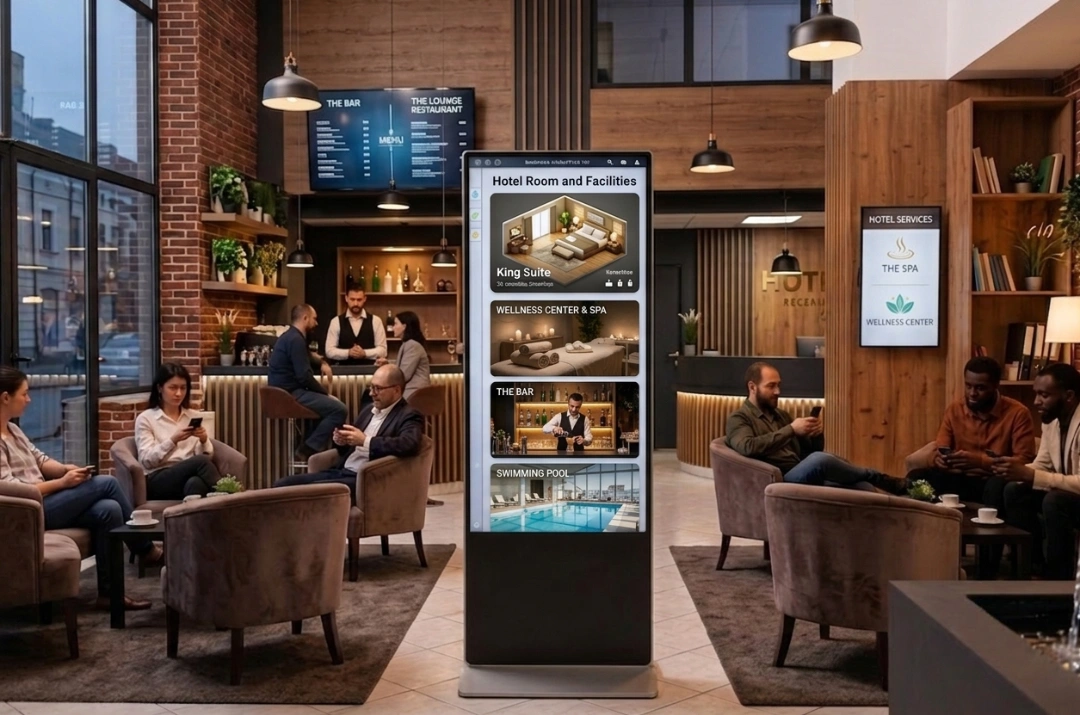
Lobby and entrance: welcome screens, brand promotion and the first impression a guest gets on arrival, often the first stop in the overall guest experience.
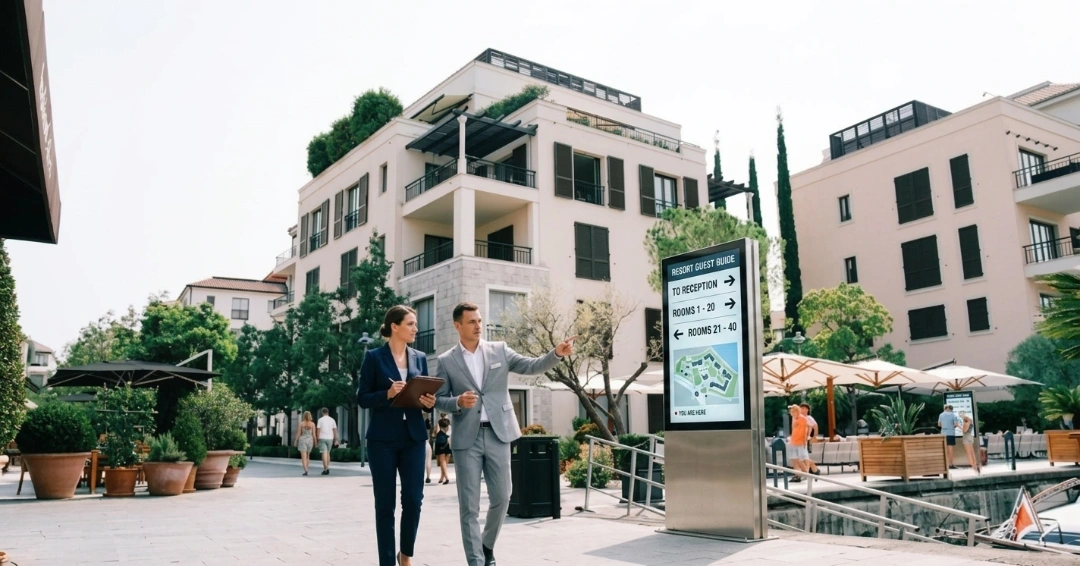
Outdoor and entrance areas: outdoor digital signage at building entrances or drive-up areas extends visibility beyond arriving guests, catching passing traffic and reinforcing the property's presence from the street.
Wayfinding: interactive maps near elevators and main intersections that guide guests to rooms, the spa or meeting spaces without asking staff.
Restaurants and bars: digital menu boards that switch automatically between breakfast, lunch and dinner without staff swapping physical boards.
Meeting and event rooms: reader boards outside doors that update automatically when a booking changes.
Guest rooms: in-room screens or IPTV-integrated displays that greet guests, show hotel information or promote on-site services, where the property's system supports it.
Guest areas: elevators, hallways and fitness centers, where mid-sized screens handle daily announcements and amenity information.
Staff areas: back-of-house screens showing shift schedules, performance metrics and internal announcements, kept separate from guest-facing content.
What Can Hotels Display?
Welcome messages that greet guests on arrival, sometimes personalized using guest data where the platform is integrated.
Automated check-in prompts at lobby kiosks, guiding guests through the process without a front-desk line.
Event and meeting schedules synced with the property's booking calendar.
Wayfinding directions to rooms, amenities and local attractions.
Menus for on-site restaurants and bars, updated by time of day.
Promotions for the spa, happy hour or seasonal packages.
Weather, traffic and flight updates, along with any last-minute changes to hotel schedules, all pulled in automatically instead of relying on staff to relay them.
Amenity information, such as pool hours or fitness center schedules.
Guest Experience Benefits Of Hotel Digital Signage
Hotel digital signage turns static spaces into active communication tools that improve the guest experience, support staff efficiency and open new revenue opportunities.
Supports the full guest journey: Signage can shape the guest experience from arrival to departure, not just the middle of a stay. A welcome screen and wayfinding display set the tone at check-in, informational screens help throughout the visit, and checkout screens can surface billing details or a loyalty program before the guest leaves. Automated check-in through interactive kiosks is another way signage cuts down front-desk wait time; roommaster's hotel check-in software is one option built for this. Some properties also carry that communication into AI-driven guest messaging after checkout, keeping the same level of responsiveness once the guest has left the lobby.
Keeps guests informed in real time: Weather, traffic, flight status and same-day schedule changes reach guests automatically instead of requiring a trip to the front desk, which cuts down on routine questions staff would otherwise field. Signage works best alongside other guest-communication channels, like AI-driven guest messaging for chat, WhatsApp and email, so guests get consistent information whether they're standing in the lobby or messaging from their phone.
Promotes on-site services: Lobby and elevator displays can promote spa deals, restaurant specials and happy hours right when guests are most likely to act on them. Some properties also open screen space to local tour operators or nearby venues as a sponsored placement.
Streamlines staff communication: Back-of-house screens broadcast shift schedules, training updates and performance metrics, keeping teams aligned without a physical bulletin board.
Builds a more polished atmosphere: Well-designed, consistent screen content reinforces a hotel's brand image across every guest touchpoint and adds to the overall guest experience, the same way consistent print branding used to.
Scales across a portfolio: Centralized cloud dashboards let a team update every screen, across one property or several, from a single login, so a schedule or rate change goes live in seconds instead of after a reprint.
{{pms-one}}
How Does Hotel Digital Signage Work?
Hotel digital signage runs on four connected parts.
Display: The physical screen, chosen for its location's brightness, orientation and runtime needs.
Media player: Either a display's built-in smart platform or an external box that decodes and caches content for playback.
CMS: Cloud-based software where staff schedule content, set permissions and monitor whether each screen is online.
Connectivity: An active internet connection feeds live data, like weather updates, into the system. Local caching on the media player means screens keep playing their last-synced content if the network drops.
Hotel Digital Signage Hardware
Commercial displays are designed and rated for longer operating hours, higher brightness and portrait orientation, which makes them the standard choice for lobbies, elevators and other always-on public areas. A consumer TV can work in a low-traffic, limited-hours setting, but its suitability drops as runtime and brightness demands increase, and commercial warranties often don't cover business use.
Display types: lobby video walls and high-brightness LED panels for high-impact areas, mid-sized commercial displays for hallways and elevators, touchscreen kiosks for wayfinding and automated check-in, and compact digital door signs outside meeting rooms.
Brightness: aim for at least 500 nits on screens facing bright indoor lighting, and step up to high-visibility outdoor-rated panels for building entrances or drive-up areas exposed to direct sunlight. Outdoor digital signage at the entrance also gives a property more visibility and promotional reach than indoor-only screens.
Media players: a display with a built-in smart platform, known as System-on-Chip or SoC, needs no extra hardware. A display without one needs an external media player. Purpose-built industrial players cost more upfront but last longer and run a more locked-down operating system, while general-purpose boxes cost less and offer more flexibility to switch software later.
Existing TVs: reusing existing consumer TVs can lower upfront cost for a small or low-traffic rollout, but it's worth weighing that saving against the shorter expected lifespan and narrower brightness range compared to commercial displays.
Hotel Digital Signage Software: Key Features
Cloud-based dashboard: update any screen from a browser, on-site or remotely.
Simple, non-technical interface: front-desk or marketing staff should be able to make daily updates without needing IT support.
Scheduling and dayparting: content automatically switches, for example from a breakfast menu to a dinner menu, at set times.
Multi-screen and multi-property management: run a single screen today and scale to a larger network later from the same dashboard.
Multi-user permissions: let a restaurant manager edit the menu board without touching the main lobby screen.
Offline playback: cached content keeps playing if the network drops.
Emergency alert override: the platform should support pushing a safety alert across every screen at once, overriding regular content during severe weather or another emergency.
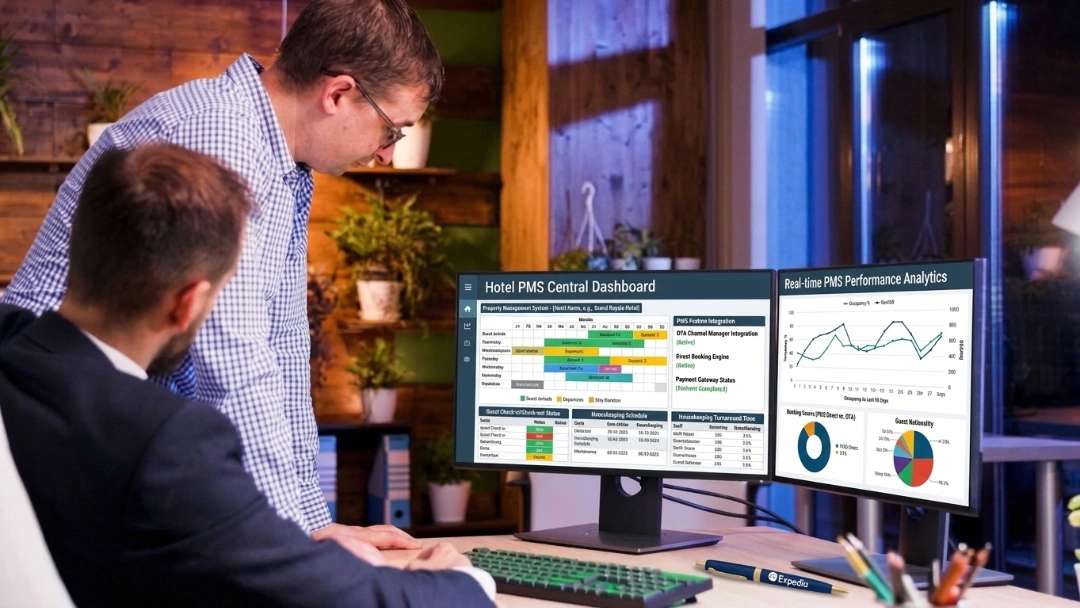
Operational integrations: where available, connecting the signage platform to the property's property management system or other operational systems can automate certain guest or property information, such as automated check-in, event schedules or personalized welcome messages, instead of requiring manual updates. Integration depth varies by platform, so it's worth confirming what a specific vendor actually supports before assuming a feature exists.
{{pms-two}}
How Much Does Hotel Digital Signage Cost?
Cost depends on screen size, hardware tier, media player type and software plan. These ranges are consistent across multiple industry sources rather than pulled from one vendor, though actual quotes will vary by property.
Cost Component
Typical Range
Standard indoor display (43"–55")
$350 – $1,000
Premium large-format display (65"+)
$1,100 – $6,000+
Outdoor or specialized display
$2,000 – $5,000+
Media player
$20 – $1,800 (consumer to industrial grade)
Installation, per screen
$150 – $2,500+
Software, per screen/month
$0 – $50+
Some vendors gate advanced features, like PMS syncing, at the fleet level rather than per screen, so a couple of screens needing that feature can push the whole property onto a higher-priced tier. Worth confirming per-screen pricing flexibility before signing.
Estimated Cost By Property Size
Setup Size
Upfront Cost
Monthly Software (Fleet Total)
Estimated 3-Year Cost
1 screen (front desk)
$400 – $600
$8 – $20
$688 – $1,320
5 screens (lobby, bar, elevator)
$5,000 – $8,000
$50 – $100
$6,800 – $11,600
25 screens (full resort or conference property)
$30,000 – $40,000
$250 – $500
$39,000 – $58,000
3-year totals equal upfront cost plus 36 months of fleet software cost.
How To Choose Hotel Digital Signage For The Best Guest Experience
Start by defining what each screen needs to do, then match the hardware, brightness and software to that specific location. A lobby screen and a meeting-room door sign have different requirements, and the checklist below covers the main decisions.
Screen count and locations: map out how many screens you need and where, since power and network access at each spot shapes the rest of the plan.
Interactive or display-only: wayfinding kiosks and automated check-in stations need touch-capable hardware; a menu board or reader board doesn't.
Software usability: confirm staff can make routine updates without pulling in IT every time.
System integrations: ask specifically what the platform connects to, including any PMS or event scheduling tools, rather than assuming broad integration support.
Per-screen pricing flexibility: check whether advanced features get billed per screen or force the whole fleet onto a higher tier.
Budget across both cost types: weigh upfront hardware and install costs against the recurring monthly software fee before committing.
Centralized vs. Local content control
Most signage platforms support two ways to manage content, and many properties need both. Centralized control lets corporate lock down brand assets and push the same promotions across every property in a group, which suits chains needing consistent messaging. Local control lets on-site teams, like a restaurant or spa, manage their own screens within set boundaries, which suits properties that need to move fast. The strongest setups combine both: a locked main brand layer with local editing rights for specific zones, and the same platform should work whether a property is running one screen or scaling to dozens across a portfolio.
{{pms-three}}
Pros And Cons Of Hotel Digital Signage
Pros:
Removes the cost and delay of reprinting signs for every schedule or menu change.
Updates instantly across the property from one dashboard.
Reduces front-desk workload, including through automated check-in, by answering common wayfinding and information questions automatically.
Opens a new promotional channel for on-site spa, dining and event revenue.
Scales from a single screen to a multi-property network without switching platforms.
Cons:
Requires upfront investment in commercial hardware for always-on public areas.
Needs network planning and security, including isolated device access, to avoid becoming a weak point.
Depends on staff actually using the CMS; an unused dashboard is no better than paper.
Hardware has a lifecycle and needs a budget for refresh every five to seven years.
Hotel Digital Signage Closes The Hidden Cost Gap Of Paper Signs
Paper signage carries a cost that doesn't show up on a single invoice: staff hours spent reprinting menus and event cards, a printing budget that adds up year over year, and the small errors that creep in when a meeting room sign doesn't get swapped out in time. Guests notice the difference between a property that feels current and one still running on laminated cards taped to a door.
Hotel digital signage closes that gap. The technology itself, a screen, a media player and cloud software, is simple, and what actually separates a good rollout from a wasted one is matching the hardware and software to how often a property's information really changes. Start with a small pilot, confirm the workflow holds up, and expand from there rather than committing to a full build-out on day one.
{{cta-strip}}
Frequently Asked Questions
1. What is hotel digital signage?
Hotel digital signage uses electronic screens to share real-time information, directions and promotions with guests. It replaces printed signs in lobbies, elevators and meeting rooms, improving communication and supporting property revenue.
2. Do hotels need special hardware, or can they use regular TVs?
Commercial-grade displays are built for longer operating hours and higher brightness than consumer TVs, which makes them the standard choice for always-on public areas. A consumer TV can still work in a low-traffic, limited-hours setting.
3. Can hotels use digital signage outdoors?
Yes, with outdoor-rated displays built for higher brightness and weatherproofing. Standard indoor screens aren't built to handle direct sunlight or outdoor exposure.
4. Can digital signage handle automated check-in?
Yes, touchscreen kiosks running signage software can guide guests through automated check-in, cutting down front-desk lines during busy arrival periods.
5. What happens to the screens if the hotel's internet goes down?
Most systems cache content locally on the media player, so screens keep playing the last synced content until the connection returns.
6. How much does hotel digital signage typically cost?
Cost depends on screen count and hardware tier: a single screen typically runs $400 to $600 upfront plus $8 to $20 a month in software, while a 25-screen property rollout runs $30,000 to $40,000 upfront plus $250 to $500 a month in software.
Mayela Lozano is a content strategist with a passion for hospitality and technology. She collaborates with roommaster on content creation, highlighting how technology can streamline hotel operations and enhance guest satisfaction. When she’s not creating content, Mayela loves to travel and spend time with her two little ones, discovering new adventures and making memories along the way.
Join Thousands of Hotels Thriving with roommaster
The transition to roommaster is straightforward and efficient. Our implementation team handles data migration including reservations, guest profiles, and historical information.
The transition to roommaster is straightforward and efficient. Our implementation team handles data migration including reservations, guest profiles, and historical information.
Best Hotel Management Software in 2026: 10 Top-Rated Tools Compared
October 15, 2026
Hotel Management
Hospitality Trends
Hotel Check-In Kiosk: Enhance the Guest Experience
October 5, 2026
Hospitality Technology
Hotel Management
Hospitality Trends
Hotel Self Check-In: How It Works, Types, Benefits And Setup
October 1, 2026
Hotel Management
Hospitality Trends
Hotel Check-In & Check-Out Times Explained
October 1, 2026
Hospitality Trends
Hotel Management
Cloud-Based Property Management System: Hotel PMS
October 1, 2026
Hotel Management
Cloud PMS
Hotel Management System (HMS): A Complete Guide
September 23, 2026
Hospitality Trends
Hotel PMS
Cloud PMS
Hotel PMS Integration: How It Works for Hotels
September 23, 2026
Hospitality Trends
Hospitality Technology
Hotel PMS
Hotel Management
Cloud PMS
How Hotel PMS Software Transforms Hospitality Management
September 23, 2026
Hotel Management
Marketing
Pet-Friendly Hotel Amenities & Package Ideas That Drive Revenue
September 22, 2026
Hotel Management
Hotel PMS
Hotel Food And Beverage (F&B): The Complete Guide
September 22, 2026
Join Thousands of Hotels Thriving with roommaster
See how roommaster's unified platform can work for your property. Our team will walk you through features tailored to your specific needs and operations.

.png)
.png)
.png)