Instant Answer
A contactless guest experience uses digital tools, mobile apps, web links, self-service kiosks, and automated messaging, to let guests book, check in, enter their room, request service, and pay on their own phone or device, with little or no face-to-face handoff at the front desk. It covers all five stages of the guest journey and runs on a property management system connected to the guest-facing tools. It isn't about removing people: it moves routine transactions off the desk so staff have time for the moments that need a human.
What Is A Contactless Guest Experience?
A contactless guest experience uses digital technology, such as mobile apps, web links, self-service kiosks and automated messaging, to let hotel guests book, check in, enter their room, request service and pay on their own phone or device, with little or no face-to-face handoff at the front desk.
It isn't about removing people. It's about moving routine transactions, like typing a passport number or swiping a card, off the front desk so staff have time for the parts of hospitality that need a human.
Two ideas sit underneath it. The first is self-service: the guest completes each task themselves, on their own schedule, through a phone, a web link or a kiosk. The second is connected data: every action updates one guest profile, so a request made on a phone reaches the right team without anyone re-typing it. A hotel guest app is the surface guests see. The property management system is the engine behind it.
Contactless is a choice, not a rule. A well-run property offers the digital path and keeps a staffed desk for guests who prefer it, with both routes reading from the same guest record.
{{ai-guest-management}}
Why Guests Expect Contactless Service Now
Guests already book flights, bank and order food on their phones, and they expect hotels to work the same way.
Travelers are used to checking in for flights online, skipping lines with mobile wallets and messaging businesses instead of calling them. A hotel stay that still requires a queue at the desk, paper forms and a phone call for extra towels feels out of step.
Survey data reflects this. In one industry study, 80% of hotel guests said they would download a hotel app to check in, check out and access hotel information, and 73% said they would use an app if it let them open their room door.
Guests also value control. Some want a quick, private arrival after a long journey. Others arrive late at night or want to skip small talk after a business trip. A contactless option lets each guest choose the stay that suits them, which directly improves guest satisfaction.
Contactless Service Across The Five Stages Of The Guest Journey
A contactless guest experience covers the full journey, from the first booking to the follow-up after check-out. Here is what goes digital at each stage, and where the human touch still matters.
1. Pre-Arrival
The journey starts before the guest arrives. Guests book direct through a mobile-friendly booking engine, then receive an automated confirmation and a pre-arrival message 24 to 48 hours before their stay. That message links to online check-in, where they confirm details, verify their ID, sign the registration card and add a payment method. Pre-arrival messages can also share parking information, directions and local tips, and offer upgrades or early check-in.
Human touch: personal replies to special requests, such as an anniversary or an accessible room.
2. Arrival
Guests who checked in online go straight to their room. The system assigns the room once housekeeping marks it clean and sends a mobile key or kiosk code. Guests who prefer to finish on arrival can use a hotel self check-in kiosk or the front desk. Our guide to hotel self check-in compares every option.
Human touch: a lobby host who greets arriving guests, helps with luggage and answers questions.
3. The Stay
During the stay, guests use the hotel app or messaging to request towels, book dinner or a spa slot, ask for the Wi-Fi password or report an issue. QR codes in rooms and public areas link to menus, amenities and local guides. A virtual concierge or hotel AI agent answers routine questions around the clock, while requests route straight to the right team.
Human touch: solving problems quickly and personally, and noticing moments worth celebrating.
4. Departure
At check-out, guests review their folio in the app, settle any charges with their card on file and receive the final bill by email. Mobile keys deactivate automatically, and the room status updates so housekeeping can start right away. Clear check-in and check-out times, shared before arrival, make departures smoother too.
Human touch: a quick goodbye and help with luggage or transport for guests who want it.
5. Post-Stay
After the stay, automated messages thank the guest, ask for feedback and invite them back with a direct-booking offer or loyalty reward. Feedback flows into the guest profile so the next stay can be even more personal, helping you increase repeat hotel guests.
Human touch: personal responses to reviews and complaints.
Key Technologies Behind A Contactless Hotel Experience
A contactless guest experience runs on a set of connected tools, with the property management system at the center. For a wider look at the tools available, see our guide to hotel guest experience software.
Property Management System (The Hub)
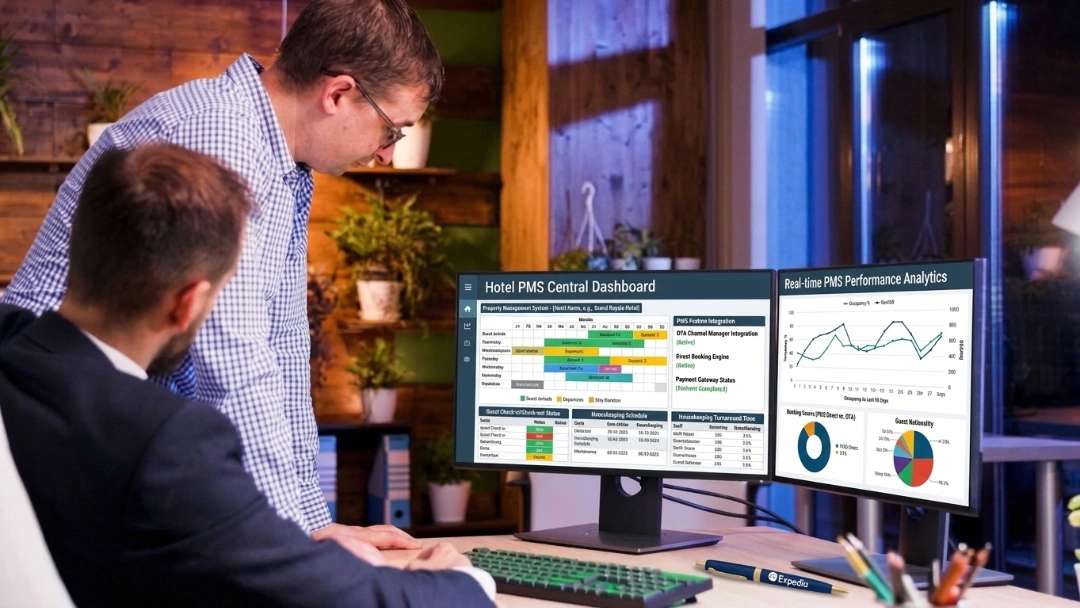
The PMS holds reservations, guest profiles, room status and folios. Every contactless tool reads from and writes to it. Without that hub, each app runs on its own and staff end up re-typing data between screens. A cloud-based PMS makes this easier, because every tool connects to the same live data. See our cloud-based hotel PMS guide for more.
Online And Mobile Check-In
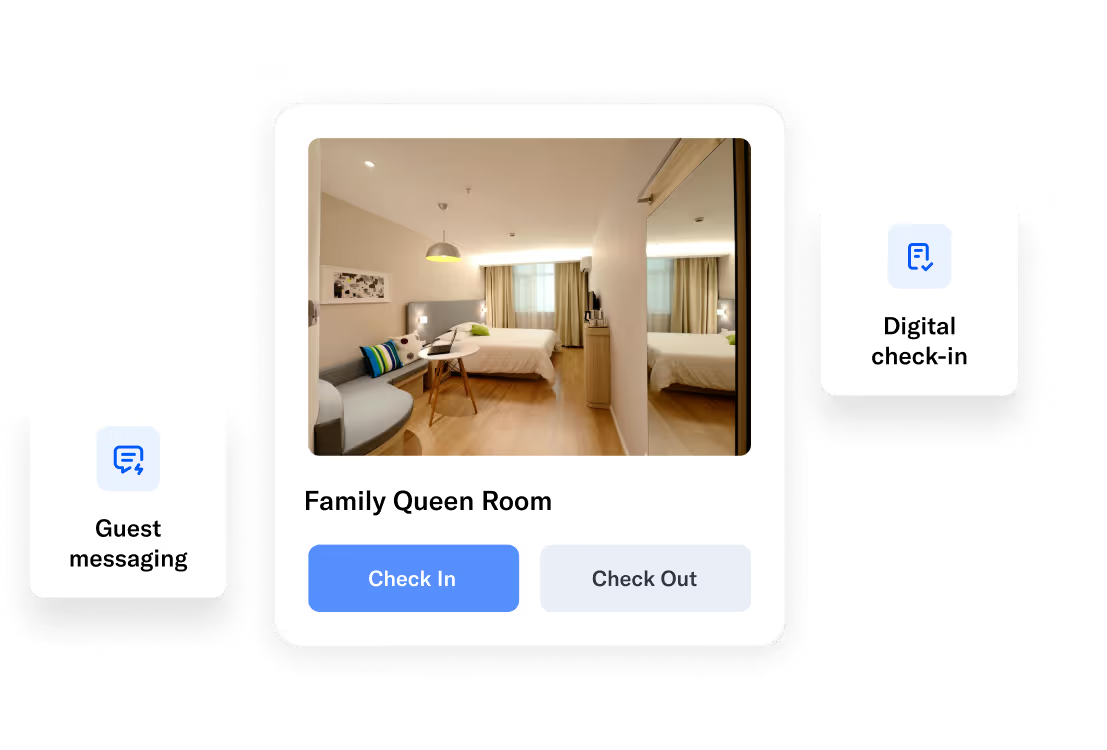
Hotel check-in software sends guests a pre-arrival link to confirm details, verify ID, sign registration forms and pay before arrival, so they can skip the front desk.
Self-Service Kiosks
Lobby kiosks let guests check in and out on site, scan their ID, pay and collect a key card. They suit guests who don't want to use their own phone and busy hotels with arrival peaks.
Mobile Room Keys
Smartphones, and in some cases smartwatches, unlock doors through Bluetooth or NFC instead of plastic key cards. Keys are tied to one guest and one stay, and can be revoked remotely.
Guest App And Digital Concierge
A branded guest app brings booking details, room access, requests, dining, local recommendations and payments together in one place.
Messaging And Virtual Concierge
SMS, chat and messaging apps let guests ask questions and make requests in real time. Automated replies and AI handle routine questions, such as Wi-Fi passwords and breakfast times, while staff handle everything else. Strong guest management tools keep every conversation linked to the guest profile.
Contactless Payments
Cards on file, mobile wallets, tap-to-pay terminals and payment links automate billing without handling cards at the desk. Tokenized payments also help prevent fraud and disputes. See how in our guide to avoiding hotel chargebacks.
QR Codes
QR codes in rooms, lobbies and restaurants link guests to menus, service requests, Wi-Fi details and local guides without printed materials.
ID Verification
Digital ID scanning and photo matching confirm guest identity without repeated document handling at the desk.
Service Request Dashboards
Staff dashboards show every guest request, who's handling it and how long it's taking, so nothing gets lost between shifts.
Contactless Technology Mapped To The Guest Journey
| Guest journey stage | Contactless technology | Guest benefit | Hotel benefit |
|---|
| Book | Booking engine, website, QR codes | Books direct in minutes | Commission-free direct revenue |
| Pre-arrival | Online check-in, ID verification | Skips the arrival queue | Front desk prepared before the rush |
| Arrive | Mobile check-in, self-service kiosk | Goes straight to the room | Fewer lobby lines, less labor |
| Enter room | Mobile room key (NFC or Bluetooth) | No plastic key or lost card | Fewer reissues, lower key costs |
| During stay | Guest app, chat, SMS, QR menus | Requests service on their phone | Logged requests, upsell prompts |
| Pay | Contactless and online payments | Fast, card-on-file checkout | Fewer disputes, cleaner folios |
| Depart | Mobile check-out, digital folio | Leaves without a desk stop | Rooms turn over sooner |
| Post-stay | Automated feedback and offers | Easy way to share feedback and rebook | More reviews and repeat bookings |
How Mobile Check-In And Check-Out Work
Mobile check-in moves identity, payment and key delivery to the days and hours before arrival, so the guest walks in ready.
- Pre-arrival link: the guest receives a link by email or text, confirms their details and completes any ID verification the property requires.
- Payment on file: the guest adds a card through a secure payment step, so check-out is already settled.
- Room assignment: once housekeeping marks the room ready, the system assigns it and sends a mobile key or kiosk code.
- Arrival: the guest goes straight to the room, or stops at the desk only if they want to.
- Check-out: the folio is available in the app, the guest reviews it, and departure needs no line at the desk.
Offering mobile check-in doesn't force every guest onto their phone. It gives them the option and lets staff step in wherever a guest wants a person.
A Worked Example: A 40-Room Hotel Moves Check-In To Mobile
Consider a 40-room boutique hotel running at about 75% occupancy, so roughly 30 arrivals a day. A traditional desk check-in takes about 4 minutes of staff time per guest, or around 120 minutes a day.
Move 60% of those arrivals to mobile check-in, and the desk handles 18 fewer in-person check-ins. At 4 minutes each, that returns about 72 minutes a day, or roughly 8 hours a week, to one front desk role. That time goes to concierge questions, local recommendations and resolving the issues that actually shape a review.
{{ai-guest-management-one}}
Benefits Of Contactless Technology For Hotels
Contactless technology helps hotels run faster, leaner and more profitably, while improving the guest experience.
1. Faster Arrivals And Departures
Guests who check in on their phone skip the queue, so a busy 4 PM rush stops backing up at the desk. Digital check-out frees early-morning departures from lines too.
2. Labor Relief
A lean team can handle check-ins, messages and payments across more rooms without adding shifts. Automation covers repetitive tasks like towel requests and Wi-Fi questions, which matters at properties facing staffing shortages.
3. Cleaner Guest Data
Each digital step writes to one guest profile, which makes upsells, repeat-guest recognition and reporting more accurate, and removes manual typing errors.
4. More Upsell Revenue
Pre-arrival and in-app offers for upgrades, early check-in, late check-out, breakfast or parking reach every guest at the moment they're deciding, rather than depending on a busy agent remembering to ask.
5. Higher Satisfaction And Better Reviews
Guests reward speed and control. One roommaster property, the Flamingo Motel, increased RevPAR by 35% after tightening its arrival and payment flow. Faster responses to requests also show up in review language about service and staff, which supports your hotel online reputation.
6. Stronger Loyalty
Convenience builds loyalty. Guests who enjoy a smooth, flexible stay are more likely to book again and recommend you, especially when post-stay messages invite them back.
7. Fewer Payment Disputes
Cards on file, digital signatures and itemized digital folios give hotels clear records, which reduces billing confusion and helps win unfair disputes.
Benefits Of A Contactless Experience For Guests
For guests, contactless service means a faster, more flexible and more private stay.
- No waiting: check in and out without queuing at the front desk.
- Flexible arrival: arrive late at night or early in the morning without depending on desk hours.
- Control and privacy: handle details, payments and requests on their own phone.
- Instant help: get answers and service through messaging in minutes.
- Personalization: preferences saved from previous stays make each visit easier.
- Clear billing: see charges in real time and get the final bill by email.
Why Contactless Technology Is An Investment, Not A Cost
Contactless technology pays for itself through labor savings, extra revenue and better reviews, not just convenience.
It's easy to see guest apps, mobile keys and messaging tools as another software expense. But each one connects to a measurable return:
- Labor hours: every check-in, payment and routine question handled digitally returns staff time, as the worked example above shows.
- Upsell revenue: automated offers at pre-arrival and check-in create a new revenue line that doesn't depend on staff.
- Direct bookings: a smooth digital journey from booking to post-stay encourages guests to book direct next time, saving OTA commissions.
- Reputation: faster arrivals and responses lift review scores, which drive future bookings.
- Fewer errors: digital data and payments reduce rework, billing mistakes and disputes.
To judge the return, compare the yearly cost of your contactless tools with the staff hours saved, upsell revenue gained and commissions avoided. For most hotels, starting with software-only tools like online check-in and messaging delivers the fastest payback, with hardware like smart locks and kiosks added once the numbers work.
How Secure Are Digital Room Keys?
Digital room keys are generally as secure as, and often more traceable than, plastic key cards.
Each mobile key is issued to one guest for one stay, encrypted and tied to the booking, so it stops working the moment the stay ends. Three points reassure most guests and owners:
- Revocable: a lost phone doesn't mean a lost key. Staff can cancel and reissue it from the system in seconds.
- Auditable: the system logs when a key was issued and used, which a physical card can't do.
- No shared stock: there's no drawer of active cards to lose or clone.
The honest limitation is dependence on phones and the network. Keep a staffed fallback and a small stock of physical keys for guests without a compatible device or with a dead battery.
How To Implement A Contactless Guest Experience
A phased rollout keeps operations stable and lets guests and staff adjust.
1. Map Your Guest Journey
List every touchpoint from booking to post-stay, and note where guests wait, repeat information or call the desk. Those friction points show where contactless tools will make the biggest difference.
2. Start With High-Impact Touchpoints
Focus first on arrival, room access and payments, since these carry the most waiting and frustration. Online check-in should confirm identity, assign rooms and share stay details before guests reach the lobby. Mobile keys should activate only once the room is ready.
Pro tip: send a check-in reminder 24 hours before arrival so guests can complete it on their own schedule.
3. Connect Systems Before Adding Features
Integrate your PMS, guest app, keys, payments and messaging into one workflow, so staff see guest profiles, statuses, requests and preferences in one place. Our guide to hotel PMS integration explains how.
Pro tip: test integrations with real scenarios, including early arrivals, room changes and failed payments.
4. Design Around Guest Behavior
Guests differ in speed and comfort with technology. Mobile apps suit repeat and business travelers, web links suit one-time guests, and kiosks help walk-up arrivals. Keep a staffed option for complex requests.
Pro tip: place kiosks and QR signage where guests naturally look as they enter.
5. Train Teams On Digital Service
Staff should know when to respond digitally and when to step in personally. Response time and message tone shape how guests feel about the service.
Pro tip: set internal response targets for guest messages and review missed or delayed replies weekly.
6. Roll Out In Phases And Refine
Launch the core features, monitor guest usage, then add digital concierge, upsells and other services. Let guest feedback and usage data guide what comes next.
Pro tip: review message logs and request patterns to see which features guests use most and which need adjusting.
How Nuvo Suites Delivers A Contactless Guest Experience
Nuvo Suites, an independent hotel, used roommaster to build a contactless guest journey that matches the convenience of large brands, while keeping staff available for personal moments.
Mobile Access That Fits How Guests Move
Nuvo Suites introduced mobile room access through the roommaster Hotel Guest App. Guests generate digital keys and unlock rooms with their phones, with no need to collect physical keys, which works especially well for a property with multiple room types and layouts.
Contactless Billing And Smoother Departures
Charges and payments stay visible in one system, so guests no longer need long check-out conversations or printed invoices unless they ask for them. Many complete departure digitally, making early-morning and rush-hour check-outs far easier.
Staff Focus Shifted To Real Guest Needs
With fewer repetitive tasks at the desk, staff spend more time on requests that need personal attention. Technology handles the routine, and people handle the rest. With a setup tailored to its complex room layouts, the front desk team saw faster check-ins, clearer room assignments and better control over inventory from day one.
"We're an independent hotel surrounded by giants, but roommaster gave us the tools we needed to stand tall alongside them."
Jorge Venegas, General Manager, Nuvo Suites
Contactless Guest Experience Challenges And How To Overcome Them
Most challenges come from systems, habits and guest variety rather than the technology itself.
- Disconnected systems: tools that don't share data create double entry and repeated questions. Choose tools that connect to your PMS so one profile stays current.
- Staff buy-in: front desk teams may worry the technology replaces them. Frame it as removing routine tasks so they can focus on the guest-facing work they were hired for.
- Staff falling back on old habits: during busy hours, teams may revert to manual workflows. Train around real scenarios like late arrivals and room changes.
- Guests who struggle with new tools: some guests hesitate with apps and digital check-in. Use clear on-screen prompts and keep staff ready to help.
- Message overload: too many notifications frustrate guests. Send fewer, well-timed messages around arrival, service use and departure.
- Technology failures: mobile keys and kiosks can fail at the worst moment. Keep physical backups and trained staff ready to step in.
- Cost and phasing: smart locks and kiosks add up. Start with software-only wins like online check-in and messaging, then add hardware where the numbers work.
Common Mistakes When Going Contactless
- Removing every human option: guests who can't reach a person when something goes wrong leave bad reviews.
- Buying tools that don't connect: separate apps create more work, not less.
- Launching without telling guests: if guests don't know about online check-in, they'll still queue at the desk.
- Over-automating messages: generic, frequent messages feel like spam rather than service.
- Skipping staff training: teams that don't understand the tools can't help guests use them.
Does Contactless Remove The Human Touch?
No. Done well, contactless removes the transactional parts of a stay and gives staff more time for the personal ones.
The desk exchange a guest forgets by dinner is the part to automate. The local tip, the quick fix for a room issue and the warm welcome are the parts to protect. Instead of typing a passport number and swiping a card, a front desk host greets arriving guests, answers questions through messaging and handles the exceptions software can't.
The best guest experience balances digital convenience with warm human service. Staff can still remember names, celebrate anniversaries and offer tailored recommendations, using the preferences saved in the guest profile. Guests who want zero contact get it. Guests who want a person still find one. For more ideas, read our guide on how to improve the guest experience in your hotel.
How Contactless Service Improves Guest Satisfaction And Reviews
Contactless service removes the two friction points guests complain about most: waiting to check in and waiting to pay.
When arrival is quick and departure is quiet, the stay starts and ends on a good note, and reviews reflect it. In-stay messaging also lifts the parts of a review that mention responsiveness: a towel request or a question gets answered in minutes rather than at the next desk visit. On the revenue side, a smooth arrival and a guest profile that remembers preferences make upsells feel helpful rather than pushy. Explore more tools in our guide to hotel guest experience software.
How roommaster Powers A Contactless Guest Experience
roommaster connects every contactless touchpoint to one cloud PMS, so guests get a seamless journey and staff see everything in one place.
- Online check-in and mobile keys: roommaster's hotel check-in software and Hotel Guest App let guests check in, verify ID, pay and unlock their room from their phone. roommaster works with major lock systems, and keys can be deactivated remotely.
- Guest app and in-stay requests: guests get booking updates, stay details, directions and local recommendations, and can request room service, housekeeping, spa treatments and maintenance with real-time updates.
- Contactless payments: roommaster Payments handles cards on file, online payments and multi-currency checkouts, with automated reconciliation that saves staff time.
- 24/7 AI support: the roommaster AI agent answers routine questions and booking inquiries around the clock in multiple languages.
- Connected distribution: the booking engine and channel manager bring direct and OTA bookings into the same guest record.
- Automatic check-out and follow-up: room access is revoked when the stay ends, followed by a stay summary, a thank-you message and a review request.
"Guests absolutely love the convenience of checking in through their phone and skipping the front desk. And with digital keys, they walk right in. It's made first impressions so much better."
Jessica Henrickson, Front Desk Clerk
{{cta-strip}}
Frequently Asked Questions
1. What is a contactless guest experience in a hotel?
It's a stay where guests can book, check in, enter their room, request service and pay using a phone or self-service device, with little or no required front desk handoff. The hotel keeps full visibility through one connected guest record.
2. What are the five stages of the guest experience?
The five stages are pre-arrival, arrival, the stay, departure and post-stay. A contactless approach adds digital options at each stage, from online check-in before arrival to automated feedback requests after check-out.
3. Does contactless check-in replace front desk staff?
No. It moves routine tasks like ID entry and payment off the desk, so staff can spend time on recommendations, problem-solving and personal service. Most properties keep a staffed desk as an option.
4. How secure are digital room keys?
Each digital key is issued to one guest for one stay, is encrypted, and can be revoked in seconds if a phone is lost. The system logs when keys are issued and used, which plastic cards can't do. Keep physical keys as a fallback.
5. Do guests need to download an app for a contactless stay?
Not always. Many hotels offer web-based check-in through a link, with no app required. Apps add features like mobile keys and in-stay requests, but a web link is often the easiest starting point for one-time guests.
6. What is the difference between contactless check-in and self check-in?
They overlap. Self check-in means guests check themselves in without staff, through a phone, web link or kiosk. Contactless check-in emphasizes completing it without physical contact, usually on the guest's own phone with a mobile key.
7. Is contactless technology affordable for small and independent hotels?
Often, yes. Online check-in, digital folios and messaging are software features tied to your existing systems, not new hardware. Smart locks and kiosks are optional and can be added later as budget allows.
8. What technology do I need to offer contactless services?
You need a property management system that connects your booking engine, check-in, payments, keys and messaging to one guest profile. A guest app, kiosk or digital concierge builds on that hub.
9. Will all guests use contactless options?
No, and that's fine. Adoption varies by age, trip type and comfort with technology. Offer the digital path and keep a human path open so every guest can choose.
10. Where should a hotel begin with contactless service?
Start with the touchpoint that causes the most friction, usually check-in. Roll out online or mobile check-in first, then add mobile keys, payments and in-stay messaging in stages once staff and guests are comfortable.

.png)
.png)
.png)