Who This Guide Is For
OwnerRez is built for short-term rental operators with Airbnb and Vrbo-heavy portfolios. It is strong at that job.
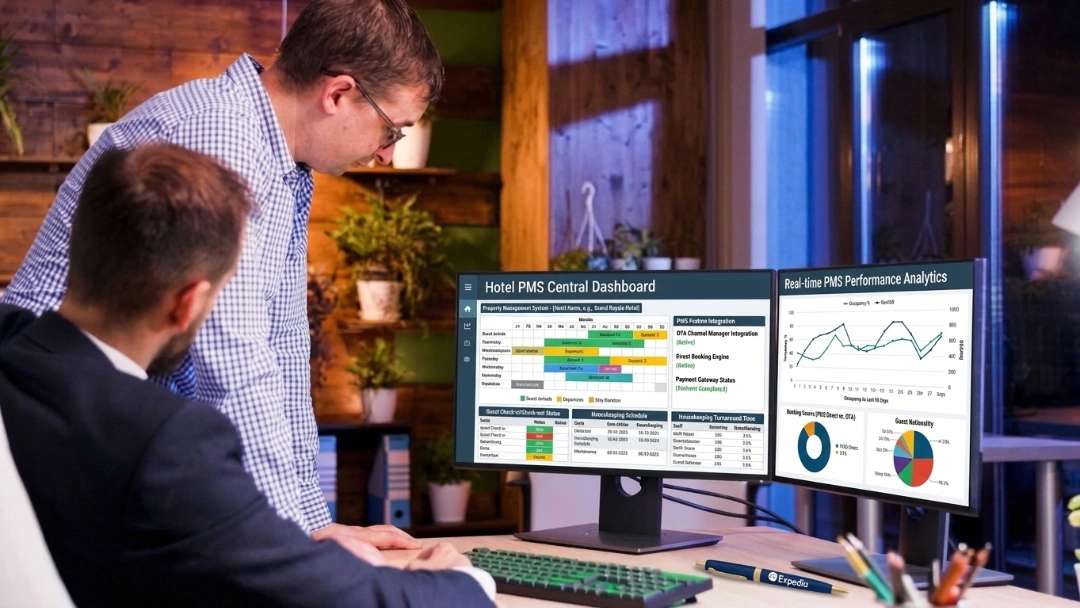
This guide is for operators whose properties have stopped behaving like rentals. You have a front desk now. Housekeeping runs on a rota. Guests arrive without a booking. Someone asks about a block of rooms for a wedding. If that describes your guesthouse, B&B or aparthotel, the gaps below will be familiar.
If you run scattered rental units and your channel mix is Airbnb and Vrbo, skip to the next section. You may not need to move at all.
When You Should Stay on OwnerRez
An honest starting point. OwnerRez does several things well, and leaving costs real effort.
Its automation is genuinely powerful once configured. The setup is heavy, but operators who push through get booking and payment workflows that run themselves.
Airbnb and Vrbo integration is deep. If those two channels carry most of your revenue, the connection quality is hard to beat.
Documentation and community are excellent. The knowledge base is thorough and the user community answers real questions. For a self-directed operator, that beats a support queue.
Reporting is standardised and exports cleanly. It may not bend to your preferences, but it is consistent and the data comes out in usable shape.
Stay if your portfolio is rental units, your channels are Airbnb and Vrbo, and your configuration already works. Migration is disruption, and disruption needs a reason.
Why Are Operators Actually Leaving OwnerRez?
Six reasons come up repeatedly.
Setup is overwhelming for smaller operators
Configuring rates, rules and integrations takes real time and real understanding. The power is real. So is the barrier. Many smaller operators never finish configuring, then run a partly-built system for years.
The interface is powerful but dated
Capability is not the problem. Usability is. Newer platforms are more intuitive, and the gap shows during training. Staff take longer to become useful, and turnover means paying that cost repeatedly.
Channel coverage has gaps
Airbnb and Vrbo are excellent. Beyond those, coverage thins. Some OTAs and niche channels need manual workarounds. Every workaround is a place where rates drift and availability goes stale.
Automation stops short
Booking and payment automation is solid. Housekeeping and guest messaging workflows are less developed than newer competitors offer. The result is familiar. Rotas live in a spreadsheet. Guest messages get sent by hand at busy moments.
Reporting does not bend
Reports are functional and export cleanly. They are not customisable. Finance teams feel this most. When the report you need does not exist, you rebuild it in a spreadsheet every month.
Support is thin and self-service heavy
The support footprint is smaller than enterprise providers offer. Onboarding leans on documentation rather than people.
That works if you enjoy figuring things out. It does not work when a channel is overselling and you need a person now.
What Staying Actually Costs You
OwnerRez is not expensive. The cost of staying sits elsewhere.
Count the manual hours. Housekeeping rotas built by hand. Guest messages sent individually. Reports rebuilt in spreadsheets. Workarounds for channels that do not connect properly.
Count the training drag. Time to competence for a new hire, multiplied by turnover.
Count the unbuilt configuration. Automation you paid for and never finished setting up is pure loss.
Model the impact against your real occupancy and rate with the roommaster ROI and pricing calculators.
Before You Switch: The 7 Non-Negotiables
1. Audit before you export
Review what you actually have. Reservations, guest profiles, rate plans, property details and every active channel connection.
Ask what still earns its place. Rate plans nobody sells and rules set for conditions that no longer apply do not need to follow you. Migrate the system you want, not the one you accumulated.
2. Export the four core data sets
Everything reduces to four sets. Pull all of them from your reports dashboard before touching anything else.
Guest profiles. Full names, email addresses, phone numbers and physical addresses, exported to CSV or Excel.
Future bookings. Guest names, check-in and check-out dates, room or unit assignments, total balances and amounts still due.
Financial ledger. Past invoices, tax breakdown history and transaction reports. You need these for accounting and tax regardless of where you go.
Content assets. High-resolution photos, written descriptions, amenity lists and house rules.
Validate every export. Open the file, count the rows, compare against your dashboard. Missing fields are far easier to fix now than after the account closes.
3. Content and photos come out by hand
There is no bulk content export. If your new platform cannot import directly, you download manually. Build a local backup folder before you start. Sort it per property. High-resolution photos, descriptions, house rules and amenity lists.
Treat it as a chance to standardise rather than a copy job. Write each description once, properly, then use it everywhere.
4. Saved cards cannot move, and no vendor can fix it
This is the hard limit of this migration.
Credit card data cannot be exported from OwnerRez in plain text. That is not a product gap. PCI compliance rules forbid it, and any vendor claiming otherwise is describing something you should not accept.
Guests with active future bookings will re-enter payment details in the new system.
Plan for four consequences.
- Future bookings with saved cards need new card details.
- Deposits already captured get reconciled by hand.
- Any scheduled or recurring charge stops silently unless rebuilt.
- Your payment processor, Stripe for example, connects to the new platform separately.
Contact affected guests before the switch, not on arrival. Prioritise anyone checking in within 14 days. Brief your front desk explicitly. Staff need to know which arrivals have no card on file and what to say.
If chasing payments by hand is part of why you are leaving, roommaster Payments runs card handling inside the same system as reservations and folios.
{{payments-cta}}
5. Map channels before you disconnect anything
Airbnb, Vrbo and Booking.com connections get disconnected inside your OwnerRez channel management settings, then reconnected to the new system. Sequence decides whether this is uneventful or expensive.
Two systems pushing to one channel will fight. No system pushing means the channel stays open and oversells.
Disconnect and reconnect in the same sitting, one channel at a time. Never disconnect everything and rebuild afterwards.
Match your room and unit naming exactly across all three places. Your old system, your new system and each channel. Mismatched names are the most common cause of mapping errors.
6. Use iCal as a temporary bridge
Copy the iCal export links for each property from your calendar settings before you disconnect anything.
These bridge availability between both systems during the switch. iCal refreshes on a delay rather than instantly, so it is not a permanent answer.
For the few days of cutover, it is a useful safety net.
7. Set 301 redirects if you used an OwnerRez hosted site
If your direct booking site ran on OwnerRez, it disappears when you cancel.
The redirect happens at your domain registrar, not inside OwnerRez. That means GoDaddy, Namecheap or wherever you bought the domain. Find that login before switch day.
Set permanent 301 redirects from your old page addresses to the matching new ones. A 301 tells search engines the page has moved for good, so your rankings and any inbound links follow. Skip this and you start from zero on search. Redirect to the equivalent page, never all traffic to the homepage.
Changes can take several hours to propagate. Do not schedule this for a Friday afternoon.
Realistic Timeline: Two Weeks Parallel, or Seven Days Compressed
Two approaches work. One is safer.
The recommended path: a two-week parallel run
Run both systems side by side for one to two weeks. Validate sync and rate parity before OwnerRez stops being your source of truth.
Week 1. Export and validate everything. Build room types, rates, taxes and rules in the new system. Block every existing future booking manually in the new calendar. Train staff on real data.
Week 2. Move channels one at a time, lowest volume first. After each, push rates and availability, then search your own property as a guest. Confirm rate, availability and minimum stay all match. Keep OwnerRez live but stop entering new data in it.
Rate parity matters here. The same room on the same night should show the same rate everywhere. Check each channel manually after its push.
The compressed path: seven days
Sometimes a renewal date decides for you. This works, but every safety net comes out. One mistake becomes a double booking rather than a lesson.
Days 1 to 3: foundation and build. Export guest history, financial ledger and all property content immediately. Build room types, base rates, taxes and operational rules in the new system. Match room naming exactly across your old system, your new system and every channel.
Days 4 to 5: soft data transfer. Import your cleaned guest CSV. Place manual hold blocks on the new calendar for every existing future booking. Connect your payment gateway and run a small test transaction, a dollar or equivalent, to confirm it works end to end.
Day 6: channel cutover. Disconnect API connections and iCal links inside OwnerRez for Airbnb, Vrbo and Booking.com. Immediately activate the new connections. Point your website booking links and domain redirects away from OwnerRez.
Day 7: go-live and audit. Pull one final booking report from OwnerRez to catch anything booked during the week. Replace your temporary hold blocks with real guest details, rates and balances due. Contact every guest arriving in the next 14 days to collect card details.
The final import matters most. Bookings arrive while you migrate, and a hold block with no guest attached is a guest with no reservation.
Choosing when to switch
Pick a low-occupancy midweek stretch. Avoid these entirely.
- Any period above roughly 70% occupancy
- Peak season, long weekends and public holidays
- A week with a group booking or event in-house
- Month-end, when reconciliation collides with cutover
- Any week you are short-staffed
For the general version of this process, see the roommaster guide to migrating to a new property management system.
After go-live: validate before you cancel
Confirm four things before closing the account.
Guest data integrity, including spot-checks for truncated notes. Rate accuracy across every channel. Payment flows working end to end with a real transaction. Reporting dashboards returning numbers you recognise.
Evaluation Criteria: Pain Points and What the Switch Fixes
| Criteria | What OwnerRez users report | What roommaster users report | How roommaster solves it |
|---|
| Setup complexity | Configuring rates, rules and integrations overwhelms smaller operators | "Straightforward and logical", with training done "in a couple of shifts rather than weeks" | Guided implementation with the vendor's team doing the build, not the operator |
| Interface and training | Powerful but less intuitive than newer platforms, creating training challenges | "Very easy to use" and "very intuitive interface" | Front desk workflows on familiar screens, cutting training time by up to 50% |
| Channel coverage | Strong on Airbnb and Vrbo, but niche OTAs need manual workarounds | "GDS/OTA integration is spot on", with two-way sync across hundreds of OTAs | Two-way sync across hundreds of OTAs plus GDS, so no channel needs a workaround |
| Automation depth | Booking and payment automation is solid, housekeeping and messaging less so | Reports described as "well detailed" and exportable to Excel and PDF | Housekeeping, task assignment and guest communication run inside the PMS |
| Reporting flexibility | Functional but not customisable, which frustrates finance teams | Reports "well detailed" and convertible to Excel and PDF | Hundreds of built-in reports with flexible exports for accounting and audit |
| Support model | Smaller footprint, onboarding leans self-service | Split. Reviewers cite a "fantastic support team" that "answers the phone", while others report slower phone access | Support runs 24/7 by phone, chat and email, with implementation handled by the vendor |
Score your shortlist against these six rows. The row that made you start looking should carry the most weight.
Top 3 OwnerRez Alternatives
Where you go depends on what your properties have become.
1. roommaster
Quick verdict: choose roommaster if your property now runs like a hotel, with a front desk, a housekeeping team and guests arriving without a booking.
Best for: guesthouses, B&Bs, aparthotels and independent properties that have outgrown short-term rental tooling.
roommaster pairs core property management workflows with a commission-free booking engine and a channel manager. It adds AI revenue management, an AI voice concierge that recovers revenue lost to missed calls, and a guest app. It has run hotel software for 30+ years, supported from offices in the US, Canada, UK and Australia.
Why it fits OwnerRez switchers. The implementation team performs the build, which removes the setup barrier that stalls OwnerRez configurations. Channel coverage extends past Airbnb and Vrbo to hundreds of OTAs plus GDS. Housekeeping and guest messaging run inside the system rather than beside it. Reporting bends to finance requirements.
Reviewers highlight ease of use and support responsiveness. See verified Capterra reviews and the G2 profile.
Trade-off: it is built for hospitality operations. If you manage scattered rental units with no on-site team, it is more system than you need.
2. RoomRaccoon
Quick verdict: choose RoomRaccoon if you are a small European property crossing from rentals into hospitality and want the shortest setup.
Best for: small independents, B&Bs and boutique stays under roughly 50 rooms.
RoomRaccoon launched in the Netherlands in 2017 and built its base among European independents making exactly this transition. It has grown through acquisition, taking on iHotelligence in 2023 and Lobbi in 2024.
It bundles PMS, channel manager, booking engine and payments. Upselling, dynamic pricing and contactless check-in arrive switched on rather than waiting to be configured, which directly answers the OwnerRez setup complaint.
Why it fits OwnerRez switchers. Automation without the configuration burden. The daily interface is markedly more modern, so training time drops.
Trade-off: depth is tuned for smaller properties. Finance-grade reporting is limited, group and event handling is thin, and reviewers report mixed support and stability. Integration breadth narrows outside core European markets, which matters if your channel mix is North American.
3. Cloudbeds
Quick verdict: choose Cloudbeds if you are staying in short-term rentals and want wider channel reach with stronger automation.
Best for: operators with mixed inventory, hostels, or portfolios spread across many channels.
Cloudbeds has served properties across more than 150 countries since 2012, backed by over $275 million in funding including from SoftBank. It has taken top Hotel Tech Report awards consistently since 2021.
It covers PMS, channel manager, booking engine and payments, with a marketplace of several hundred integrations and an AI layer branded Signals. Mixed inventory is a genuine strength, handling rental units, hostel beds and hotel rooms together.
Why it fits OwnerRez switchers. It solves the channel gaps and the automation ceiling without asking you to become a hotel. If your properties stay rentals, this is the shortest path.
Trade-off: pricing scales with units and modules, so costs climb as you grow. Support draws consistent criticism for a chatbot-first model with slow escalation to a human. Since thin support is an OwnerRez complaint, test this specifically before committing.
How to Move From OwnerRez to roommaster in 3 Simple Steps
Step 1: Assess and plan
A roommaster implementation specialist reviews your setup. Unit count, rate structure, channel connections, and whether you run a hosted direct booking site.
You agree what transfers, what gets rebuilt, and the order channels will move in. Your go-live date gets fixed against your occupancy calendar.
Bring your OwnerRez exports. They show exactly which fields need mapping.
Step 2: Build, import and block
Room types, rates, taxes and operational rules get configured by the implementation team, not by you.
Guest profiles and future reservations import from your validated CSVs. Every existing booking gets blocked in the calendar before any channel connects.
Your payment gateway connects and gets tested with a small live transaction. Staff train on your real property setup. Guest emails go out about card re-entry.
Step 3: Cut over and verify
Your channel manager connects to one OTA at a time, lowest volume first, with a full rate and availability push after each.
You verify each channel by searching your own property as a guest. Only then does the next channel move.
Your booking engine replaces the OwnerRez hosted site, with 301 redirects set at your registrar. A final booking report catches anything reserved during the switch.
If your worry is that this lands on you while you are also running the property, the roommaster implementation team handles transfer, configuration and channel mapping directly.
{{pms-one}}
The Four Numbers That Prove Your Import Worked
Check all four before you cancel OwnerRez.
1. Reservation count. Arrivals, in-house and future counts must match your final OwnerRez report exactly. Not approximately. One missing reservation is a guest arriving to nothing.
2. Revenue on the books. Total future revenue must match. If counts agree but revenue does not, your rates mapped wrong. Guests are attached to the wrong prices.
3. Guest profile count. Totals must match. Spot-check ten records for truncated notes, missing preferences and broken contact details. Long-form fields fail most often.
4. Outstanding balances and deposits. Deposits held and amounts owed must reconcile to the cent. This is the number your accountant will ask for.
Add a fifth check unique to this migration. Count how many upcoming arrivals still have no card on file. That number is your front desk's workload for the next fortnight. Work it down before go-live, not after.
If any of the four diverge, keep OwnerRez open and resolve the gap. Cancelling is the only step you cannot undo.
Properties that have run this process share their numbers in the roommaster case studies.
Bottom Line
Migrating from OwnerRez is a sequencing problem with one hard constraint. Saved cards cannot move, so plan the guest communication early. Export and validate the four core data sets. Download content by hand. Disconnect and reconnect channels together, one at a time. Set 301 redirects at your registrar. Verify the numbers before you cancel.
If your properties still behave like rentals and Airbnb and Vrbo carry your revenue, OwnerRez may still be the right tool. Migration needs a reason beyond frustration.
If your property now runs like a hotel and setup complexity has left half your automation unbuilt, the roommaster implementation team performs the build rather than handing you documentation. Bring your OwnerRez exports so the field mapping is clear from the start.
{{cta-strip}}
Frequently Asked Questions
1. How long does it take to migrate from OwnerRez?
Budget two to three weeks. One week to export and configure, then one to two weeks running both systems. A seven-day go-live is possible but removes every safety net.
2. Can I transfer saved guest credit cards from OwnerRez?
No. PCI compliance rules prevent card data being exported in plain text. Guests with future bookings re-enter details. Email them before arrival, never at the front desk.
3. Do my property photos and descriptions transfer?
Not automatically. There is no bulk content export. Download high-resolution photos, descriptions, amenities and house rules into a local folder before you cancel.
4. What happens to my OwnerRez hosted website?
It ends with your subscription. Build the replacement first, then set 301 redirects at your domain registrar so search rankings and inbound links follow.
5. How do I avoid double bookings during the switch?
Disconnect and reconnect each channel in the same sitting, one at a time. Use iCal links as a temporary bridge. Never leave a channel with no system pushing availability.

.png)
.png)
.png)