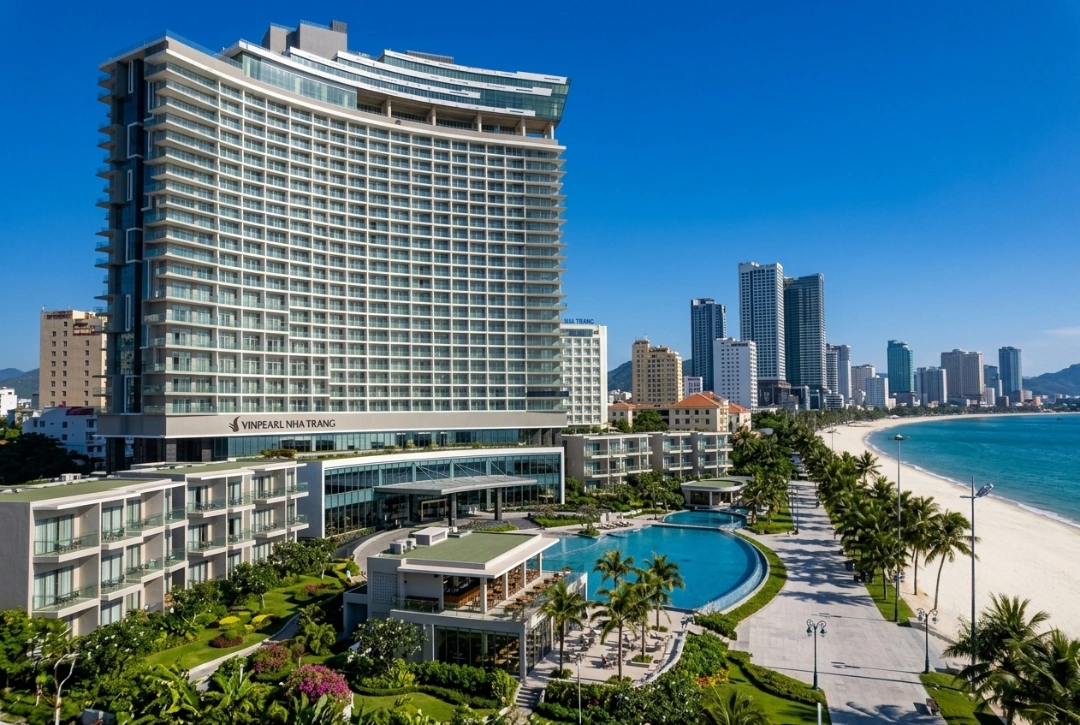
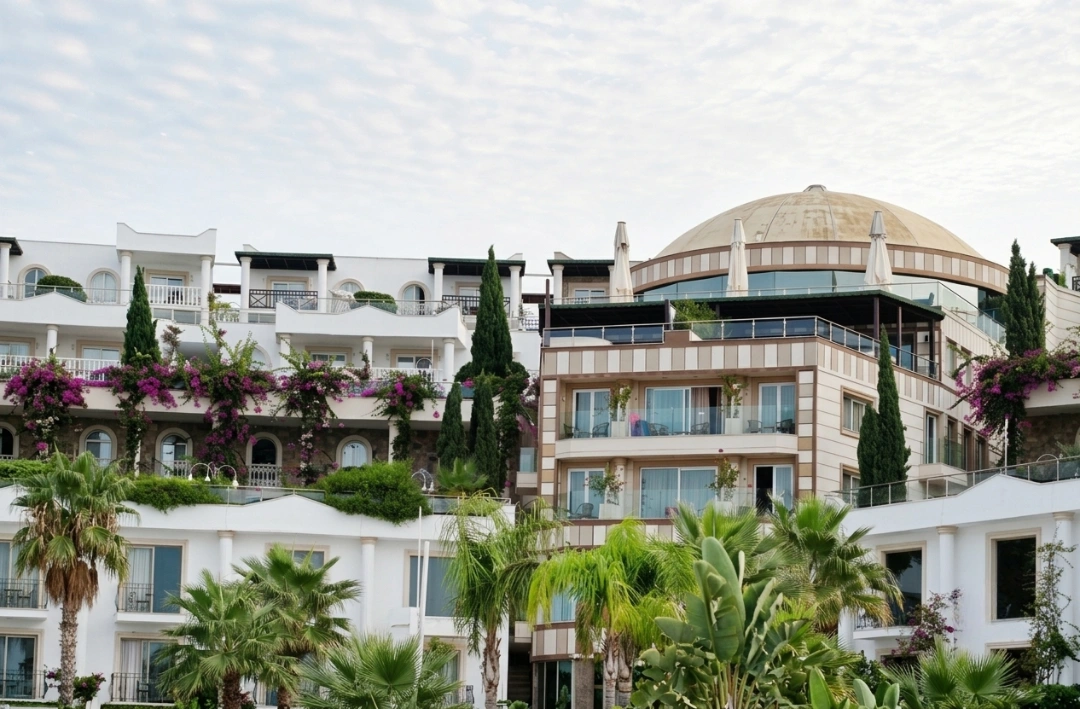
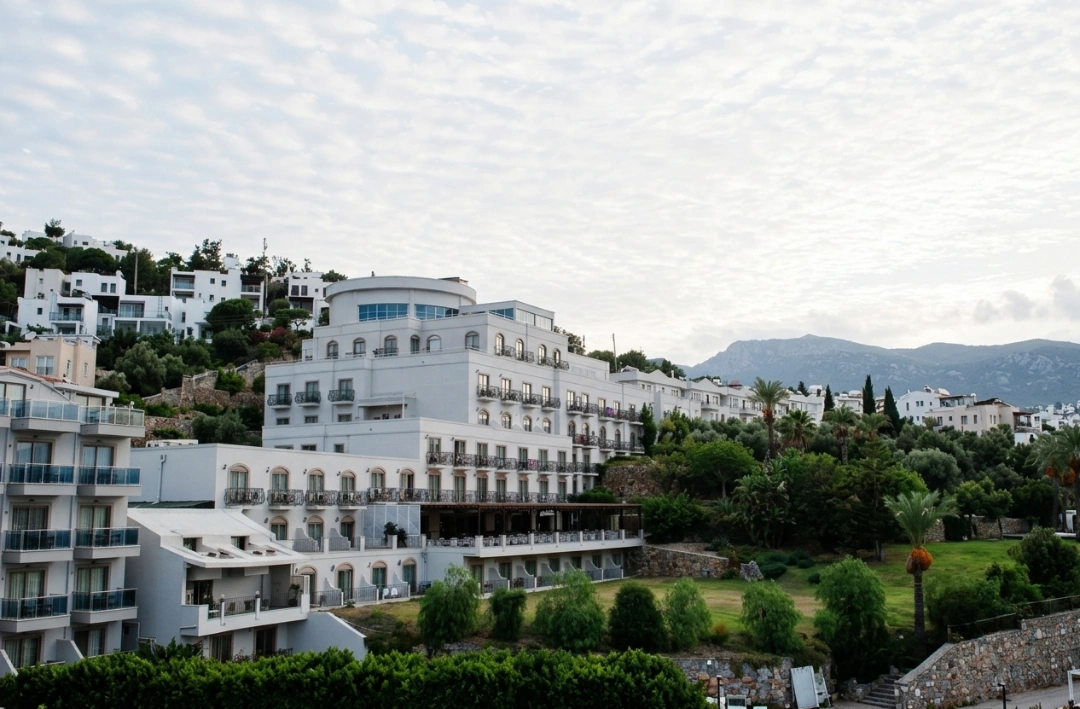
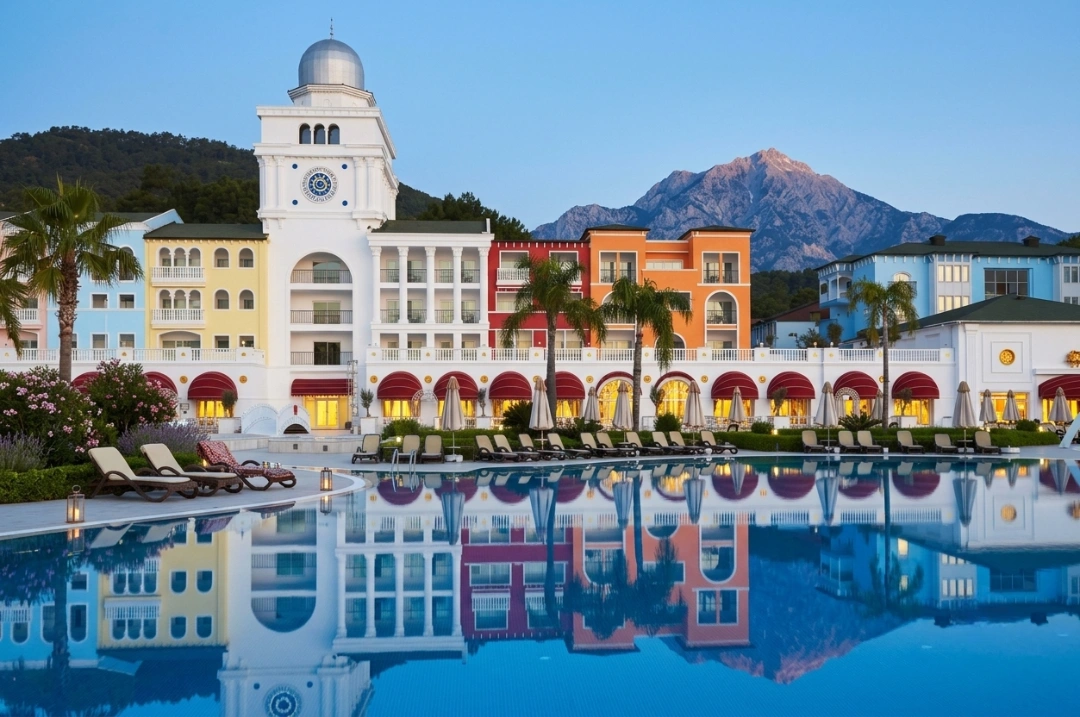
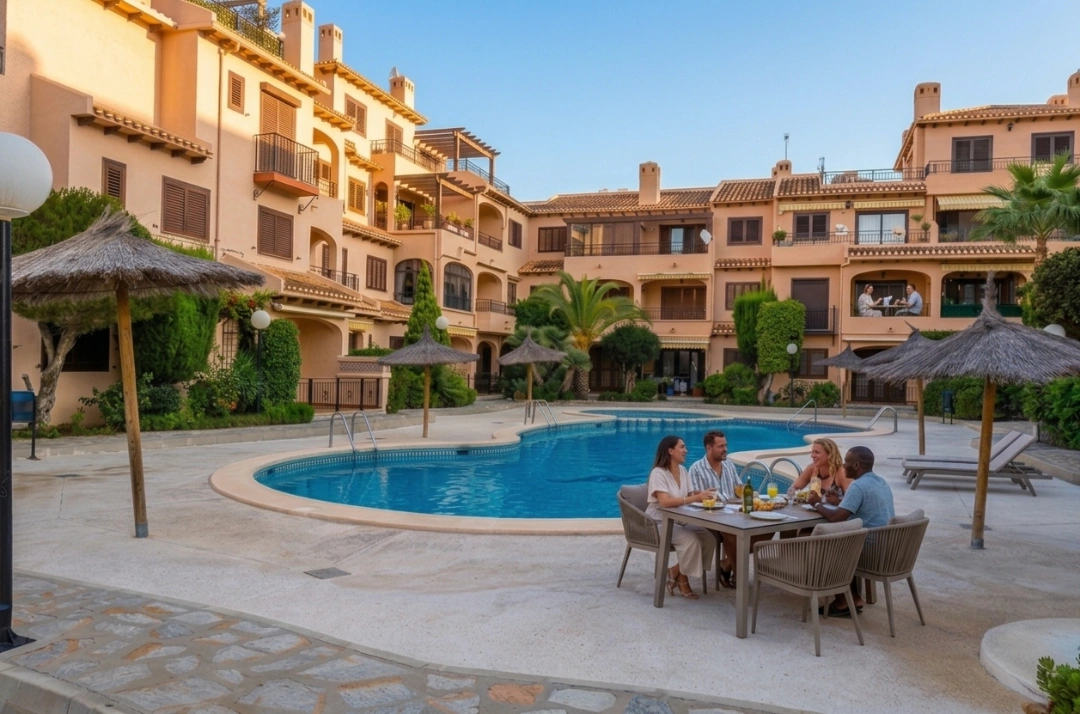
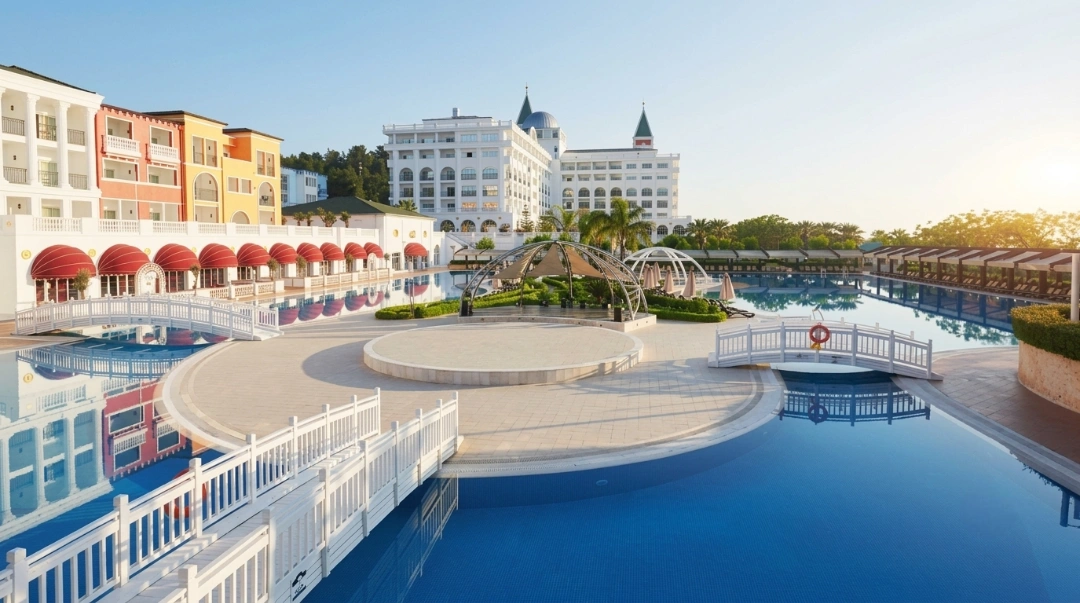
Airbnb helps independent hotels reach millions of travelers.
Listing is free; only a small service fee applies per booking.
Boost occupancy and attract longer stays easily.
Showcase unique amenities to stand out.
Create an account, add details, verify identity, and publish.
Listings go live within 24–72 hours.
Use roommaster Channel Manager to sync rates, inventory, and bookings automatically. Prevent double bookings and save time effortlessly.
Since its launch, Airbnb has become a global travel platform with over five million hosts and 1.5 billion guest check-ins. In 2024 alone, travelers booked more than 492 million Airbnb nights and experiences worldwide, pushing the company’s annual revenue past $11 billion.
This booking surge reflects a change in how people select where to stay, and it's not limited to homes or apartments anymore. Independent hotels and boutique accommodations can now reach Airbnb's enormous user base without solely depending on OTAs or standard listing websites.
If you manage a small hotel and want more bookings, listing your property on Airbnb could open the door to a more profitable and direct booking channel with better visibility and stronger guest relationships.
Follow our complete walkthrough to start welcoming guests and increasing your occupancy.
What is an Airbnb listing?
An Airbnb listing is a place that someone rents out for a short stay using the Airbnb website or app. Airbnb became popular because it lets regular people rent out their homes to travelers. These homes felt more personal and local than regular hotels. That idea made Airbnb well-known. Even now, as the company has grown, it still focuses on offering stays that feel unique and connected to the place.
The platform’s simplicity drove a surge of hosts to list properties in popular tourist locations, which led to resident displacement and over-tourism in many areas. Cities like New York responded with strict regulations. In 2025, over 85% of Airbnb listings in New York became long-term rentals due to rules that require owners to register, live in the property, and limit guests to two at a time.
Why list your hotel on Airbnb?
Wondering why list on Airbnb when your hotel is already on the usual booking sites? Here are a few Airbnb benefits for hotels that make a difference:
Diverse exposure: Maximize your hotel’s reach among international travelers, locals booking a weekend, or digital nomads. Airbnb has generated 1.5 billion+ guest check-ins and $250 billion in revenue for its hosts to date
Short and long stays: Fill rooms with everyone from staycation enthusiasts to remote workers settling in for a month. This boosts the occupancy rate and improves revenue predictability in slow seasons
Niche market appeal: Show your property’s unique elements like eco-friendly features, or roots to local culture. Airbnb travelers often look for personality-driven stays, giving you an edge over more generic options
Unlocking a new revenue stream: Compete with vacation rentals and appeal to a broader range of travelers while keeping your identity as a hotel. That way, you don’t have to rely solely on other traditional online travel agencies
What you need before listing hotel on Airbnb
Before we get into the listing process, you must know exactly what to list on Airbnb. So, here is a checklist for Airbnb listing requirements.
Property details: Your property’s name, address, and contact info so guests can easily find and reach you
High-quality images: Pictures highlighting amenities, unique characters, décor, and special features like local art or scenic views
Room types and amenities: Description of hotel room types, bed types, bathroom setup, accessibility, and common areas
Pricing strategy: Competitive rates reflecting your hotel’s unique experience, seasonality, local events, and demand
Cancellation and house rules: Clear guidelines on policies, hotel check-in and check-out, and guest expectations
Here are some tips to create a strong hotel listing on Airbnb:
Show unique aspects of your rooms, like handmade furniture, local artwork, or thematic decor
Offer flexible pricing to attract both short-term and longer-term guests seeking an independent hotel experience
Keep simple house rules that reflect your hotel’s personality
Offer packages with local activities, tours, and workshops to create a memorable guest experience
How to add your hotel to Airbnb in minutes
Got all the requirements in order? Now, just follow these simple steps to get your property listing on Airbnb:
Step 1: Create an Airbnb account
You will need to sign up on the website to create a listing on Airbnb. So, here’s how to set up an Airbnb account:
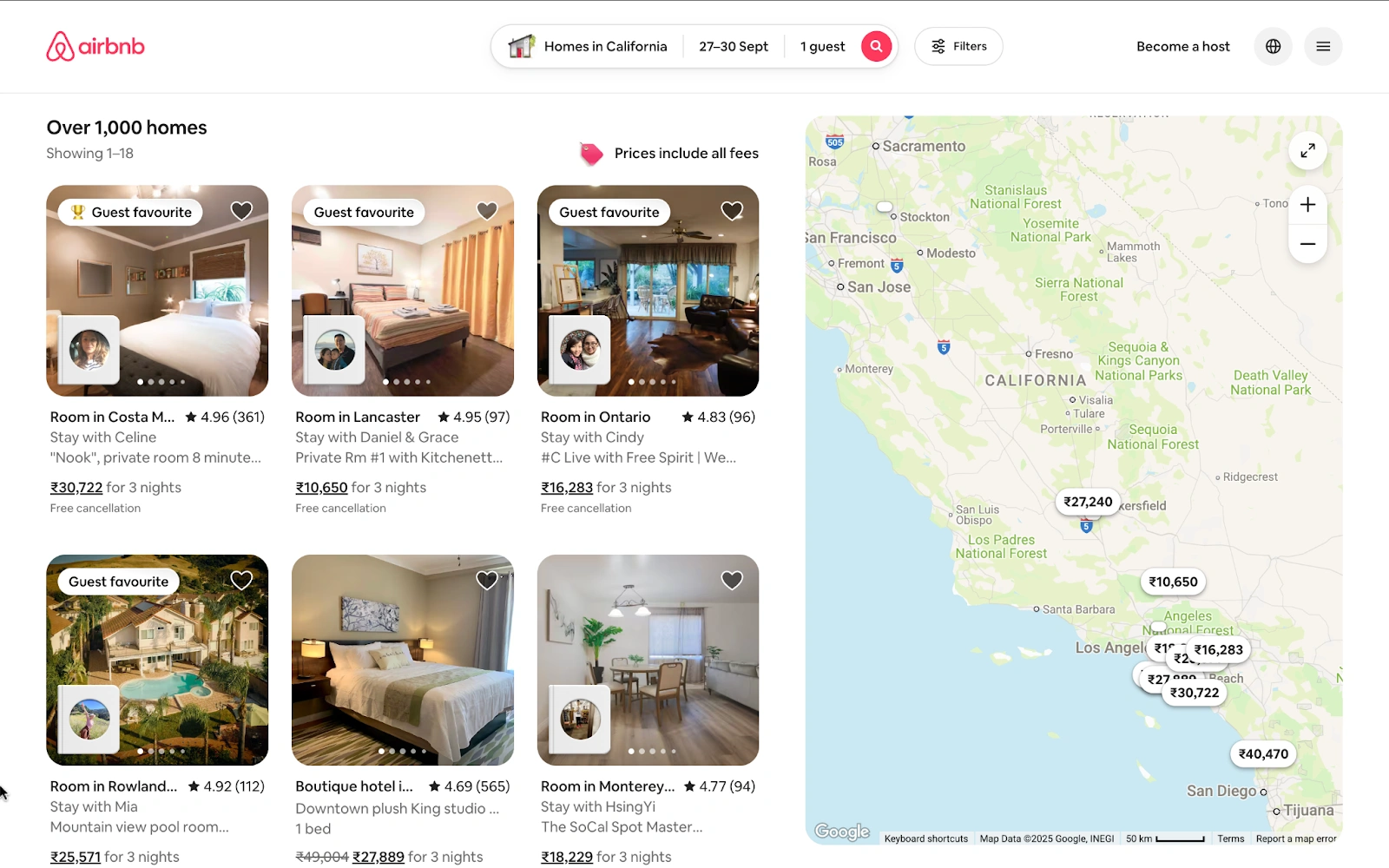
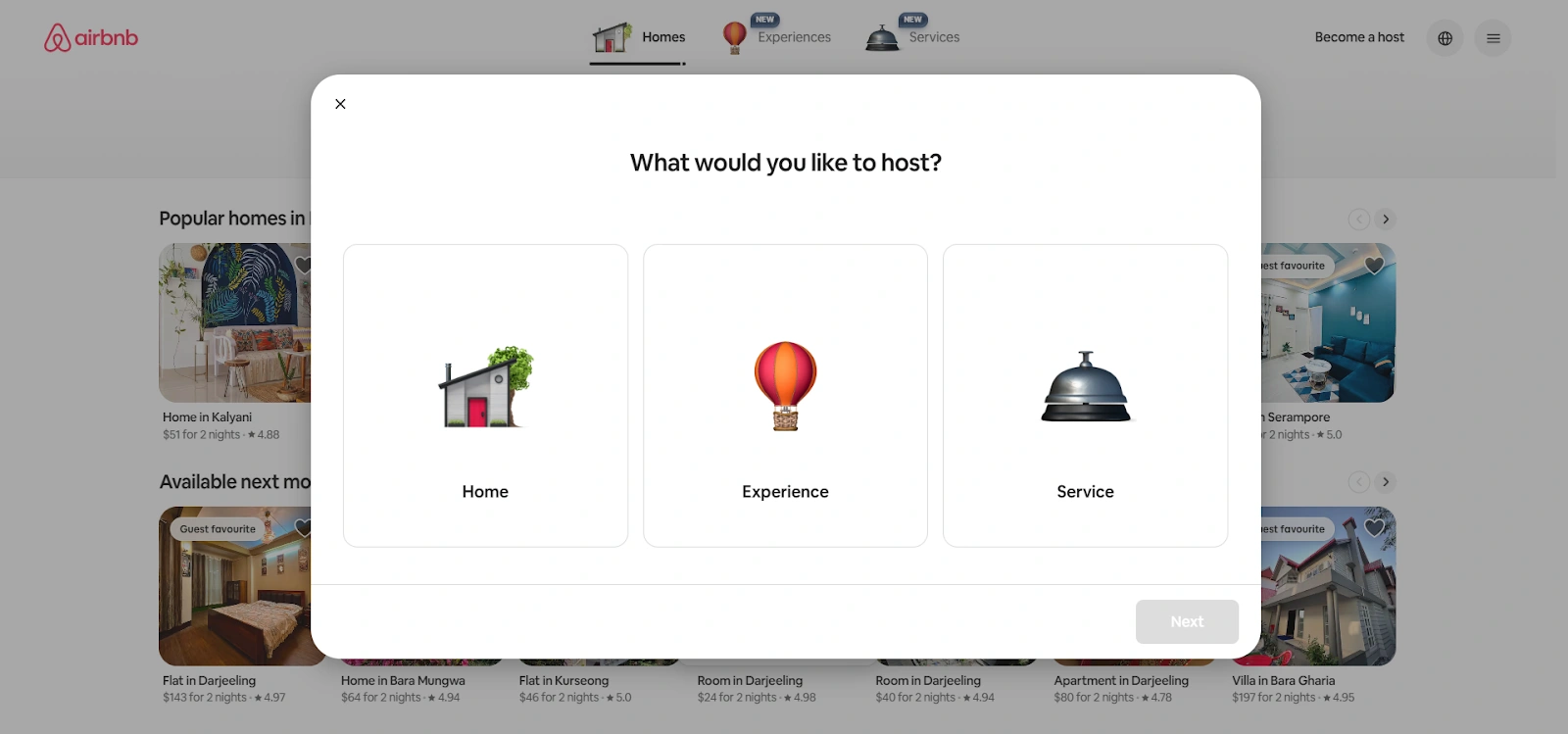
Visit Airbnb.com and click on the ‘Become a Host’ option in the top right corner
In the ‘What would you like to host?’ pop-up, select ‘Home’
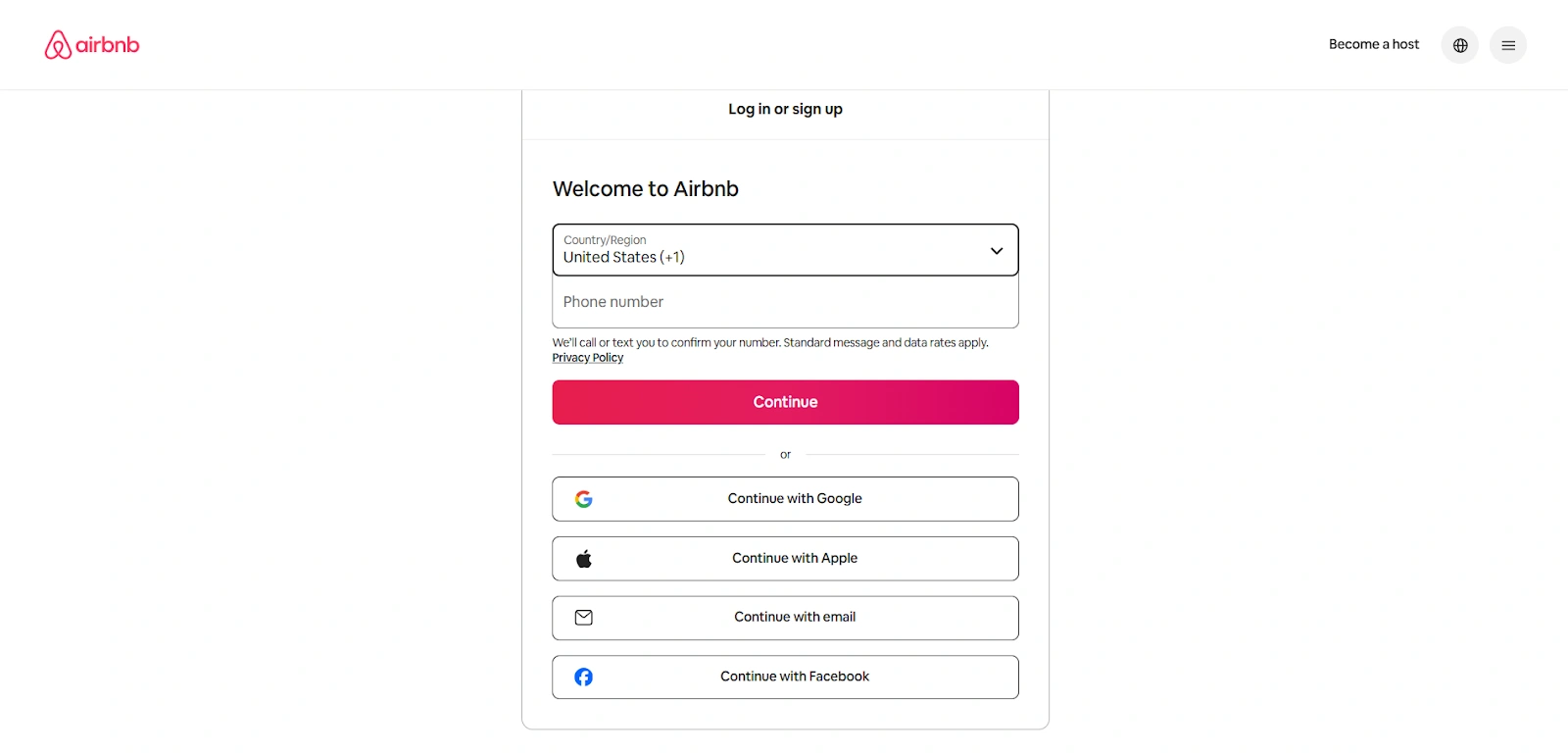
Now log in to Airbnb or create an Airbnb account if you don’t already have one
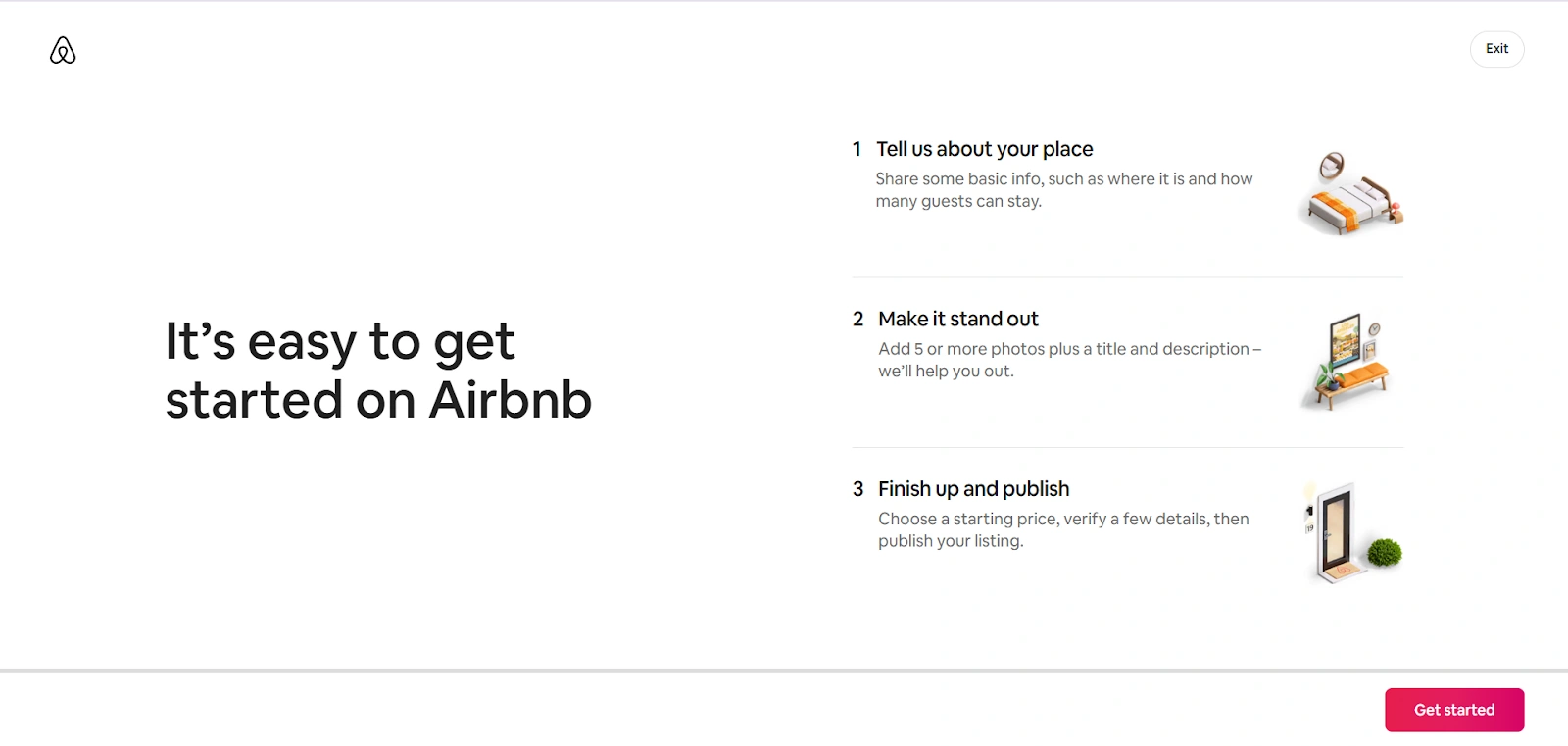
On the next page, click on the ‘Get started’ button in the bottom right corner
Step 2: Adding property details
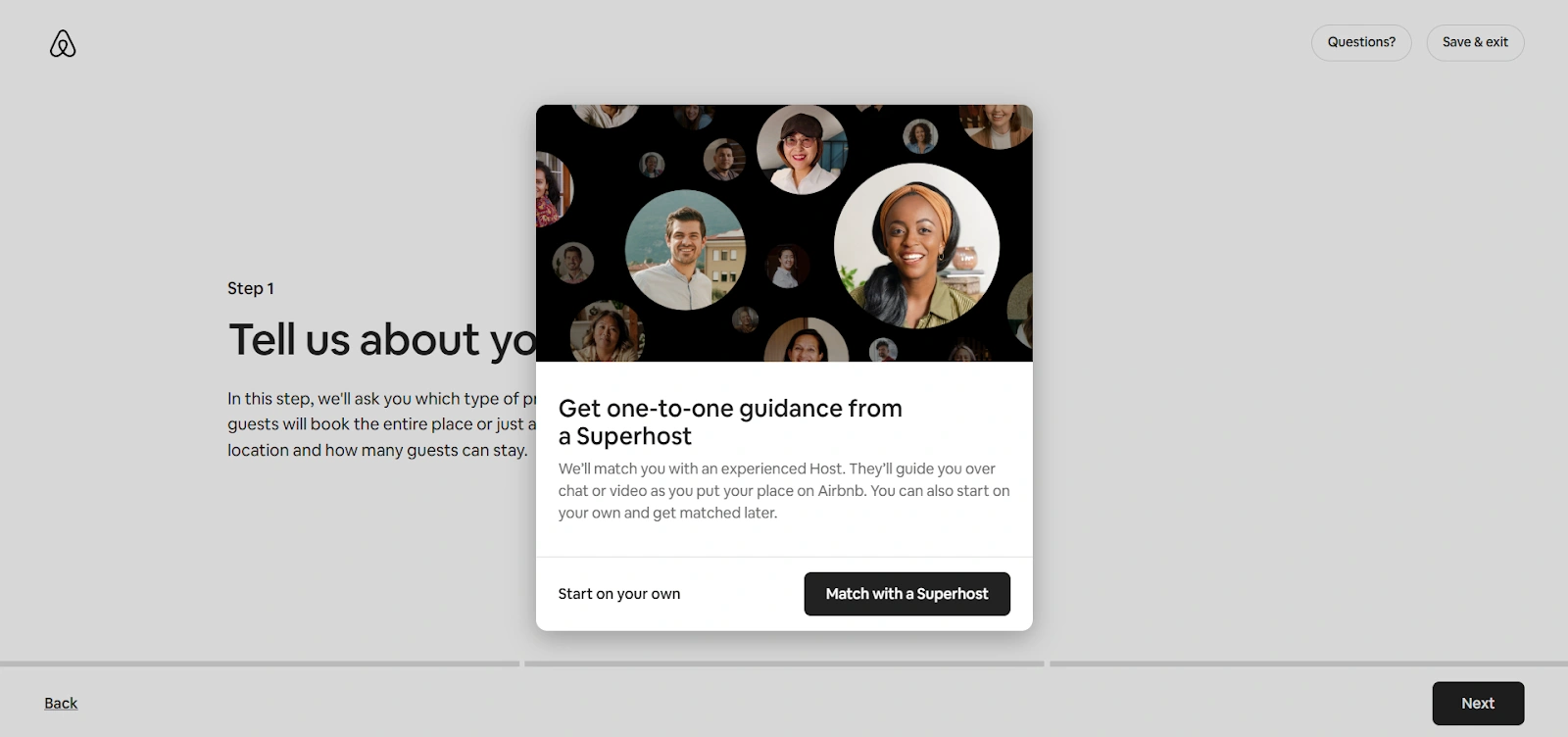
Now you need to add property details on Airbnb. You can either start the Airbnb property setup on your own or Match with a Superhost to get help.
If you choose the former, click ‘Next’ and follow these steps:
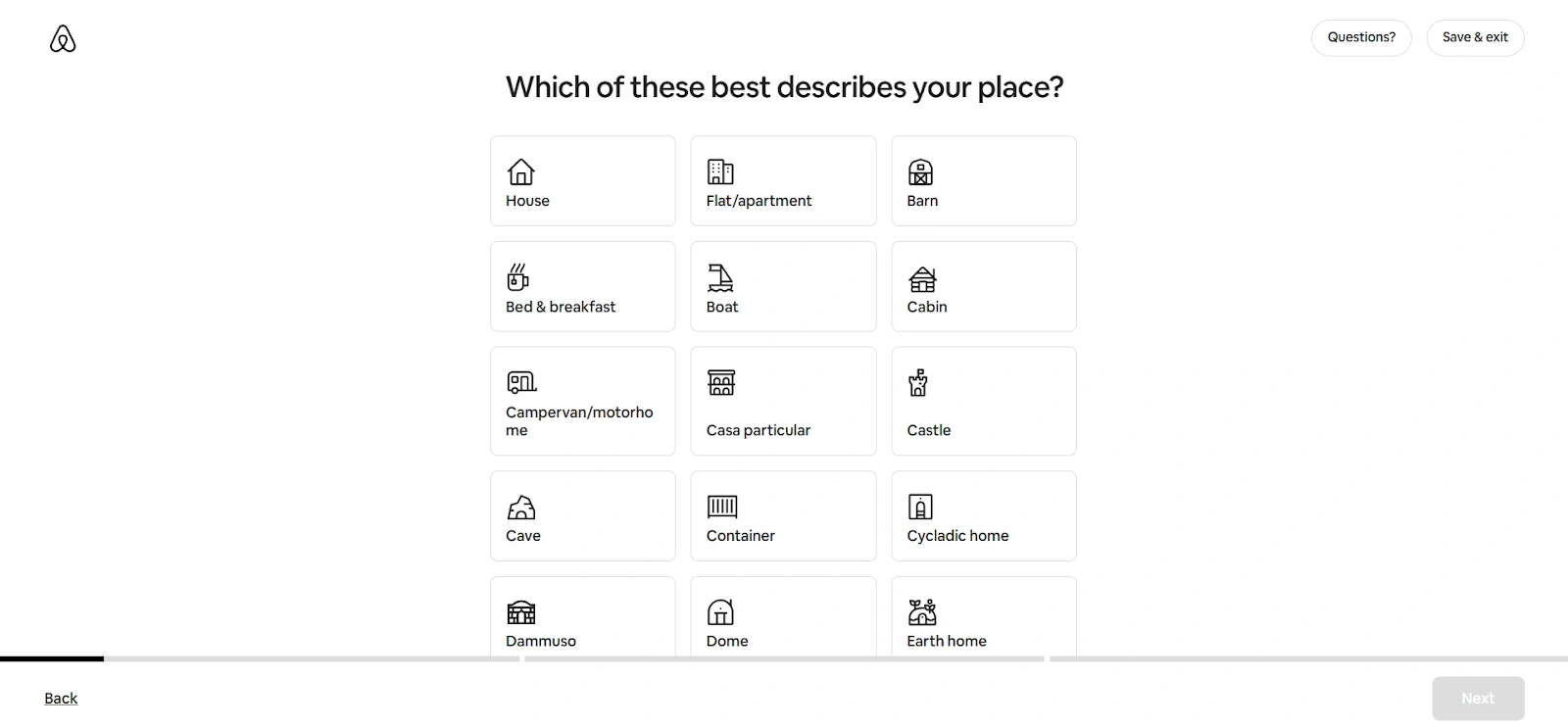
Select the space you want to list and click ‘Next’. Airbnb lets you list:
Hotel
House
Flat
Apartment
Barn
Bed & Breakfast
Boat
Cabin
Campervan/Motorhome
Casa particular
Castle
Cave
Container
Cycladic home
Dammuso
Dome
Earthhome
Farm
Guesthouse
Heritage hotel
Tent
Treehouse
Hostel, and more
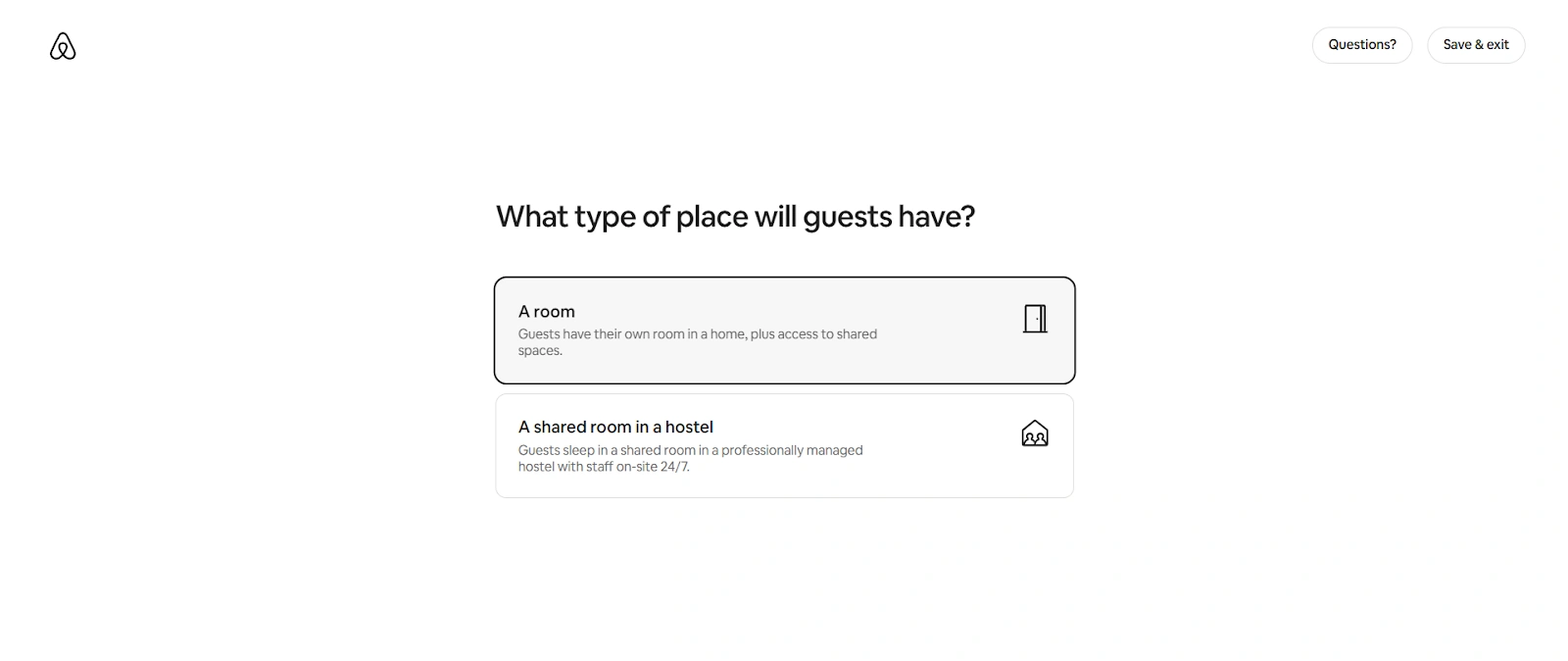
Choose the room type.
A room: Guests get a private room with access to shared common areas
A shared room in a hostel: Guests sleep in a shared dorm-style space managed by on-site staff
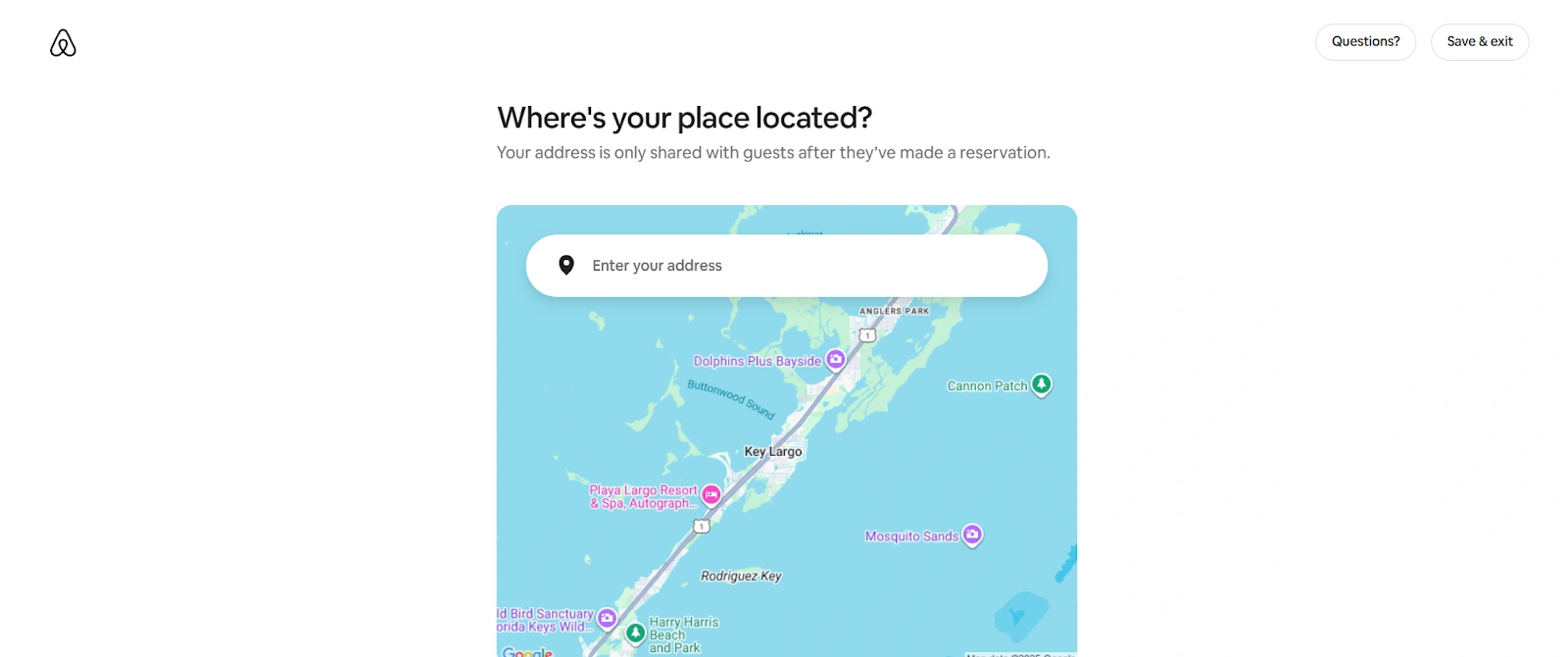
Now put in your location. Make sure you add accurate location data for better search visibility
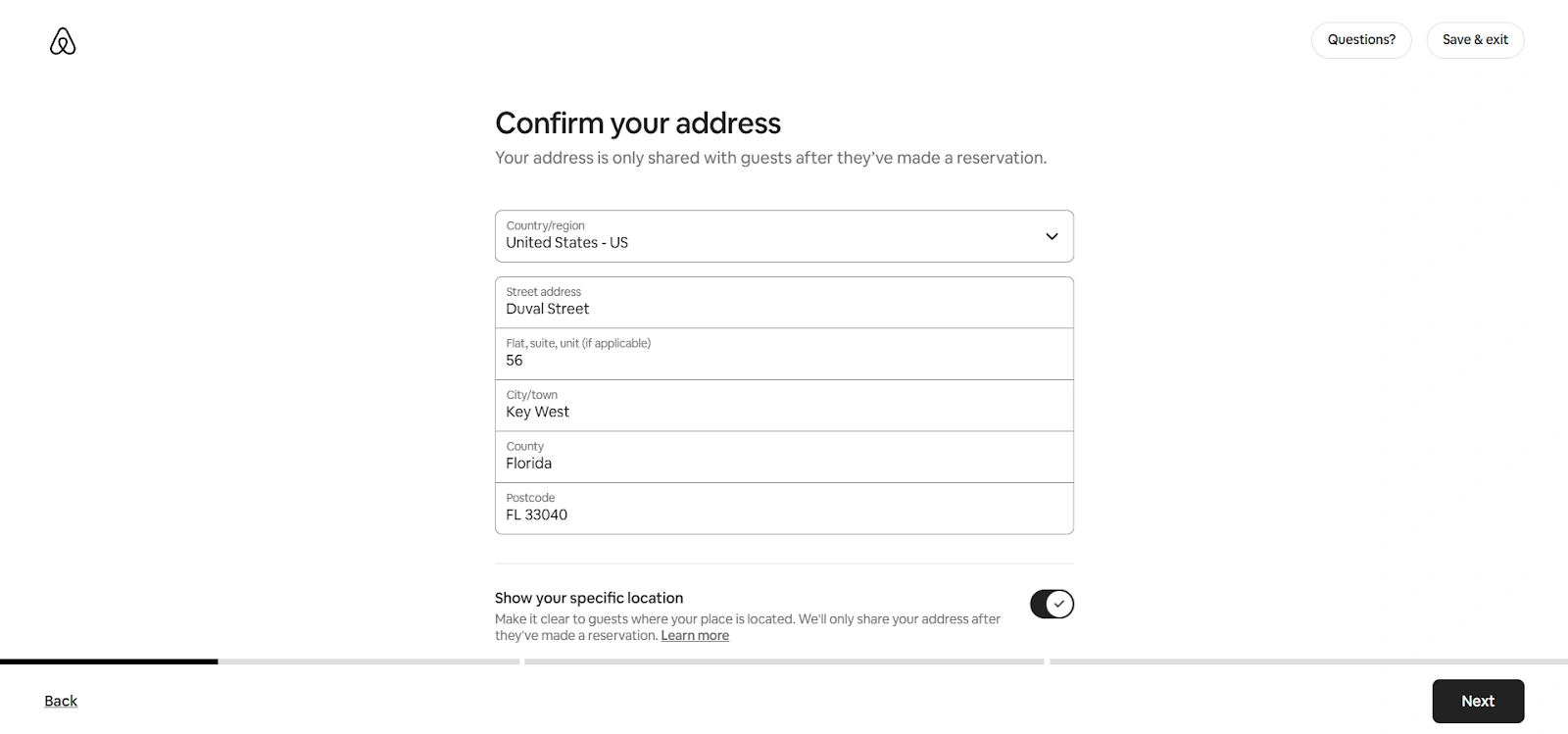
Fill in your property address. Turn on the “Show your specific location” toggle button to help guests reach your hotel
Check if your address pin is in the right spot on the map
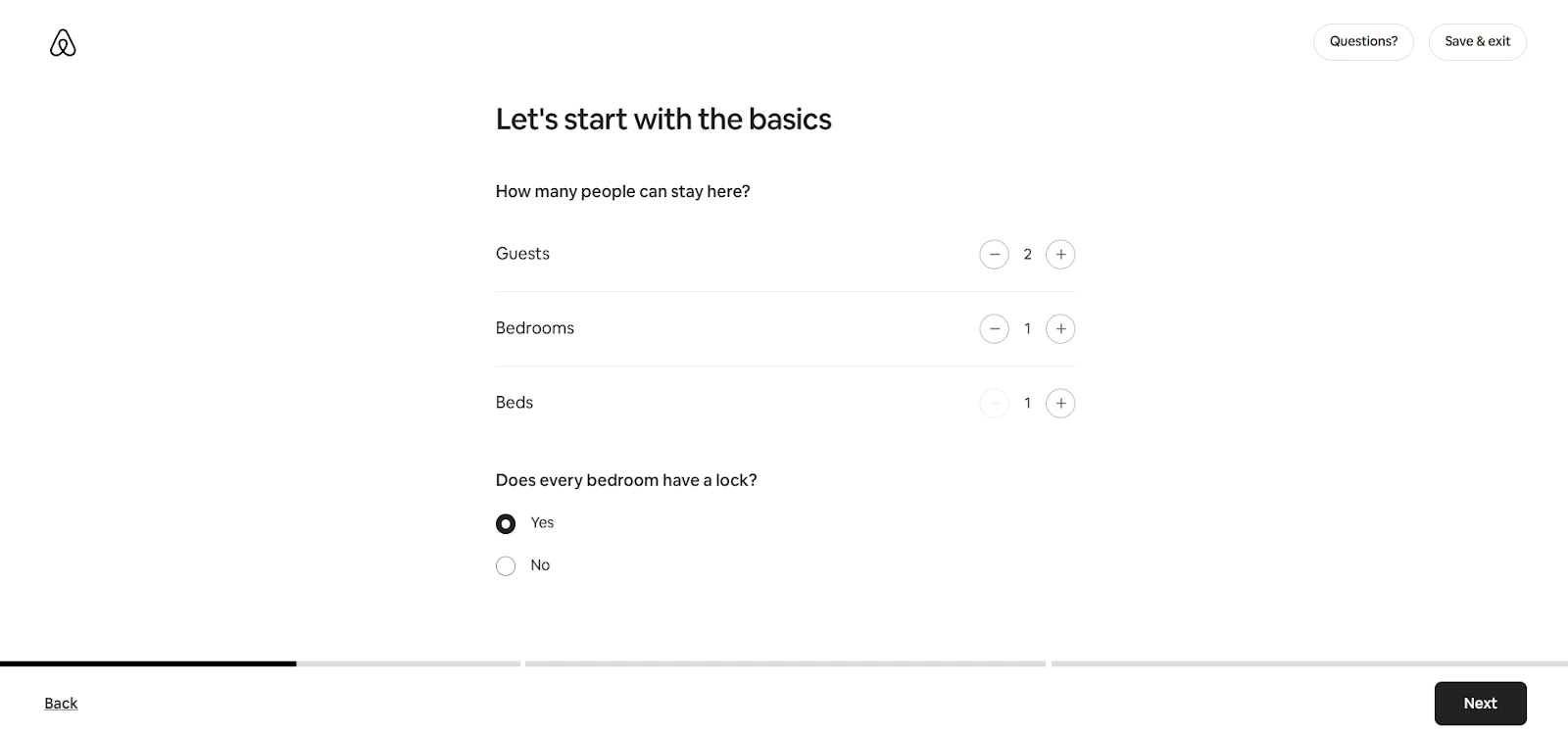
Next, specify how many guests can stay in your rooms, how many bedrooms and beds you have, and whether the rooms have locks
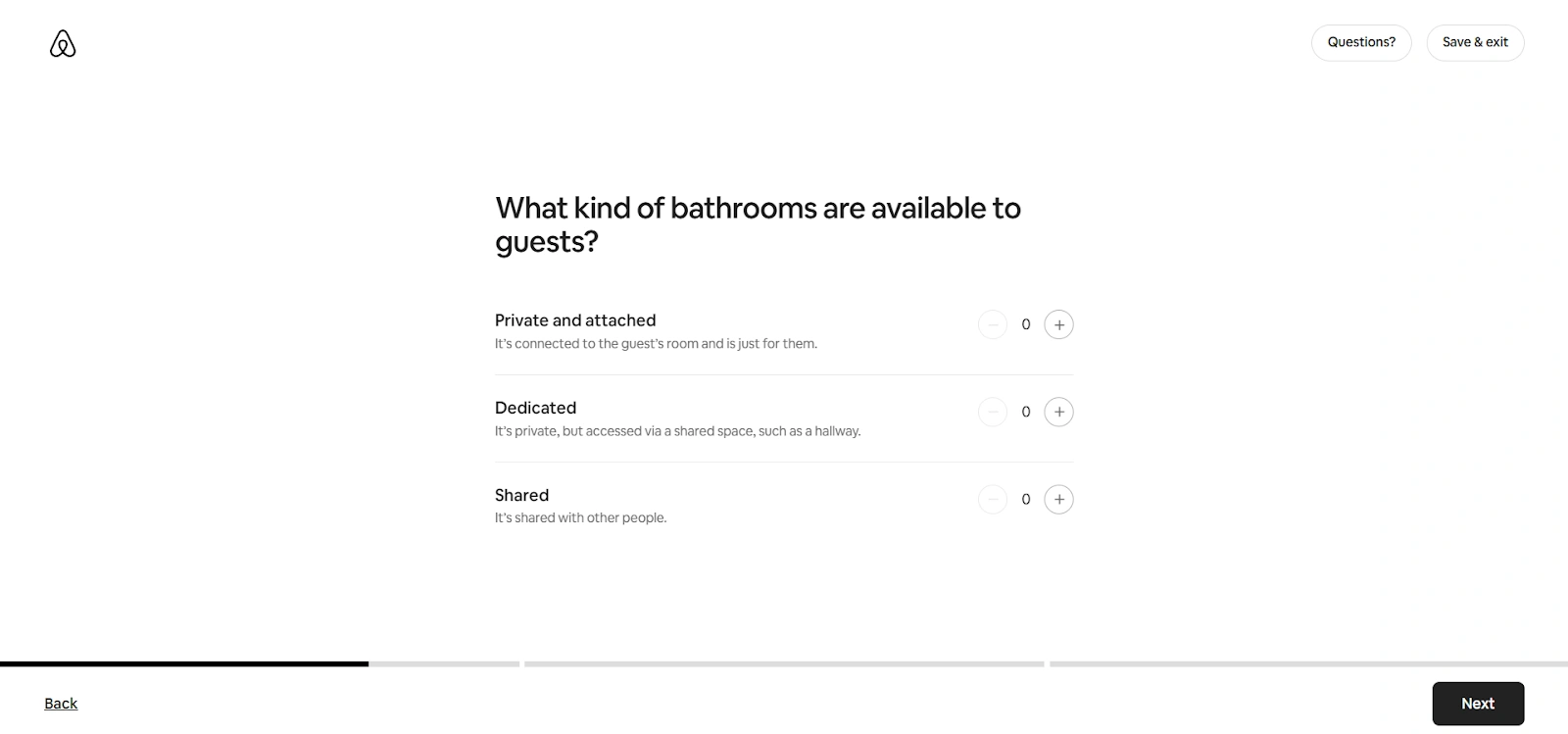
Choose the bathroom types available in your property
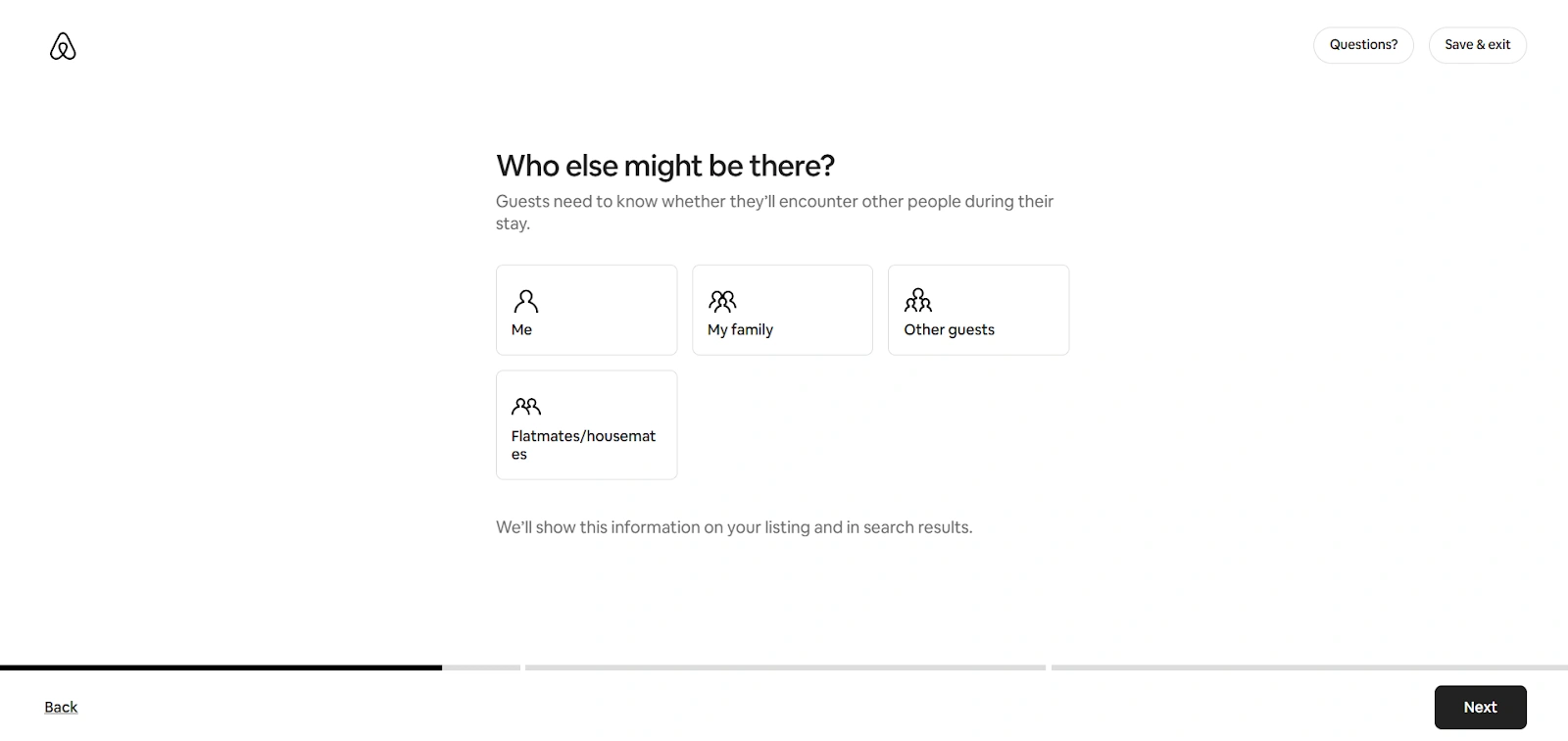
Select who else the guests can expect at your property
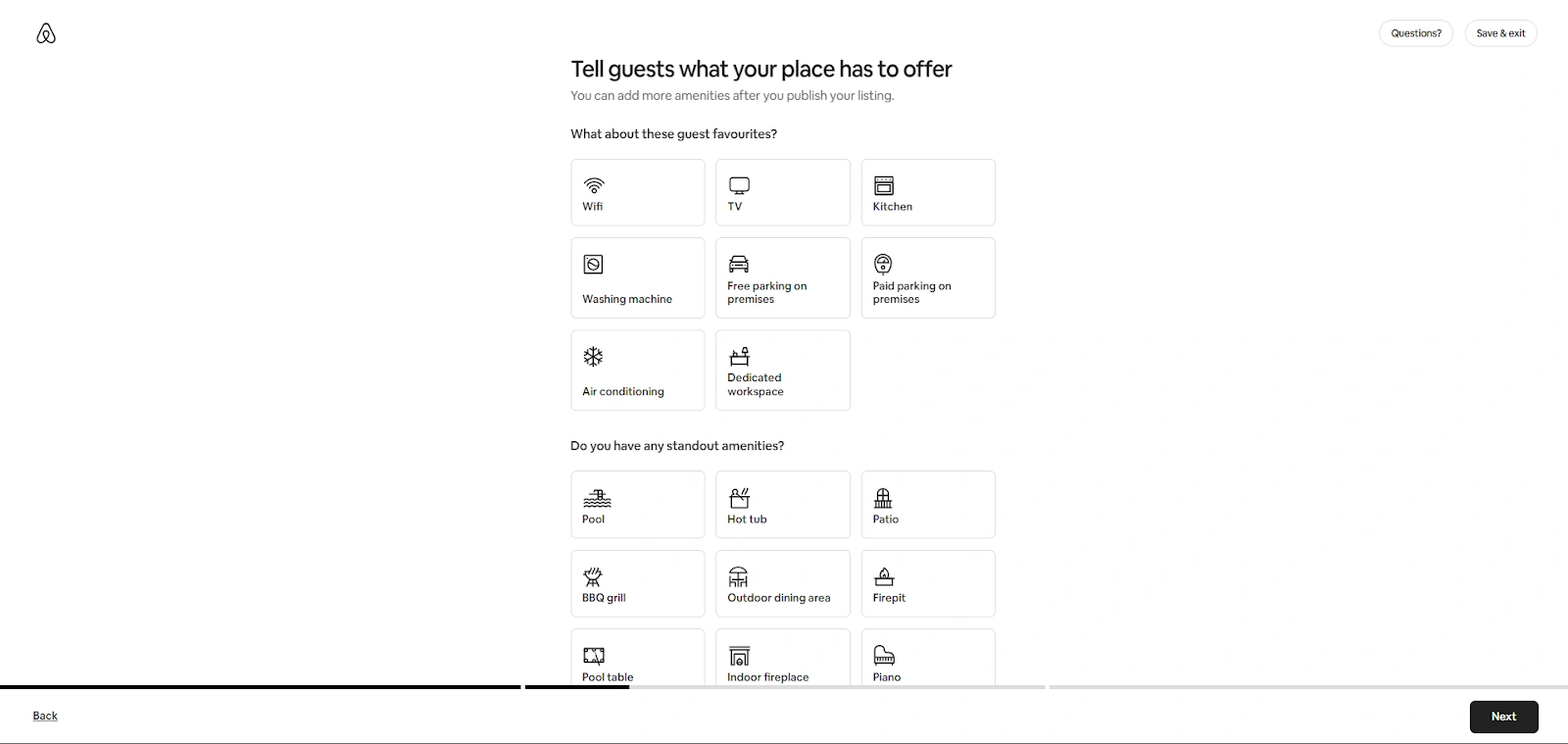
Choose the amenities and standout features of your hotel
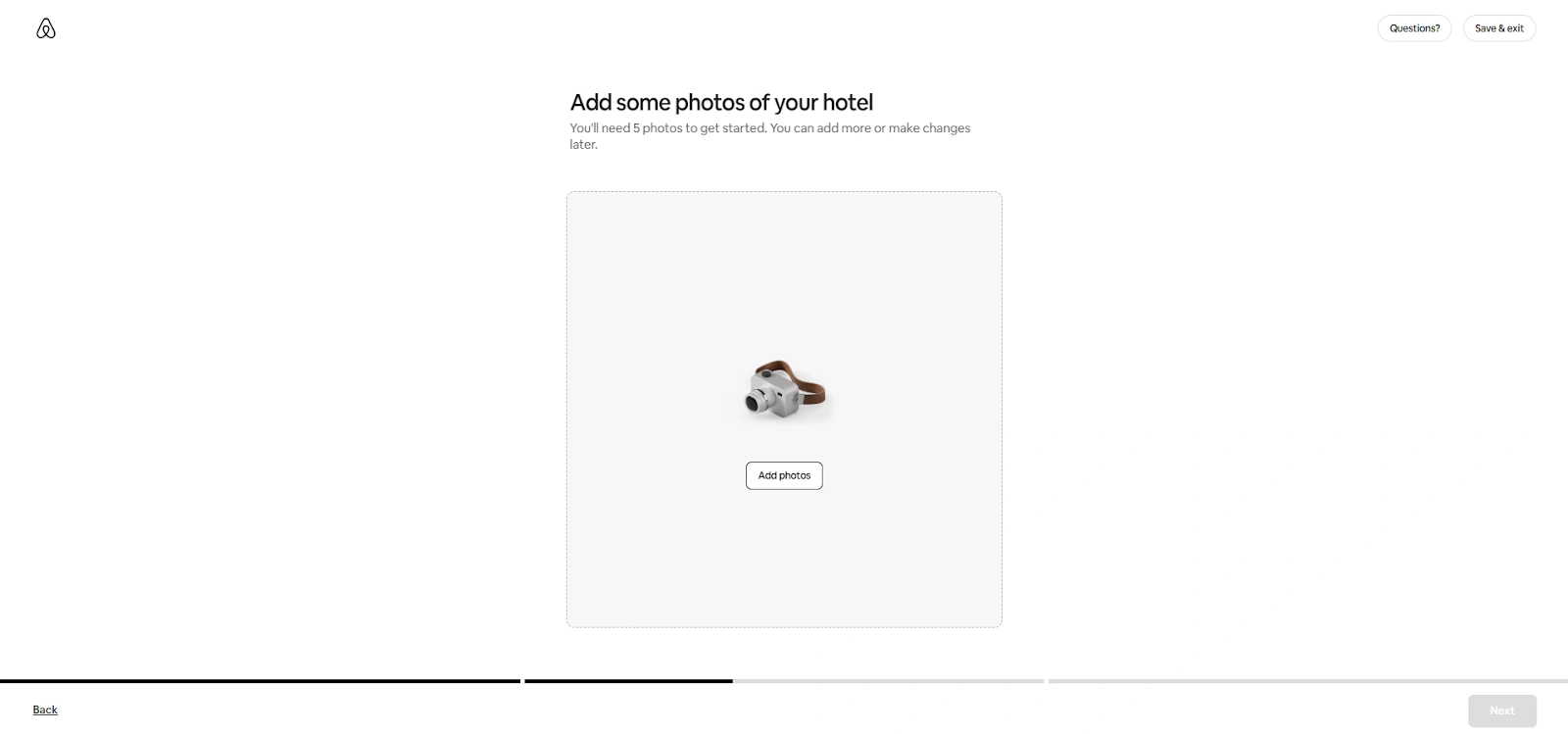
Step 3: Uploading photos
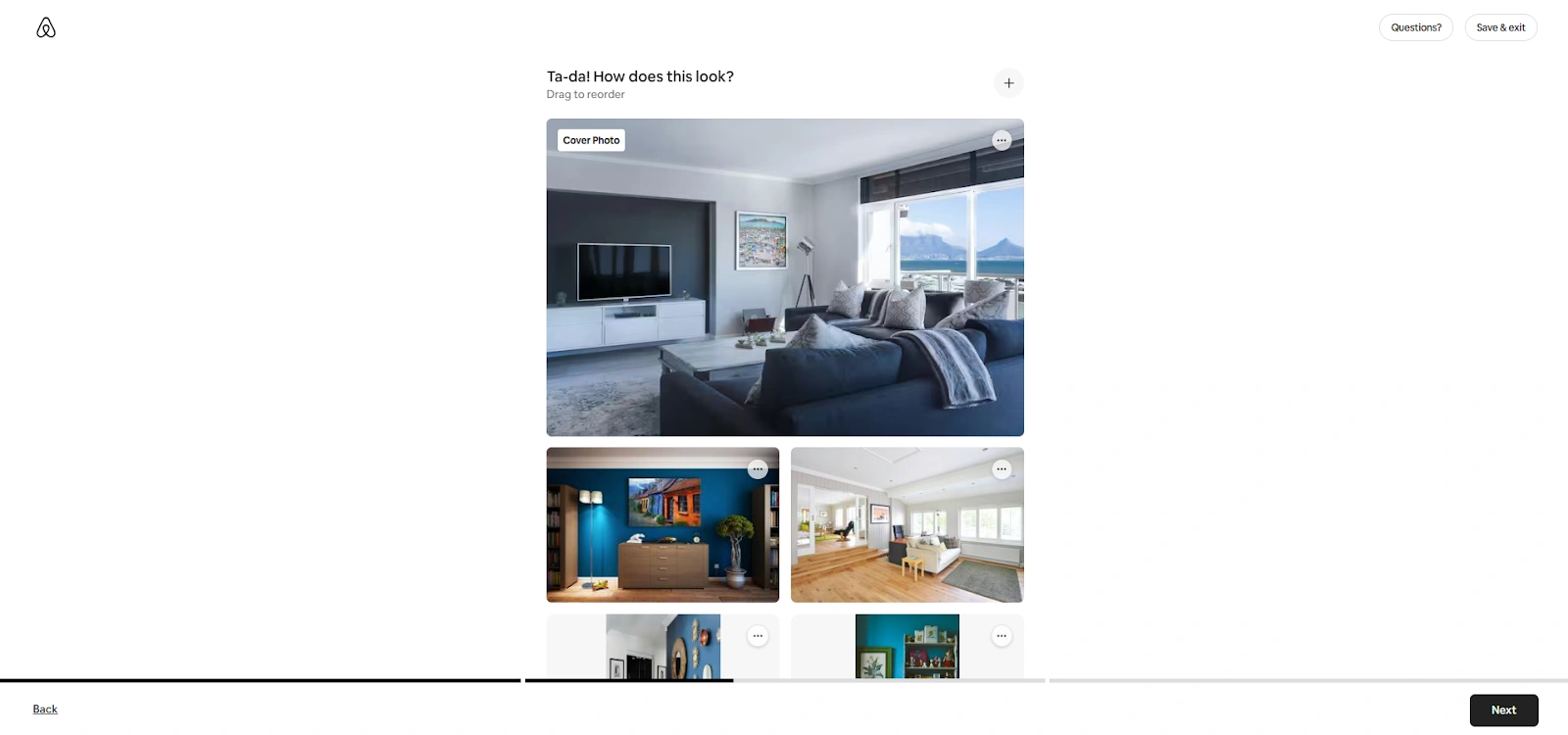
Upload photos on Airbnb. You will need at least 5 photos to set up your listing
Choose the best photo as your cover image
Meeting the Airbnb image requirements helps attract more clicks and, ultimately, more bookings. Here are some tips:
Use high-resolution images and follow Airbnb’s recommended aspect ratio of 3:2
Showcase your best features: guest rooms, common spaces, unique amenities, and scenic surroundings
Include photos of nearby attractions to highlight your hotel’s location advantage
Use natural light wherever possible for a warm, inviting look
Stage rooms neatly with small touches like flowers or local décor to emphasize character
Capture wide-angle shots for room layouts and close-ups to show the unique details
Step 4: Writing descriptions
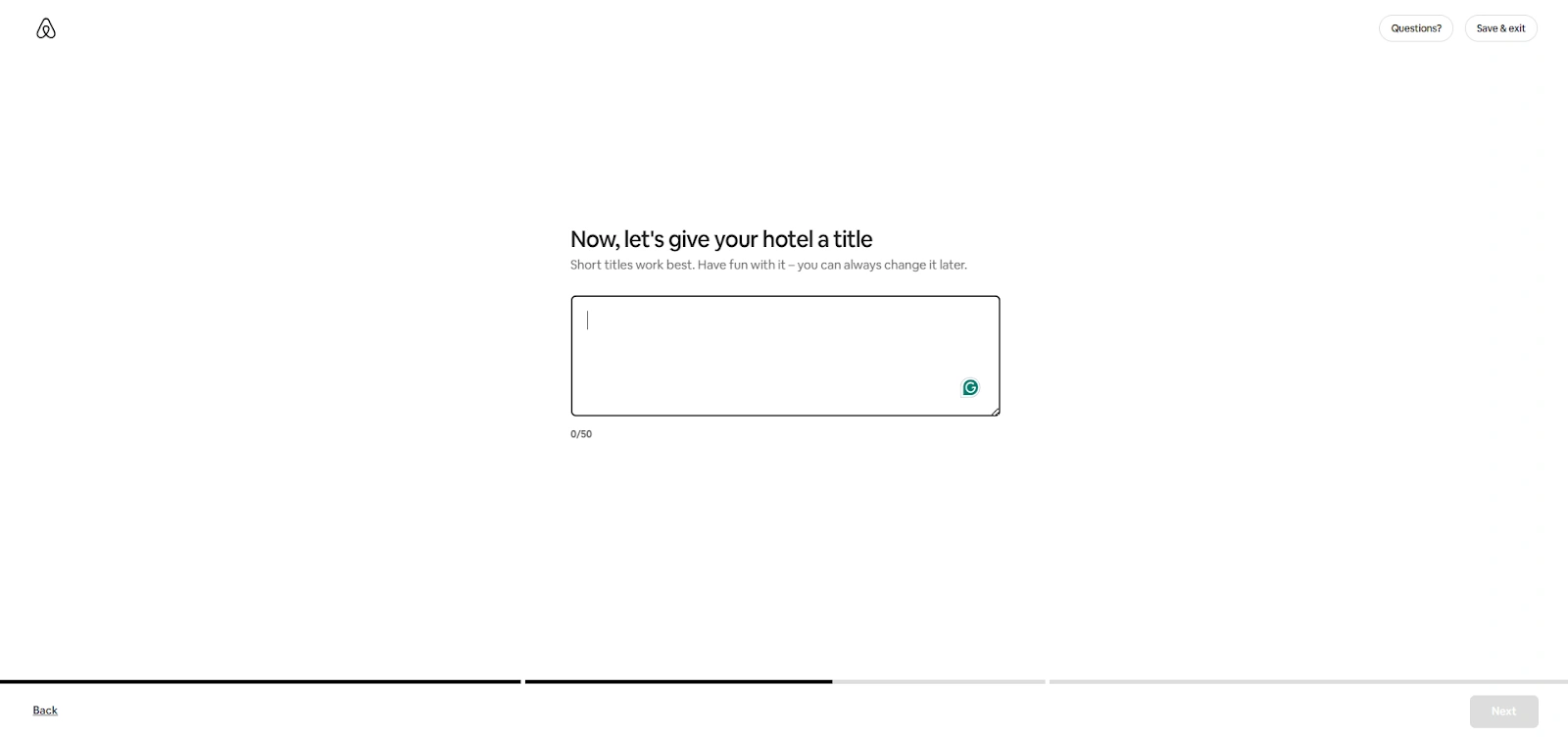
Give your hotel a name
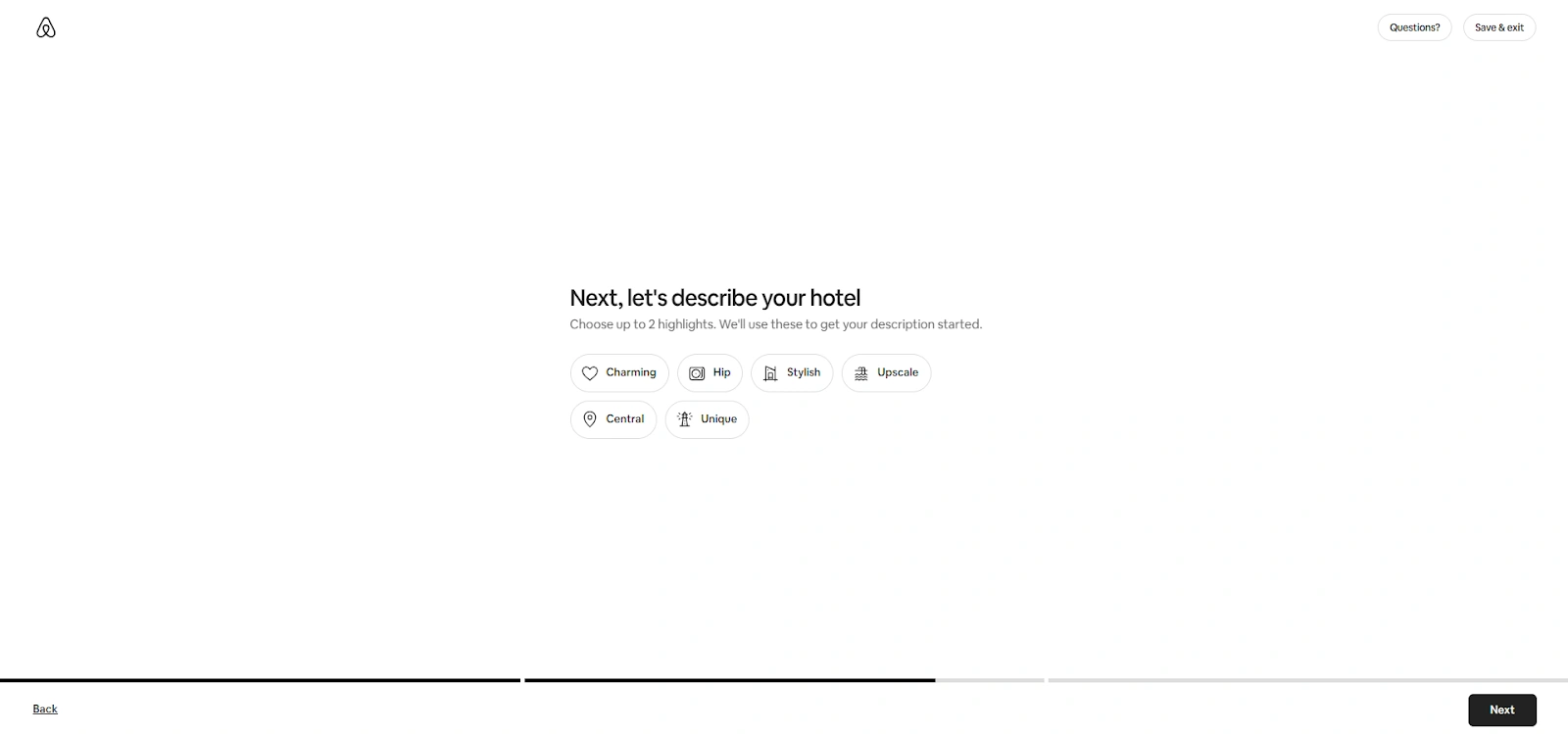
Choose two highlights that describe your hotel’s general atmosphere
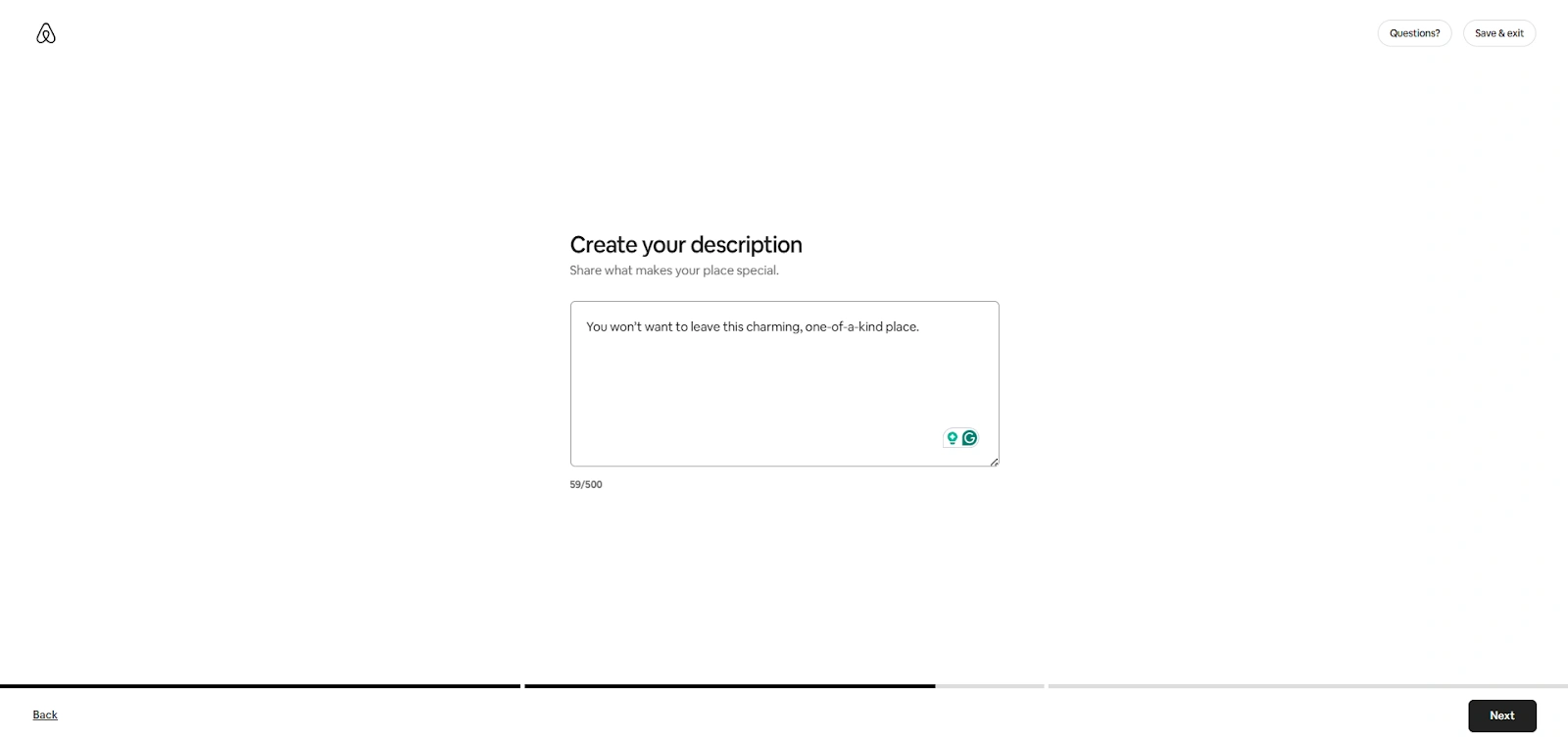
Write an engaging description with a friendly, welcoming tone instead of formal hotel jargon
Once you add all the details, publish your listing from your dashboard.
Step 5: Setting rates, availability, and booking specifications
In the next steps, you will need to set rates on Airbnb, add booking specifications, and set Airbnb room availability.
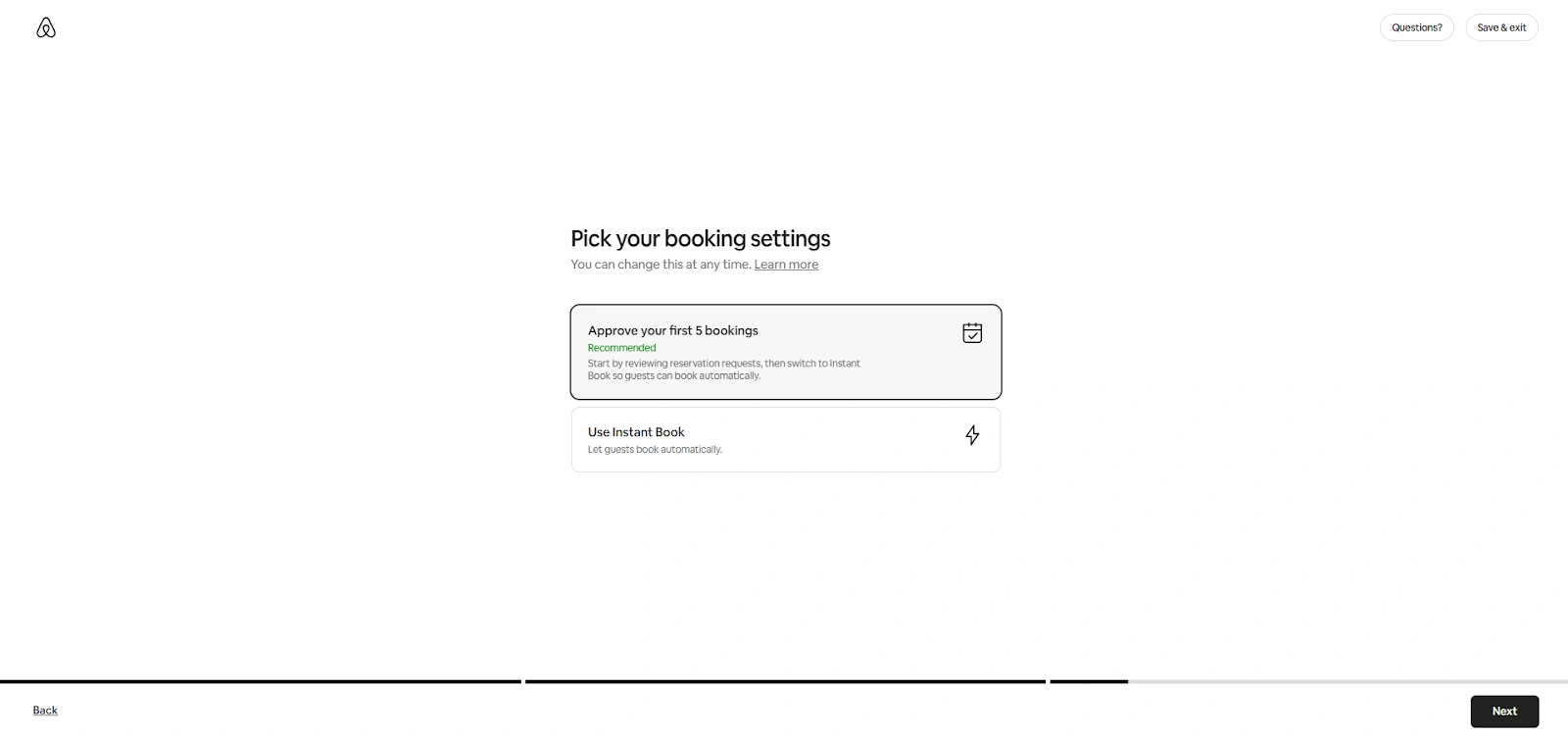
Choose a booking setting. You can either approve the first 5 booking requests or opt for instant booking
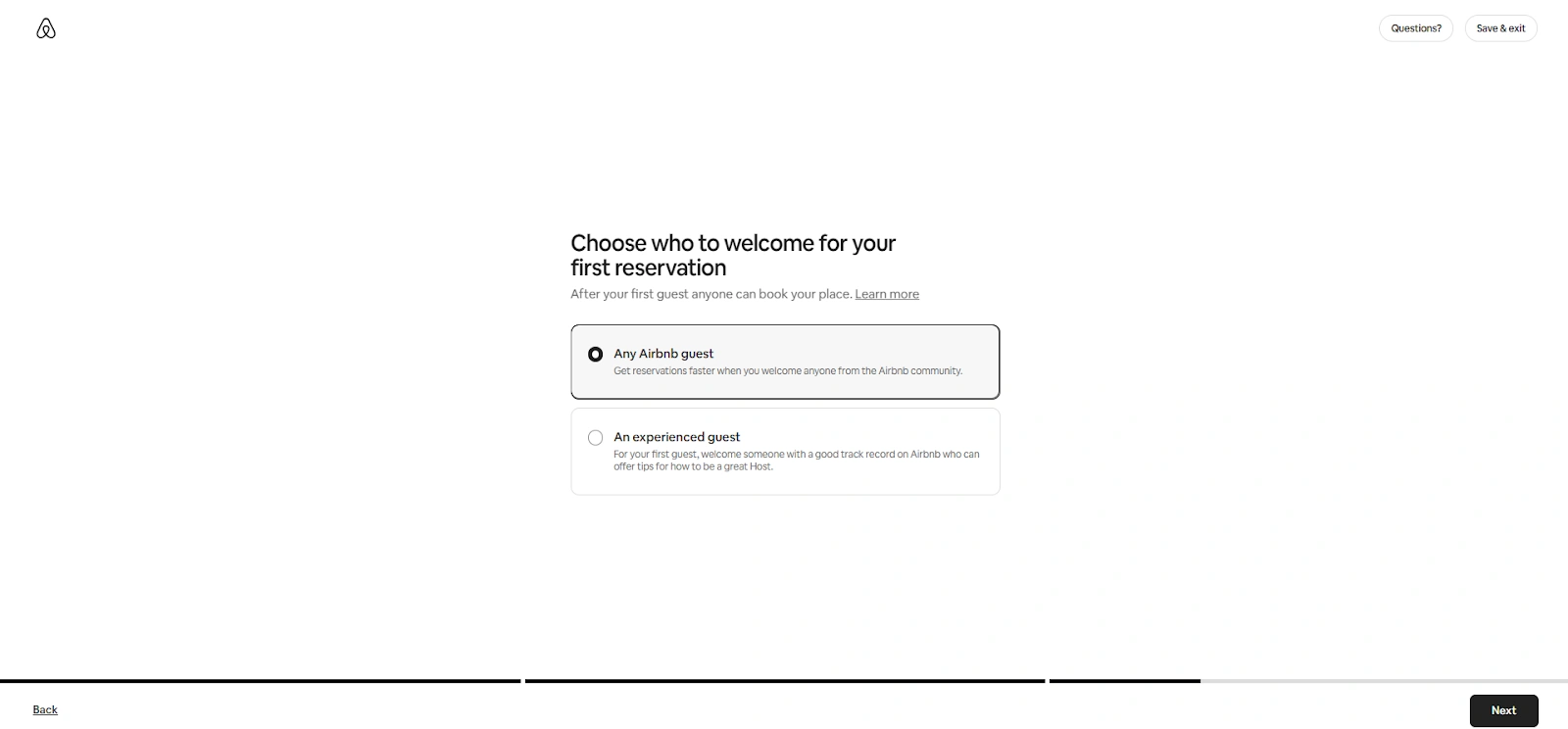
Select the type of guest you want. Will you allow any Airbnb guest or only the experienced ones?
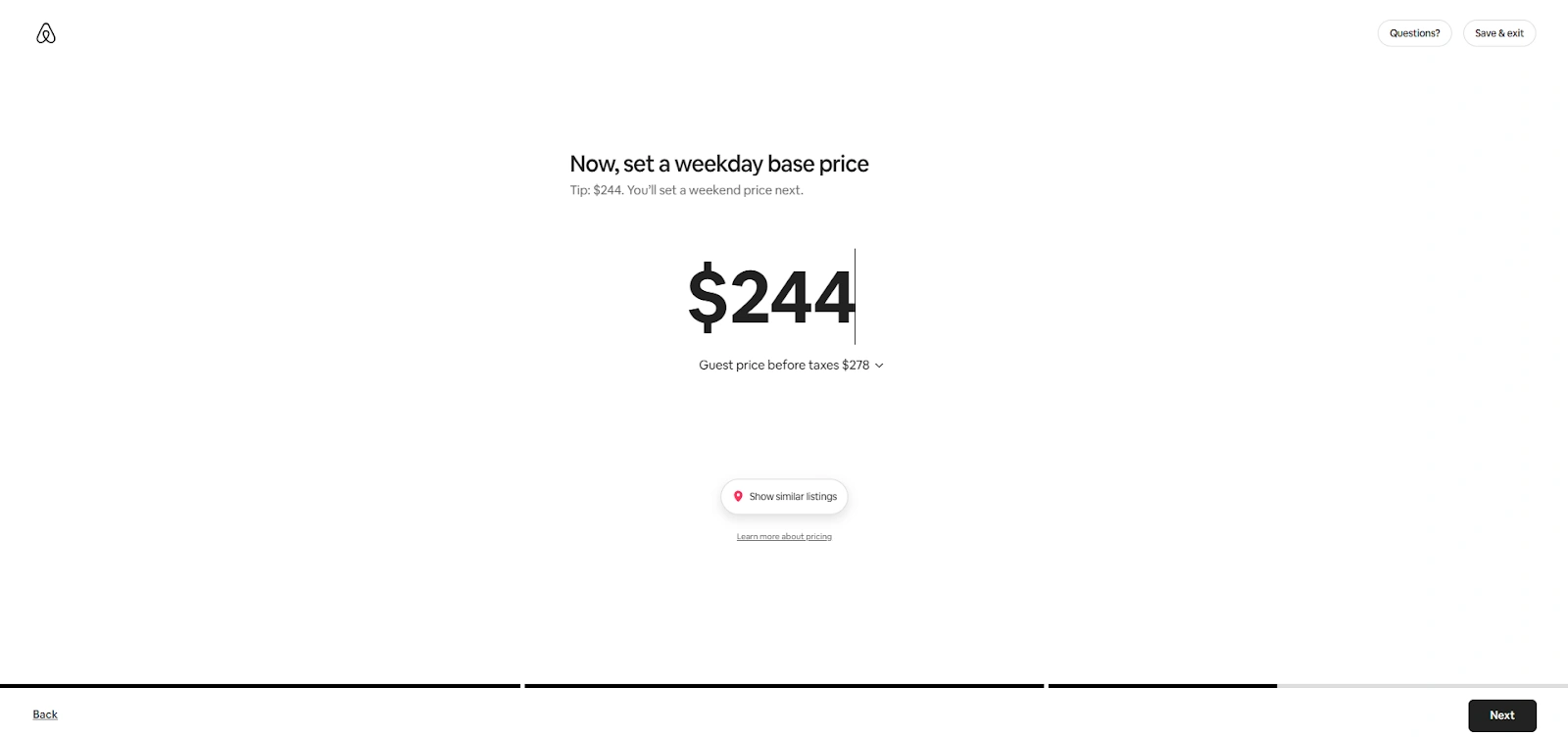
Now you set the base room pricing for weekdays. You can see other similar listings and set a competitive price
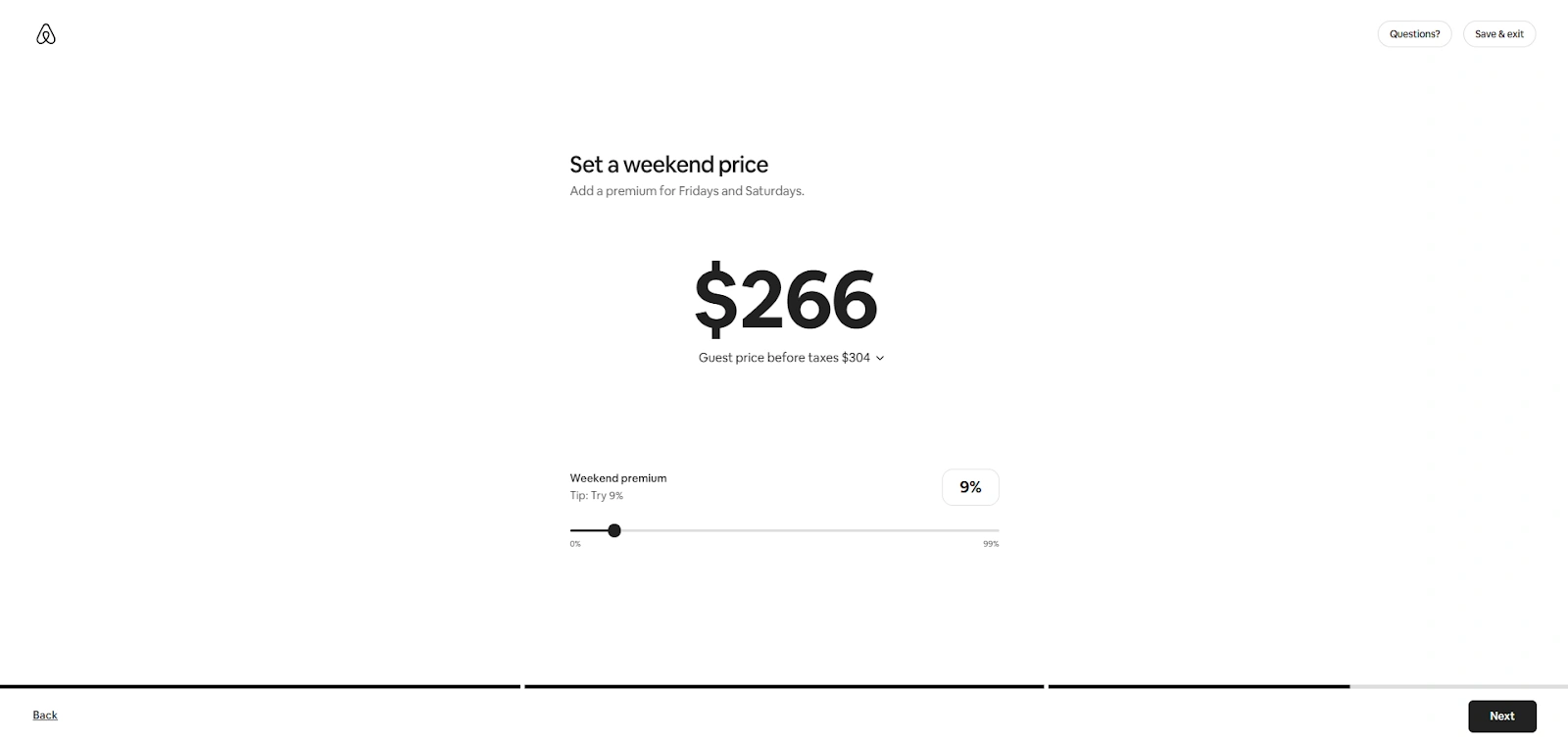
Specify your property’s weekend rates
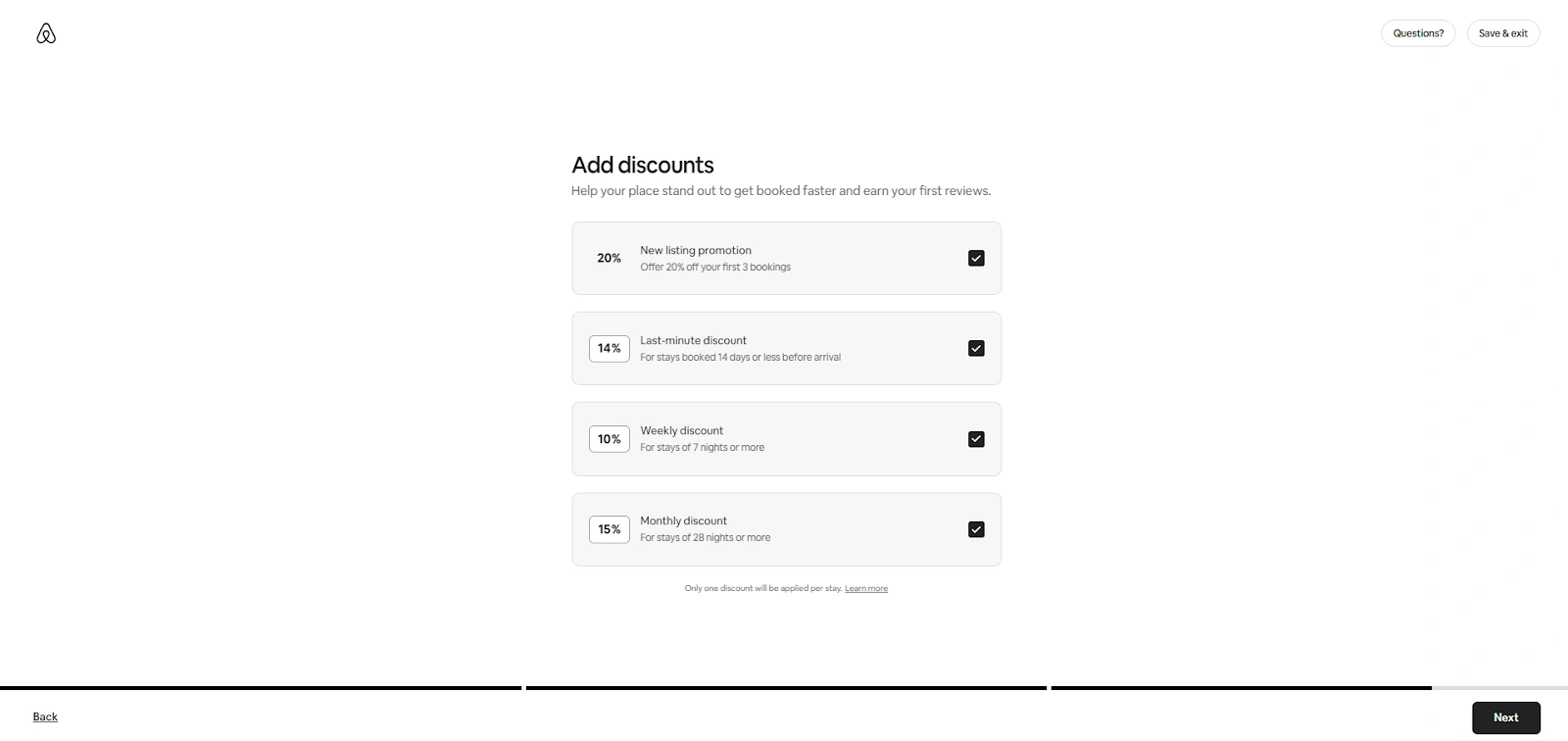
Add discounts to attract more guests. Consider offering monthly discounts to encourage longer stays and last-minute discounts to sell unoccupied rooms
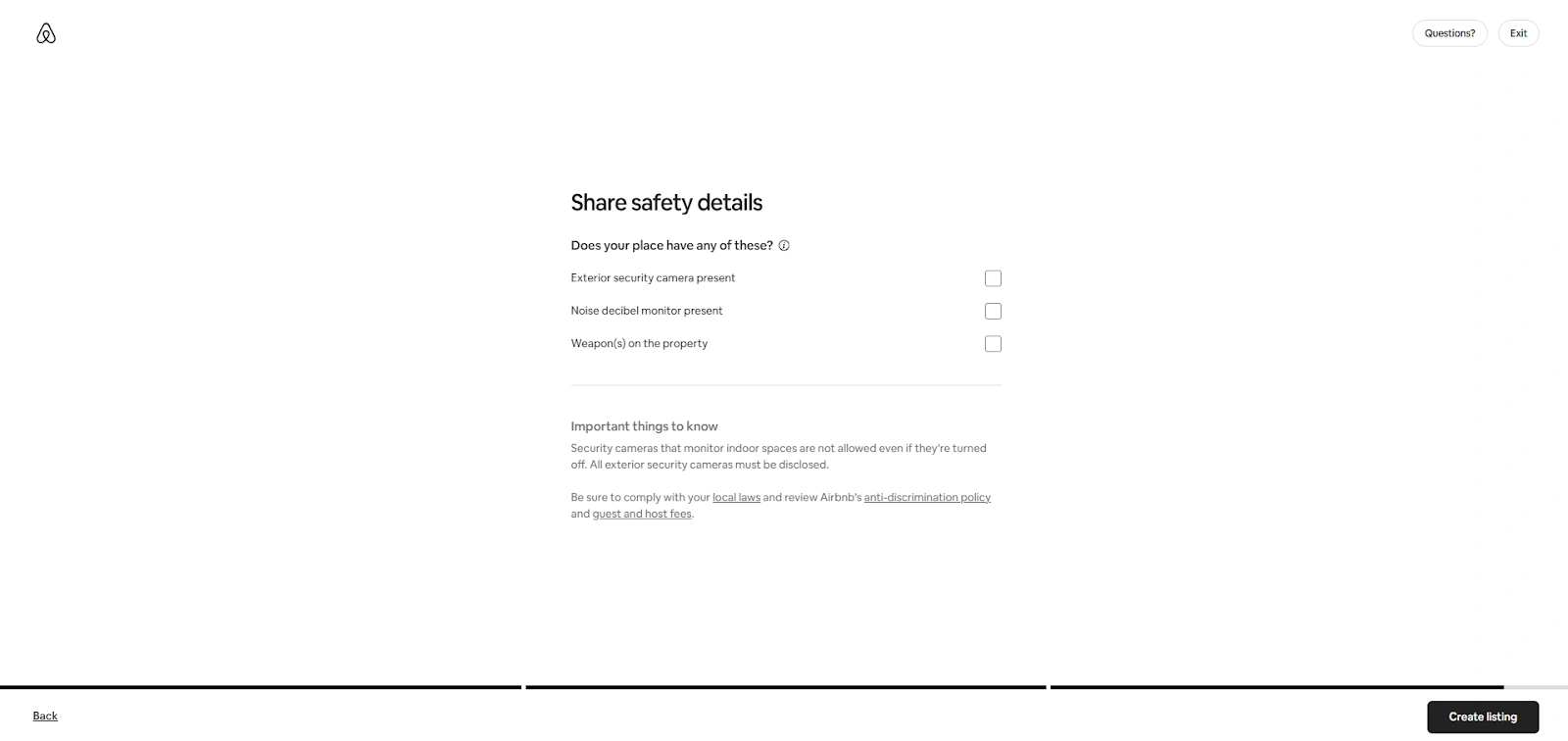
Specify the security measures your property has
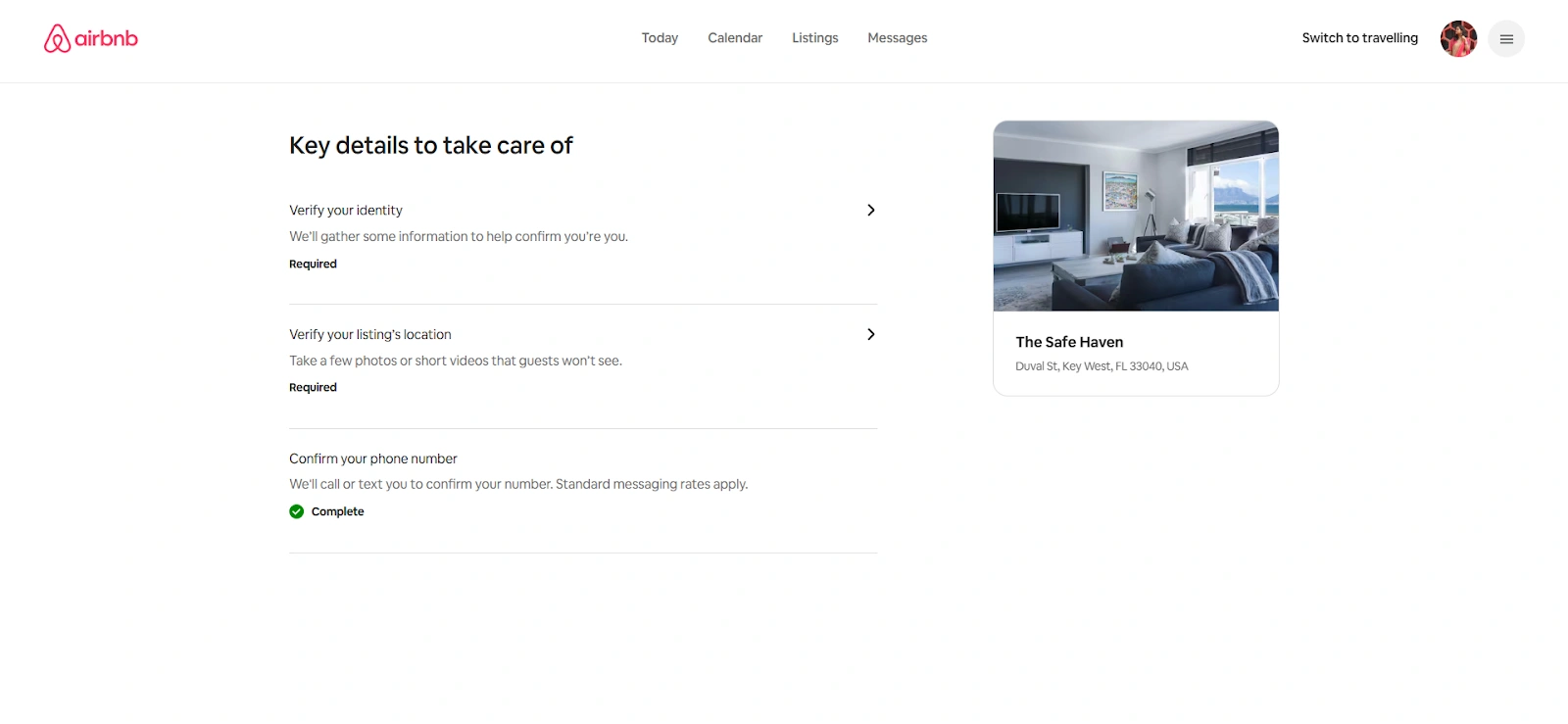
Step 6: Verify your address and identity
Now you must verify your identity and address. Airbnb will ask you for a government ID and some pictures, and videos of the address and location you provided.
Step 7: Wait for your listing to appear
The platform will publish the hotel on Airbnb once all the information you provided checks out. Airbnb listing approval takes about 12 hours
Step 8: Publish hotel on Airbnb
Once your listing becomes active, guests can start booking. You will also receive a direct update if your property doesn't meet the requirements.
If you choose the wrong category or select an ineligible property type, Airbnb lets you correct it. Use the link in the email or go to your Listings tab, select the correct category, and republish. If the new type requires another review, the process starts over.
Word of caution: listings that don’t meet Airbnb’s standards risk permanent removal from the platform. So, double-check the listing for accuracy before publishing. Make sure all information is correct to avoid delays in approval.
Best practices for optimizing your Airbnb listing
Want your property to stand out in search results and convert more guests? Learning how to optimize your Airbnb listing is a must. Here are some Airbnb listing tips for an inviting and unique profile that highlights your best features and makes travelers excited to book.
1. Write clear descriptions
One of the easiest ways to optimize Airbnb listing content is to keep descriptions simple and engaging. Highlight what makes your hotel special, like local tour packages, complimentary breakfast, or being close to local attractions.
Use short paragraphs and bullets and follow basic Hotel SEO practices to rank in searches. You should also add a personal touch, like a favorite café recommendation or nearby offbeat museums.
2. Add special offers and discounts
Who doesn’t love a good discount? Weekly or monthly discount rates and special offers will attract digital nomads, while early-bird offers bring in advance planners. Plus, last-minute deals help fill rooms during quieter periods. These small tweaks can help keep your listing competitive.
3. Respond quickly to inquiries
Guests feel more confident booking when they get quick answers. Turn on Airbnb notifications so you never miss a message, and prepare short templates for common questions about check-in, amenities, or parking. Fast responses improve your ranking in search results and show guests that your hotel is attentive and reliable.
How much does Airbnb charge hosts?
Airbnb lets you list your property for free without charging any upfront fees when you create your account. This means you don’t pay anything during the listing process.
However, Airbnb charges a service fee on every confirmed booking made through the platform. This covers platform operations, payment processing, customer support, and updates that improve the guest and host experience.
The fee calculation includes your nightly rate for the whole stay and any extra charges you add, such as pet or cleaning fees. You either pay the Airbnb host fees as part of the Split fee or a single fee. Here is how the Airbnb commission rates work:
Split fee: Airbnb applies this structure to most listings. If you only manage one property, you likely use this model. You pay a 3% host fee, and your guests pay a service fee of up to 14.2% based on the booking subtotal. That percentage can rise if your guest pays in a different currency than the one you set for your listing
Single fee: Airbnb takes the entire service fee directly from your payout. This fee usually ranges between 14–16%. If you choose a Super Strict cancellation policy, you pay an extra 2%. For stays of 28 nights or more, the fee often drops below the standard range
VAT charges: Your local laws decide whether VAT applies to Airbnb’s service fees. When VAT applies, Airbnb includes it in the service fee automatically. Airbnb can update these fees, and any changes follow the Terms of Service
Airbnb service fees for service and experience hosts: Airbnb charges a 15% service fee for service reservations, with a minimum of $6 or the local currency equivalent. For experience reservations, the platform charges 20%. The exact amount may shift slightly depending on the daily exchange rate
Managing your Airbnb listing after publishing
Once your property goes live, you must manage Airbnb listing details actively. Only then will you stay relevant to search results and keep your ranking strong. Here is what you need to do:
- Update availability and pricing regularly
Make sure your Airbnb price availability is always accurate on the calendar so that guests always see the right dates. Adjust your hotel rack rates for weekends, holidays, and local events to stay competitive. When you update Airbnb listing prices often, you improve your chances of filling rooms.
- Respond quickly to guests
Answer inquiries and reviews as soon as you can. Fast replies show guests you care, and engaging with reviews builds trust. Both actions improve your visibility in Airbnb search results and help secure more bookings.
How roommaster can help with your Airbnb listing
After you publish your Airbnb listing, the real challenge begins. You need to keep your rates, availability, and rules consistent in all booking channels. Every time you make a manual update, you risk hotel overbookings, lost revenue, and mismatched information.
Use roommaster Channel Manager instead. It connects your hotel to over 100 OTAs, including Airbnb, so you can manage pricing and availability from one place without losing control.
The roommaster PMS for Airbnb automatically syncs reservations across every connected channel, updating new, modified, or canceled bookings in real time. This prevents double bookings and keeps your listings accurate everywhere.
You can also use the hotel property management system features to centralize rate management. Apply closeouts, adjust pricing, and set booking restrictions once, and roommaster will update them across all platforms instantly. Performance data across channels helps you identify your top revenue sources without the hassle of tracking each OTA separately.
{{pms-two}}
Every booking stays synced between your OTAs and PMS, saving your time and keeping every detail accurate. Once your rooms sell out, the system closes availability automatically to prevent overbookings. You never need to guess which platforms need updates. Each channel stays in sync without manual follow-up.
Schedule a demo today and see how roommaster makes Airbnb listing management simple and stress-free.
FAQs
1. Can hotels list their rooms on Airbnb?
Yes. Hotels can list rooms on Airbnb to reach more guests, drive direct bookings, and increase occupancy year-round. Many travelers prefer Airbnb for the local experience, flexible pricing, and detailed reviews from real guests.
2. What kind of hotel listings work best on Airbnb?
Rooms with clear photos, accurate descriptions, and flexible policies perform better than listings with missing details. Guests often book faster when they see strong ratings, fast responses, and simple check-in instructions.
3. How does a hotel channel manager simplify daily operations?
It connects your hotel system to OTAs like Airbnb, Booking.com, and Expedia without needing separate logins. Every rate, inventory change, and booking syncs across channels automatically, saving time and avoiding duplicate entries.
4. Can I control rates for each channel separately?
Yes. You can apply different pricing, restrictions, or rules for Airbnb while keeping other OTAs unchanged. The roommaster channel manager lets you manage discounts, blackout dates, or minimum stays without repeating steps across sites.
5. What if a guest cancels on Airbnb?
Cancellations update automatically in your system and reopen availability across all connected OTAs instantly. Your calendar adjusts without extra effort, and you don’t need to re-enter anything by hand.
{{cta-strip}}
pms-two
Hotel Operations Made Simple and Effective with roommaster
Mayela Lozano is a content strategist with a passion for hospitality and technology. She collaborates with roommaster on content creation, highlighting how technology can streamline hotel operations and enhance guest satisfaction. When she’s not creating content, Mayela loves to travel and spend time with her two little ones, discovering new adventures and making memories along the way.
Join Thousands of Hotels Thriving with roommaster
The transition to roommaster is straightforward and efficient. Our implementation team handles data migration including reservations, guest profiles, and historical information.
The transition to roommaster is straightforward and efficient. Our implementation team handles data migration including reservations, guest profiles, and historical information.
Cloud Computing In The Hospitality Industry: A Complete Guide For Hotels
October 1, 2026
General
Best Hotels in Montreal: A Complete Guide
September 25, 2026
General
Best Hotels in Edmonton: A Complete Guide
September 25, 2026
General
Best Hotels in Banff: A Complete Guide
September 25, 2026
General
Best Hotels in Calgary: A Complete Guide
September 25, 2026
General
Best Hotels in Whistler: A Complete Guide
September 25, 2026
General
Best Hotels in Victoria BC: A Complete Guide
September 25, 2026
General
Best Hotels in Vancouver: A Complete Guide
September 25, 2026
General
Best Hotels in Niagara Falls: A Complete Guide
September 25, 2026
General
Best Hotels in Ottawa: A Complete Guide
September 25, 2026
Join Thousands of Hotels Thriving with roommaster
See how roommaster's unified platform can work for your property. Our team will walk you through features tailored to your specific needs and operations.
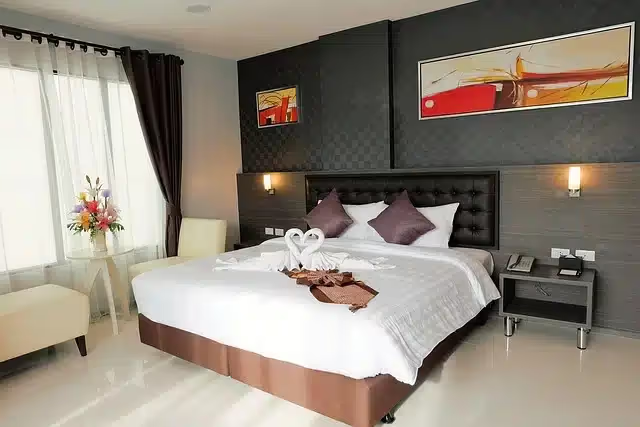




.png)
.png)
.png)