How to List Your Hotel on Agoda (Step-by-Step Guide for 2026)
"roommaster makes running Nuvo Suites so much easier, everything’s in one place, from bookings to housekeeping. It’s extremely customisable – they customised everything according to our needs."
Agoda gives hotels global exposure to millions of potential guests.
Creating a listing involves adding accurate details, photos, rates, and policies for better visibility.
Optimizing listings with quality content, reviews, and fair pricing boosts bookings.
A hotel channel manager like roommaster helps manage rates, inventory, and availability across all OTAs automatically.
This prevents overbookings, saves time, and ensures consistency across channels, increasing bookings and revenue efficiently.
If you want to reach millions of potential guests worldwide, list your hotel on Agoda now. Agoda ranks among the most widely used online travel agencies, with over 5 million properties already on the platform.
But getting more eyes on your property doesn’t guarantee the right guests will book it. You must optimize your listing with accurate information, high-quality photos, and recent reviews. That helps your property appear credible, appealing, and ready for immediate booking.
In this guide, we will show you how to create your Agoda listing from scratch and make it stand out from the crowd. Let’s get started.
What is an Agoda listing?
An Agoda listing represents your property's online presence on Agoda, a leading global online travel agency. It serves as a comprehensive profile showcasing your accommodation's unique features, rates, availability, and more to millions of potential guests worldwide.
Why list your hotel on Agoda?
But why list on Agoda?
With a strong presence in Southeast Asia and a growing global reach, Agoda gives you access to millions of travelers looking for stays. The platform is connected to more than 6 million hotels worldwide. So, listing your property on Agoda opens up numerous opportunities.
Here are some of the Agoda hotel listing benefits you can enjoy:
Increase bookings: New listings often receive bookings within the first week, so you can expect quick visibility and results
Multilingual support: The platform supports 39 languages and gives your property both regional and international exposure
Offer day-use feature: Let guests book rooms for a few hours to increase occupancy rate during off-peak times
Benefit from Agoda Promotions: Seasonal campaigns, flash deals, and discount programs get you more bookings during slow seasons
Access marketing tools: Sponsored listings offer more reach in peak demand periods
Manage bookings efficiently: Process reservations, cancellations, and guest communication
Set competitive rates: Adjust your room rates and availability to remain competitive and attract more guests
Receive 24/7 support: You get round-the-clock assistance in multiple languages
Monitor performance metrics: Monitor occupancy rates, average daily rates, and revenue per available room to optimize your pricing strategies
What you need before listing on Agoda
Agoda can do a lot for your hotel business. But before partnering, you must know what to list on Agoda. Only then will you attract bookings and get long-term benefits from the platform.
So, before we get into the listing steps, here are the Agoda property listing requirements you should be aware of:
Property details: Name, address, and contact information
High-quality images: Click high-definition photos of rooms, facilities, and common areas
Rooms and amenities: Describe your hotel room types and amenities accurately
Cancellation and house rules: Set up policies for guests, like cancellation window and associated fees, hotel check-in and check-out times, pet and smoking rules, and other property-specific guidelines
Step-by-step guide to listing on Agoda
Follow these steps to list your hotel on Agoda and start accepting bookings from a global customer base.
Step 1. Creating an account
Start by registering as a partner on Agoda and verifying your account on Agoda.com. This gives you access to the Partner Central dashboard, where you can manage your listing. Here is how to set up an Agoda account.
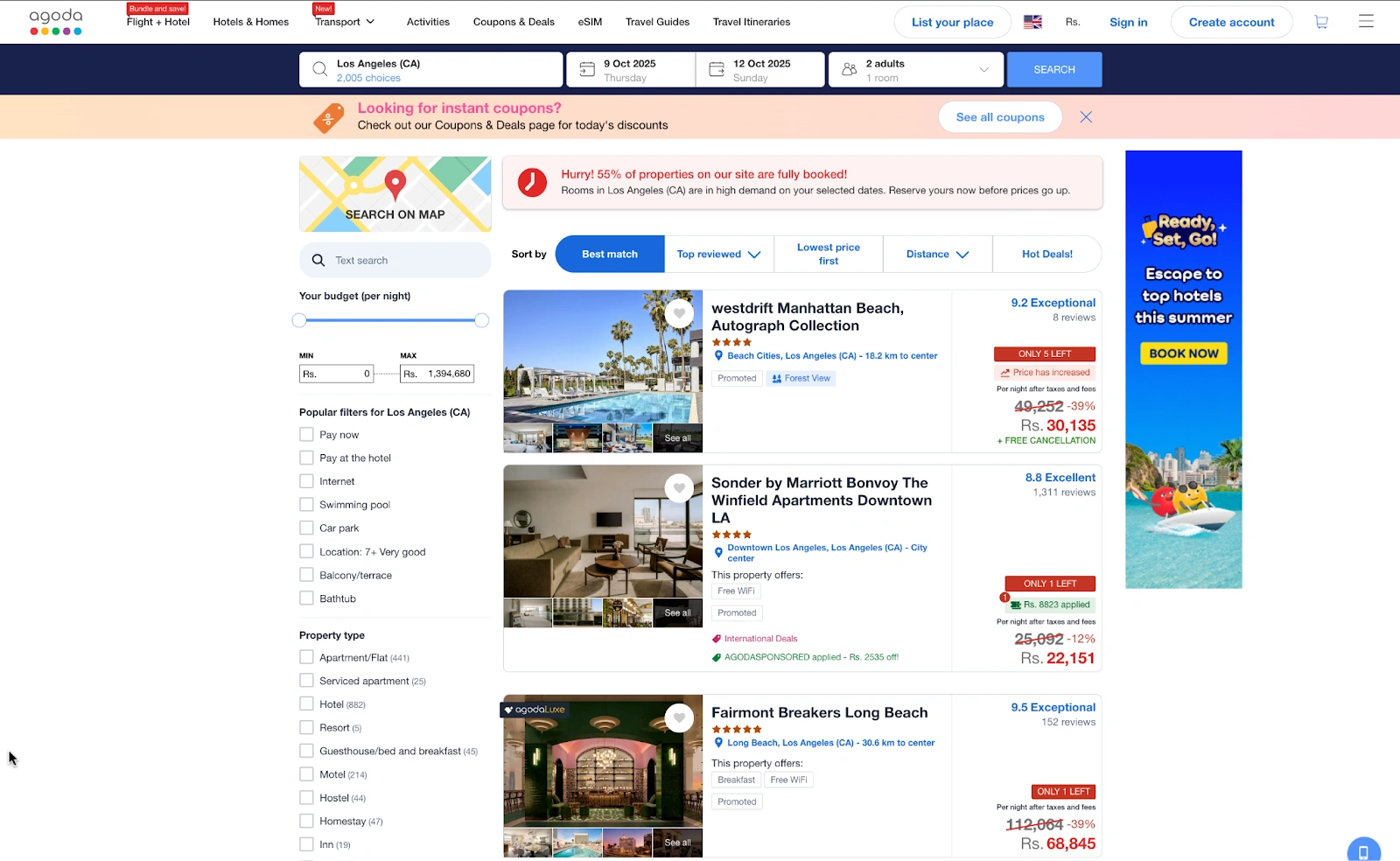
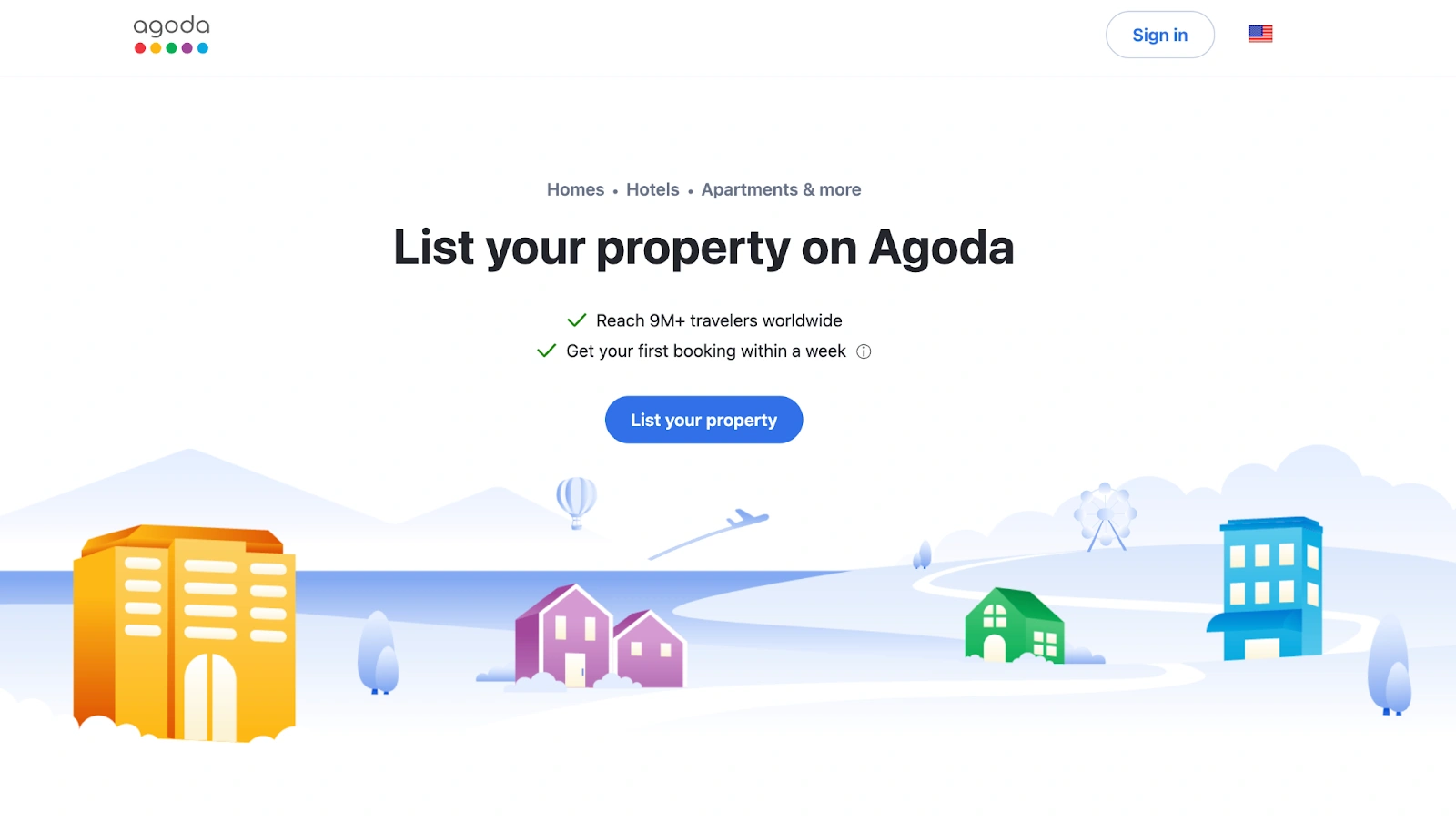
Visit the Agoda website
Click on List your property
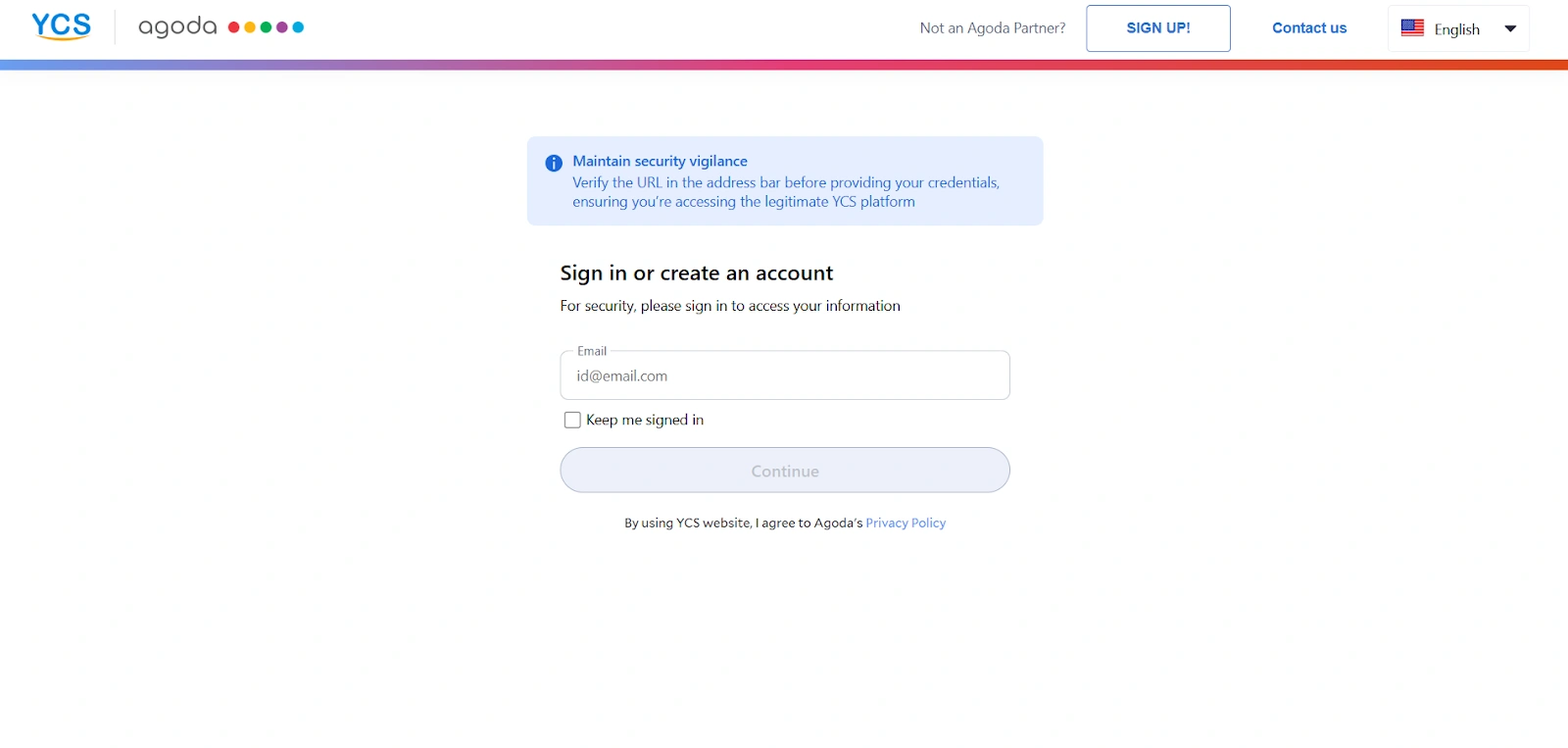
You will be asked to log in to your account
If you don’t have an account on Agoda, click on the “Sign Up” button at the top of the page
Once you create an Agoda Partner Central account, you can build a listing manually or import your listings from other Online Travel Agencies (OTAs)
If you choose the manual option, you must choose the property type you want to list
Click Next to start
Step 2: Adding property details
Now you add property details on Agoda:
Enter the name of your hotel on the Agoda property setup page
Add your property’s current star rating
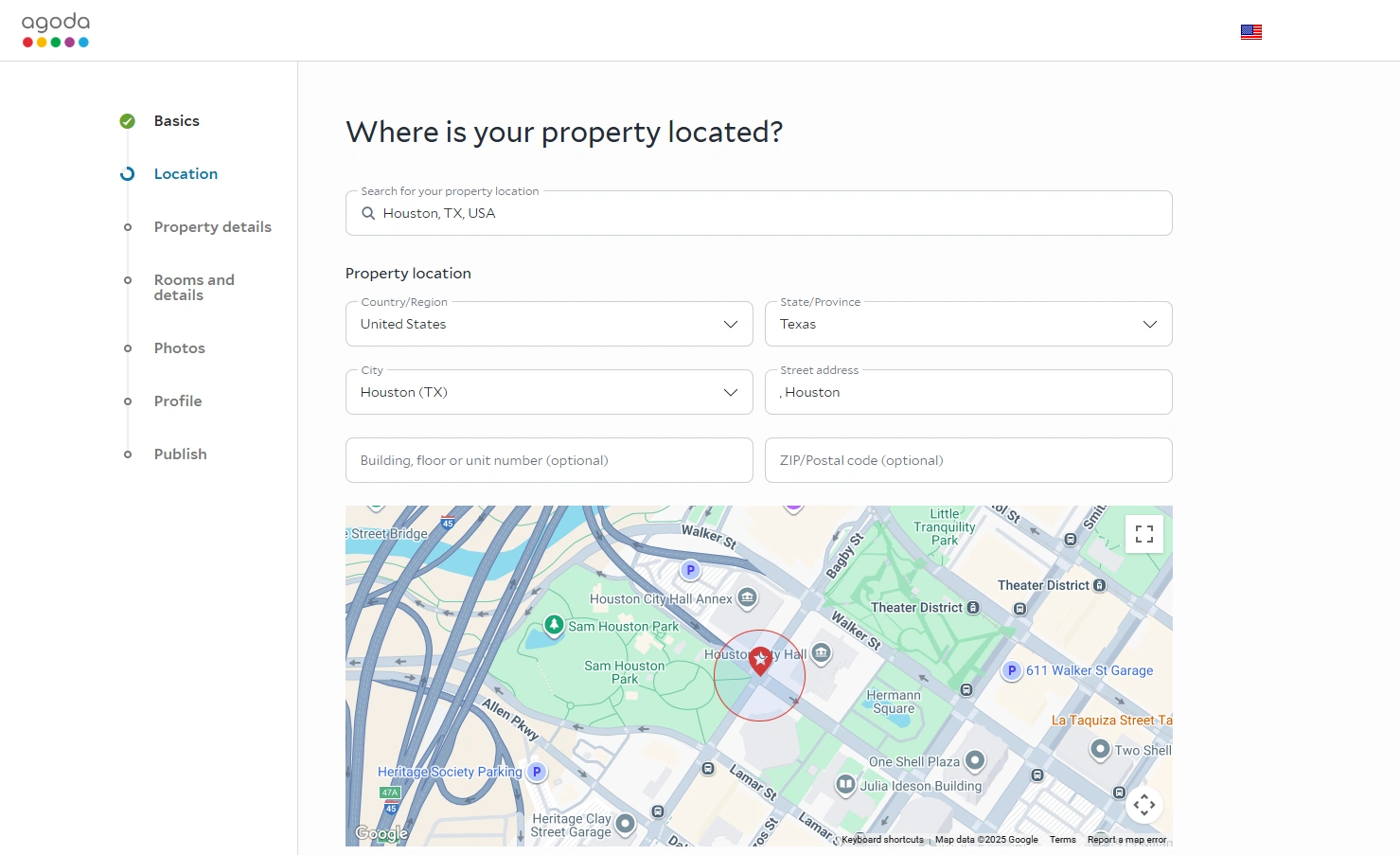
Next, you need to add your property’s location and address
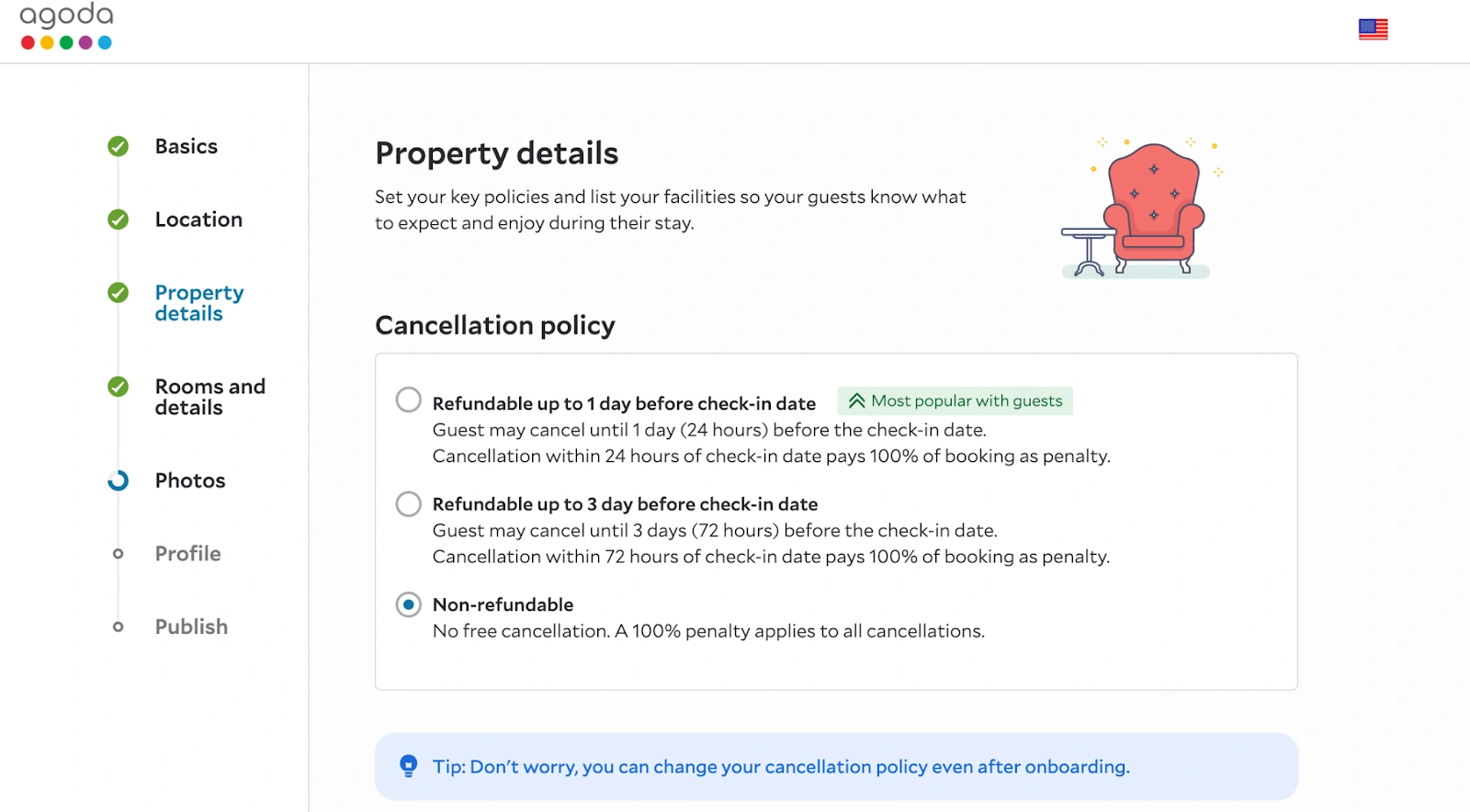
Set up your key policies and property-specific guidelines. Here are the elements you need to specify:
Cancellation policy
Check-in/check-out time
Access (how the guest gets into the property)
Important information (like AC, transport, breakfast, and more)
Payment information
Click NEXT
Add your rooms with room names, types, and features
You can set rates on Agoda on this page
Here are some tips to keep in mind to optimize your Agoda price availability and attract more bookings:
Compare similar properties and their average rates in your area and set prices accordingly
Increase rates during peak periods and offer discounts during slower seasons
Track occupancy and booking trends to refine your pricing strategy
Step 3: Uploading photos
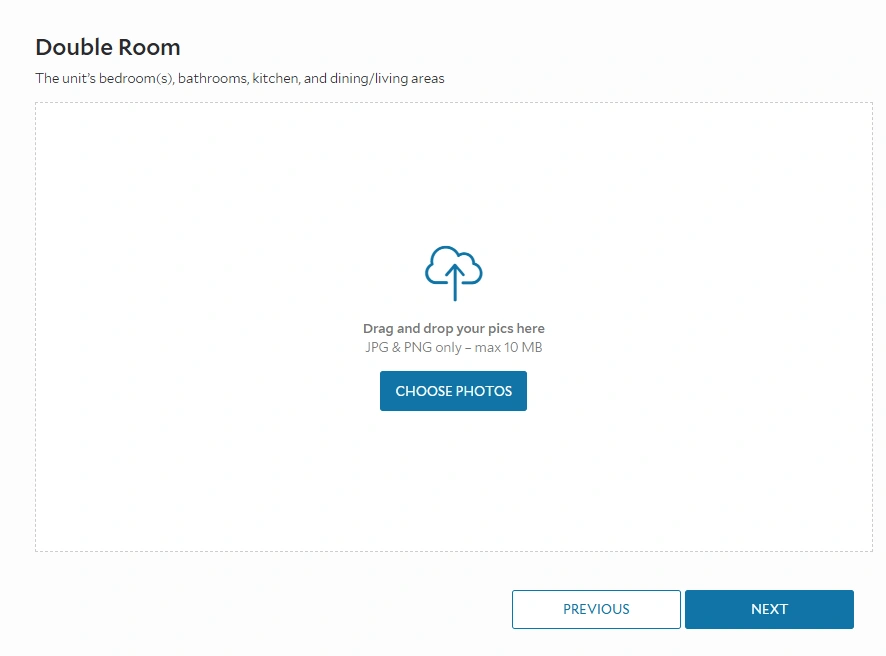
Now, you have to upload photos to Agoda:
Upload at least three high-resolution images of your property in JPG or PNG format, of 10 MB max
Then upload photos of the rooms, bathrooms, and other associated amenities
Here are some Agoda image requirements you need to keep in mind:
The minimum photo resolution on Agoda is 800 x 600 pixels. But you should use 2048 x 1536 pixels for the best results
Add a mix of images for your rooms, amenities, and common areas to show guests what they can expect
Click photos during the day with windows open to create bright and inviting room images
Arrange furniture and décor similarly in every photo to create a cohesive appearance
Apply the same color correction and brightness settings to all images for a consistent feel
Ensure amenities, decor, and focal points are well-lit
Step 4: Add your account details
On the next page, you will have to add your details for your Agoda partnership contract:
Add your legal name, nationality
Put in your phone number and language preference
Add your current residential address
Now select how you would like to receive your payment and click NEXT
Step 5: Publishing your listing
Here are the steps to publish your hotel on the Agoda marketplace:
Read the contract details carefully, click the checkbox on Terms and Conditions, and click NEXT
Now, the platform will review your details. Once Agoda listing approval comes through, your property will go live on their marketplace. This process usually takes up to 72 hours.
Best practices for optimizing your Agoda listing
Agoda is quite a competitive platform with millions of listings. So, how do you stand out?
While you wait for your property to go live, let’s talk about how you can optimize your Agoda listing. These Agoda listing tips will boost your visibility on the platform and get more guests:
1. Writing compelling descriptions
You must show guests why they should choose you over the other listings on Agoda. So, use clear, friendly language to describe your rooms, amenities, and unique features. Highlight what makes your property comfortable and convenient.
It’s a good practice to describe what guests can expect during their stay and include details that help them make a decision. Are there any local attractions near your property? Do you offer any special tourist packages? Be as specific as you can.
You should also follow basic Hotel SEO practices like using relevant keywords in your descriptions to rank in searches.
2. Choosing your main image
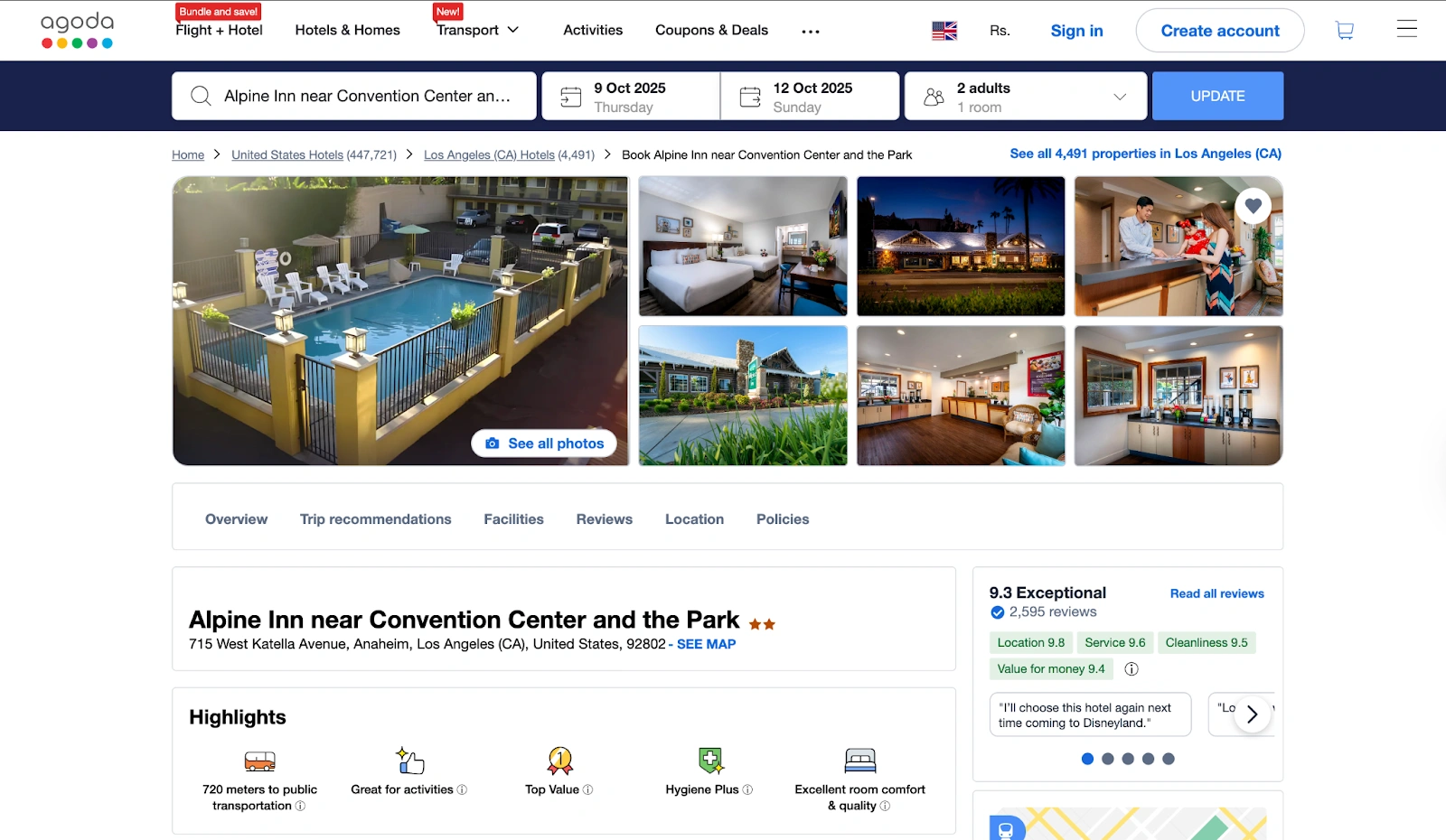
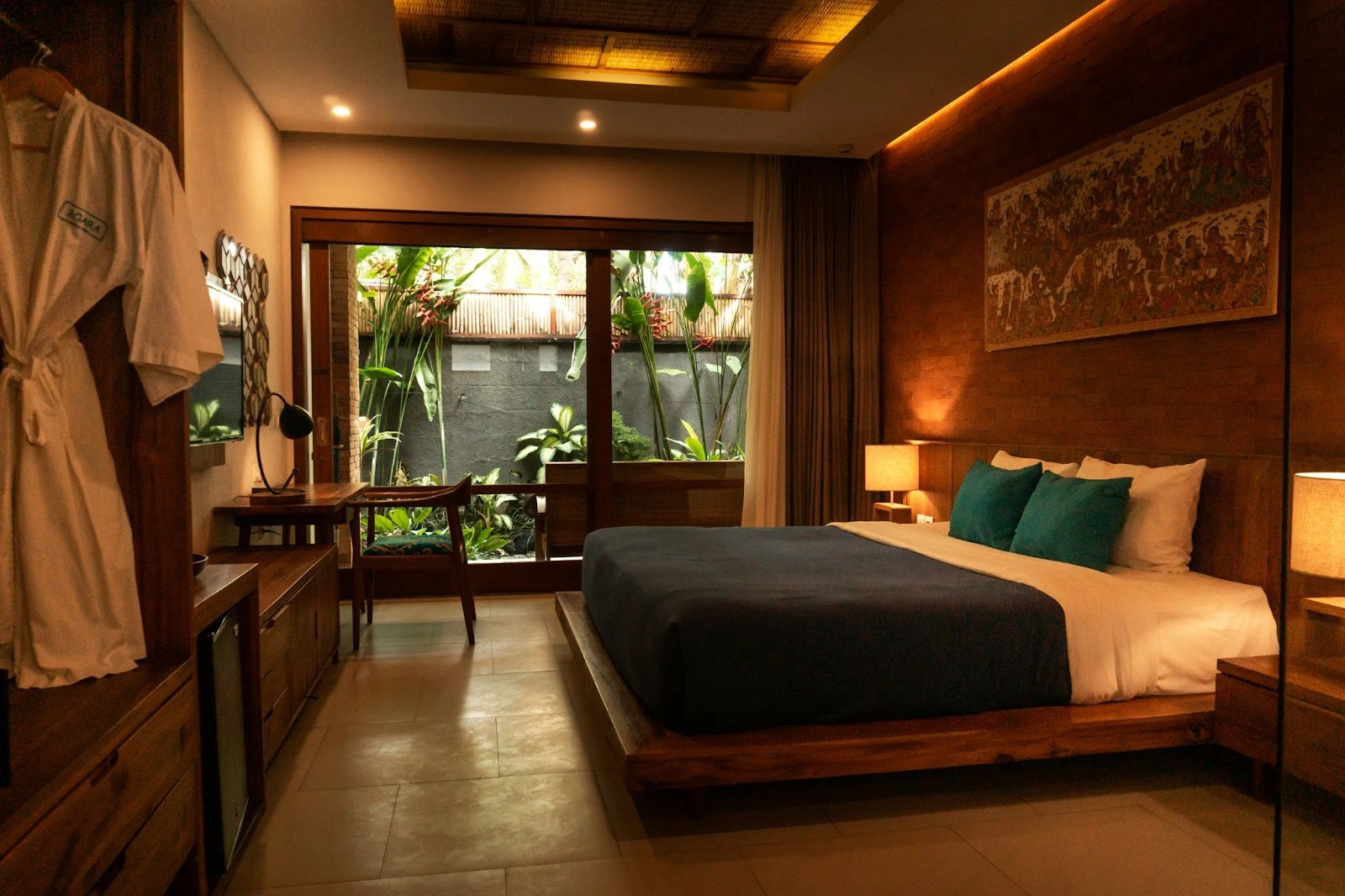
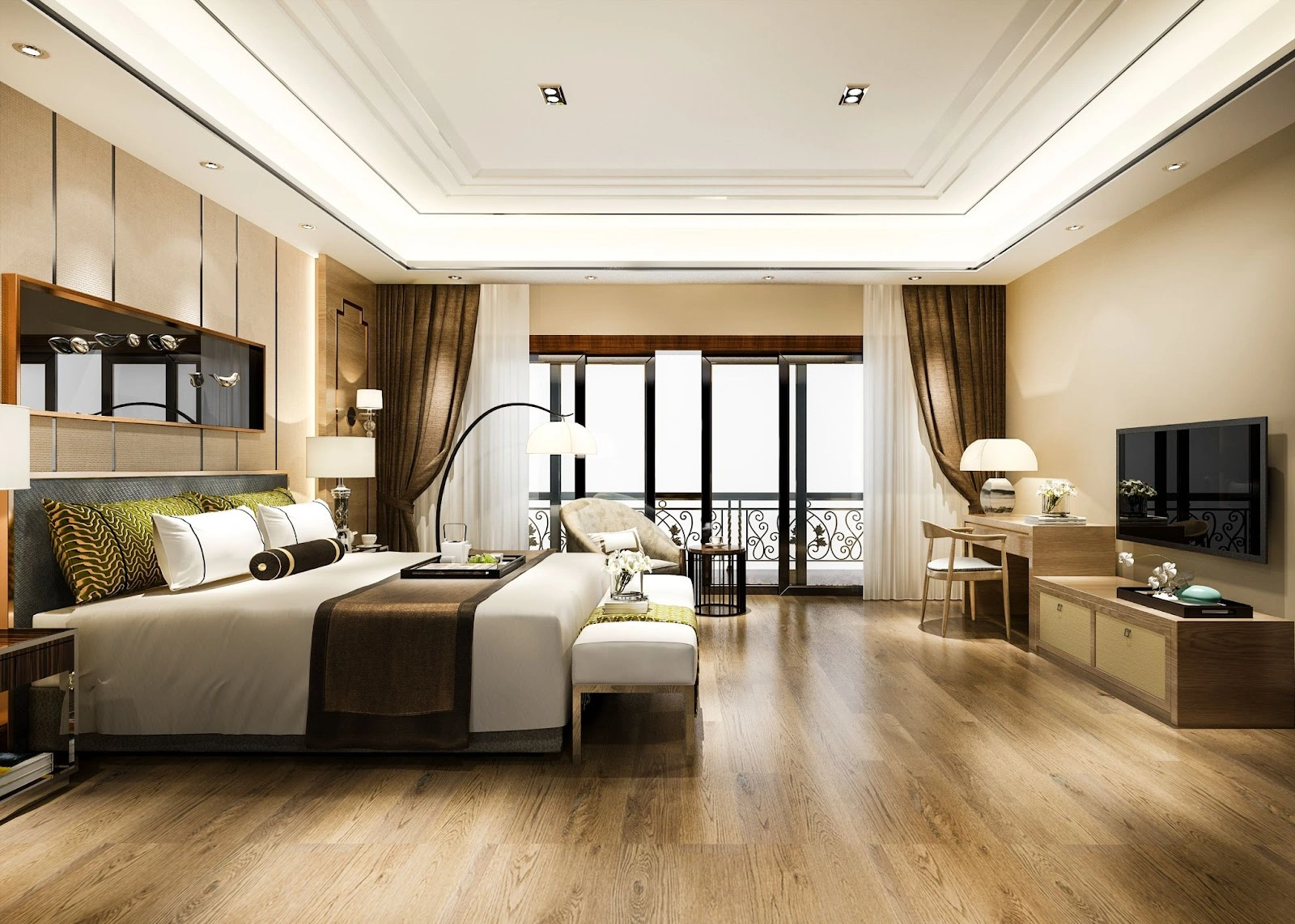
The main image is what travelers see first, so it should instantly communicate the feel and quality of your property. Pick a bright, high-quality photo that shows your property’s best feature. Make the room look inviting and clean.
Show natural light as much as possible and include a wide-angle shot to capture the full space. You should also make sure that the key amenities, like a pool, view, or balcony, are visible in the image
3. Competitive pricing tips
Check the rates of nearby properties with similar features and guest ratings to see what they charge. Use Agoda’s flash deals, promotions, and sponsored listings to get more out of slow seasons.
Packages with complementary breakfast, airport transfers, and other perks add value to your listing without reducing base rates. Finally, monitor your booking trends and tweak pricing to stay competitive.
4. Managing guest reviews
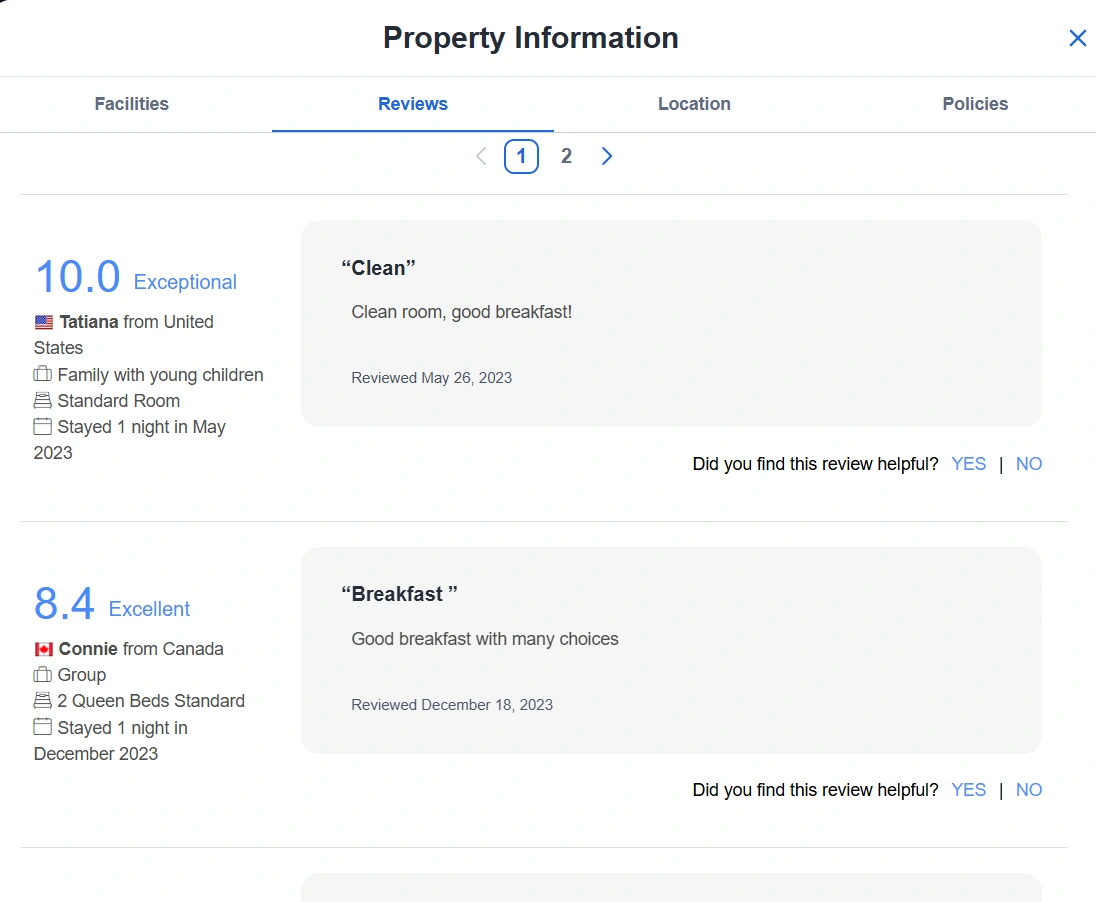
Most of your potential guests will check reviews after going through a hotel listing. Make sure they get the best possible image of you.
Respond to guest feedback quickly and politely. Acknowledge compliments, but also address negative comments. Follow up with improvements and solutions. Send messages to guests with Agoda review links.
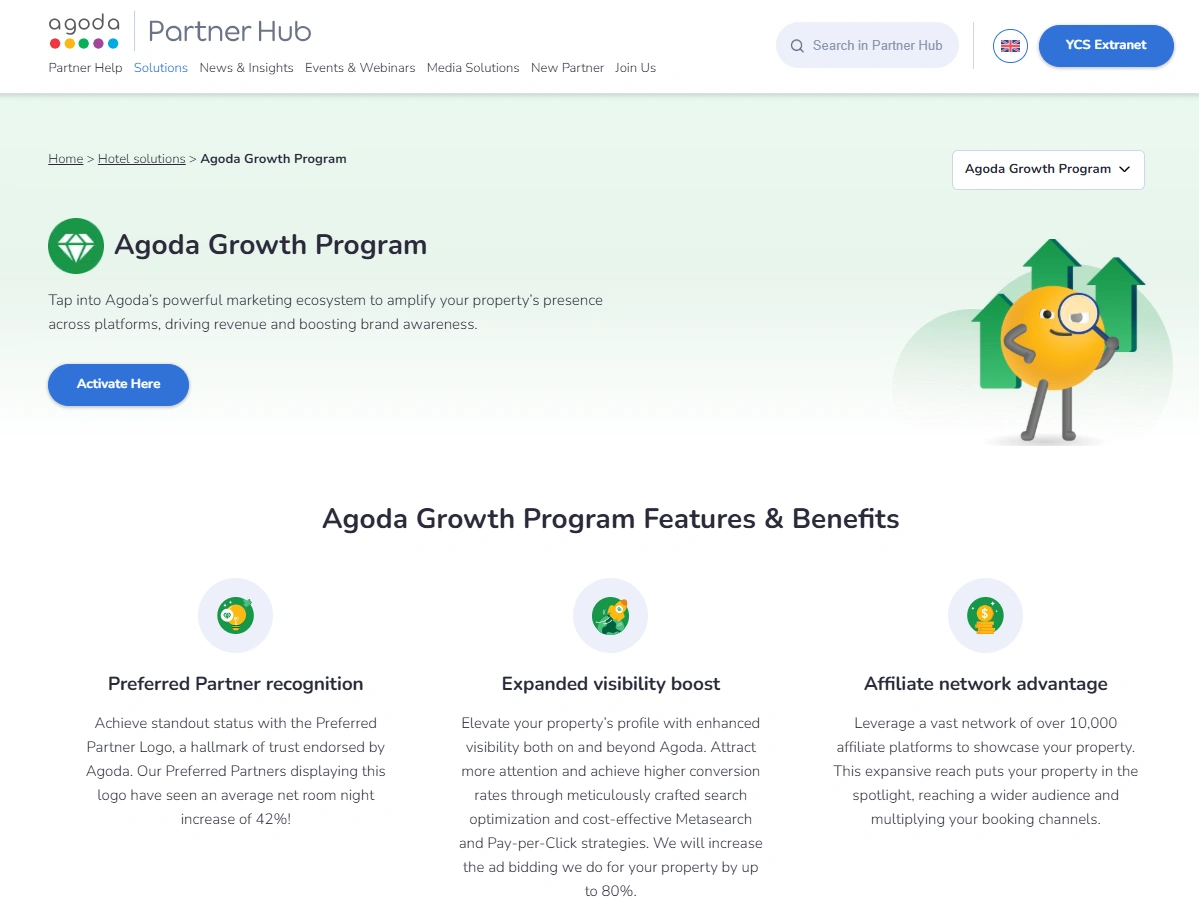
5. Investing in Agoda Growth Program
Want more eyes on your property and get more bookings? Subscribe to the Agoda Growth Program. It offers:
Preferred Partner logo that makes your property instantly stand out to travelers
Ranking boost so your listing shows up higher on Agoda’s search results
Affiliate programs that spread the word about your property across Agoda’s partner network
Enhanced advertising on Google, Bing, and Yahoo to reach even more guests
You can start with AGP Lite. But it has a higher commission rate. There is also AGP Advanced with extras like upfront payments and guaranteed bookings.
Agoda’s commission structure explained
Agoda has a commission-based model and takes a percentage of your reference sell rate. Knowing the details helps you increase profits. Here’s a simple breakdown of the Agoda commission model:
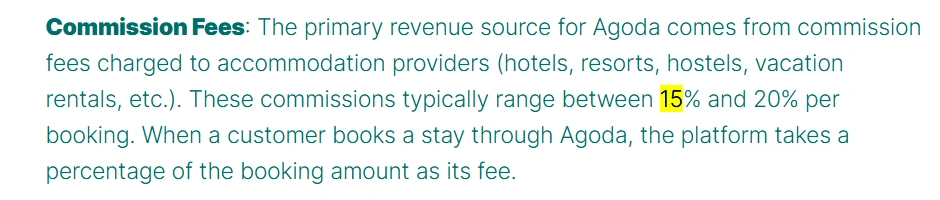
Agoda commission ratestypically range from 15% to 20%, depending on your property type and location. It includes:
Marketing tools: Get Sponsored Listings and Agoda Growth Express to increase visibility
Payment processing: Agoda manages transactions and payment collections
Customer support: 24/7 assistance makes sure a smooth booking experience for guests
Agoda’s compensation for each booking depends on your property’s location and sometimes the payment model. The only exceptions are Agoda Collect bookings in Taiwan, the US, and Mainland China. There, hotels pay compensation according to a markup Agoda adds to the loaded rate.
How can I see the compensation amount for a specific booking?
Here are the steps to see the compensation amount for a specific booking:
- For Agoda Collect bookings:
Sign in to YCS and select your property from Listings (if you manage more than one)
Go to Bookings, and then Reservations
Select the booking you want, then click Payment & Pricing
Open Price breakdown to see the compensation amount under Compensation
- For Property Collect bookings:
Sign in to YCS and choose your property from ‘Listings’ if you manage multiple
Navigate to Finance, and then to All transactions
Match the Reference number with the booking ID
View the compensation amount under Collection Amount
Agoda charges you commissions when:
Guests complete a confirmed stay
You charge for partially refundable or non-refundable reservations
You charge guests for no-shows or late cancellations
However, you don't have to pay any commission when:
You forgo cancellation fees
Guests cancel the reservation within the free cancellation window
How Agoda compares to competitors
Agoda’s commission rate may seem high, but it comes with some stellar services. You get marketing tools, global reach, and customer support. This is especially valuable to attract travelers from Southeast Asia and worldwide.
Here is how Agoda stacks up against competitors:
Platform
Average commission
Key strengths
Best for
Agoda
15% to 20%
Strong reach in Southeast Asia, marketing tools, global reach, and customer support
Hotels targeting Southeast Asia and global travelers
Alternative accommodations like homestays and rentals
Managing your listing via Agoda Partner Central
Agoda Partner Central management tools make it easy to stay on top of your property’s performance and keep your listing appealing to travelers. Here’s how you can manage listing on Agoda efficiently for better visibility and more bookings:
1. Updating rates and availability
Adjust your hotel rack rate and availability in real-time. Consider seasonal demand, special events, and last-minute changes. This will attract more guests.
2. Editing content
Edit your property descriptions, photos, and amenities regularly and highlight unique features. Clear and engaging content helps potential guests make better decisions.
3. Monitoring performance metrics
Monitor occupancy, booking trends, revenue, and guest reviews on your Partner Central dashboards. Use this data to refine your pricing, promotions, and listing details, improving performance over time.
How roommaster can help manage your Agoda listing
After you publish your Agoda listing, the real work starts with managing updates across all booking platforms. Each time you manually change rates, availability, or policies, you waste time and increase the risk of errors.
Use a channel manager instead. That way, you update everything once, and it reflects changes on all connected platforms instantly.
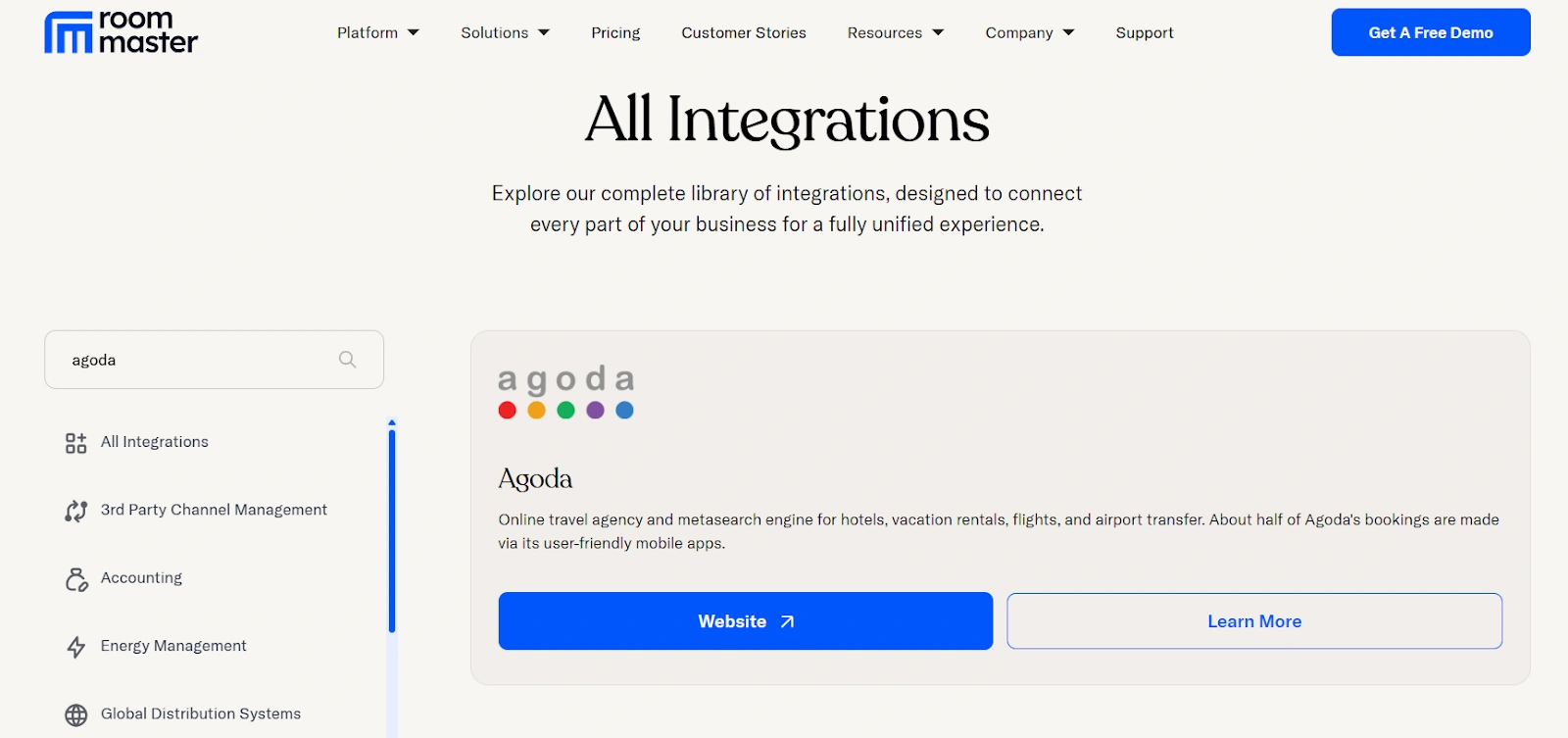
roommaster Channel Manager connects your hotel to over 100 online travel OTAs, including Agoda. You reach a wider audience without giving up control over availability, pricing, or booking rules.
{{channel-manager-two}}
The roommaster Agoda integration automatically updates inventory across every connected channel to prevent overbookings and duplicate reservations. It will enter every new, modified, or canceled booking directly into your system, saving time. Thai helps you maintain rate parity across all your channels without constant monitoring.
Plus, you can use the roommaster PMS central rate management feature to apply rate closeouts, set limits, and price adjustments without following the same steps on each channel. You can monitor performance data across all channels to find your best booking channels. Every booking stays synced in real time between your OTAs and hotel property management system (PMS), so you don’t lose any reservations or deal with missing entries.
Schedule a demo today and see how roommaster helps you take control of every booking channel!
FAQs
How much does Agoda charge hotels?
Agoda charges hotels a commission that usually ranges from 15% to 20% of the booking price. The exact rate depends on a yearly agreement and factors such as location, brand strength, and the hotel's reliance on Agoda.
How much does Agoda charge hosts?
Agoda charges property hosts a commission ranging from 15% to 25%, depending on location, demand, and agreement terms. You only pay once a guest completes their stay, and Agoda deducts it before transferring your payout.
How do I get paid by Agoda?
You receive payment directly from Agoda after the guest checks out, using the bank account or Payoneer account you linked. Agoda sends your payout according to the agreed-upon schedule, typically within a few business days.
Who owns Agoda owned by?
Booking Holdings owns Agoda, as well as Booking.com, Priceline, and Kayak. The company operates globally but runs Agoda as a distinct brand, with a strong focus on the Asia-Pacific travel market.
How do I list rooms in Agoda?
You create a host account on Agoda’s YCS platform, upload your property details, set prices, and publish listings. Agoda reviews and activates your listing, allowing travelers to book rooms directly from your page.
Mayela Lozano is a content strategist with a passion for hospitality and technology. She collaborates with roommaster on content creation, highlighting how technology can streamline hotel operations and enhance guest satisfaction. When she’s not creating content, Mayela loves to travel and spend time with her two little ones, discovering new adventures and making memories along the way.
Join Thousands of Hotels Thriving with roommaster
The transition to roommaster is straightforward and efficient. Our implementation team handles data migration including reservations, guest profiles, and historical information.
The transition to roommaster is straightforward and efficient. Our implementation team handles data migration including reservations, guest profiles, and historical information.
Cloud Computing In The Hospitality Industry: A Complete Guide For Hotels
October 1, 2026
General
Best Hotels in Montreal: A Complete Guide
September 25, 2026
General
Best Hotels in Edmonton: A Complete Guide
September 25, 2026
General
Best Hotels in Banff: A Complete Guide
September 25, 2026
General
Best Hotels in Calgary: A Complete Guide
September 25, 2026
General
Best Hotels in Whistler: A Complete Guide
September 25, 2026
General
Best Hotels in Victoria BC: A Complete Guide
September 25, 2026
General
Best Hotels in Vancouver: A Complete Guide
September 25, 2026
General
Best Hotels in Niagara Falls: A Complete Guide
September 25, 2026
General
Best Hotels in Ottawa: A Complete Guide
September 25, 2026
Join Thousands of Hotels Thriving with roommaster
See how roommaster's unified platform can work for your property. Our team will walk you through features tailored to your specific needs and operations.








.png)
.png)
.png)